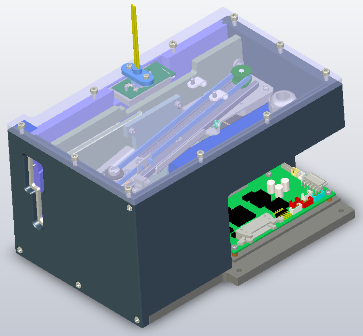
Parts and Materials Required
- Allen wrench, 4 mm
- Allen wrench, 4 mm, extension
- LUMO, MODULE
Time Required
- 8 hours (includes Instrument Setup, re-teaching the Distributor module, Panther Luminometer SysCheck Reagent Verification procedure, and a Performance Qualification procedure)
Removal Procedure
- Put on proper PPE.

|
WARNING—MTUs may be present in module. It is necessary to remove all MTUs to avoid contamination. |
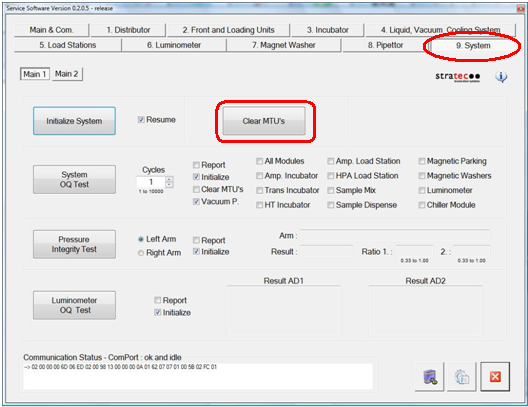
- Clear MTUs using one of the following methods
- Reboot the Panther System main software.
Or
- Close Service Software, if necessary, and power down the Panther System.
- Raise the pipettor door flaps.
- Open the right side panel door on the system.
- Locate the Luminometer module.
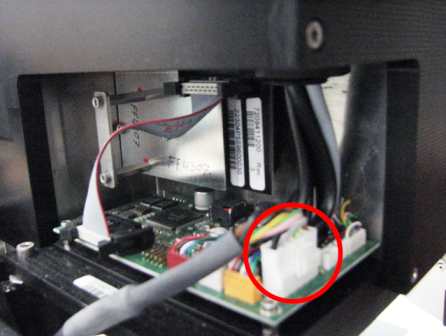
- Carefully open the Service Drawer so that the Luminometer CAN cable can be disconnected.

Note—As per Open Drawer procedure, remove the injectors.  Disconnect the CAN cable from the Luminometer PCB.
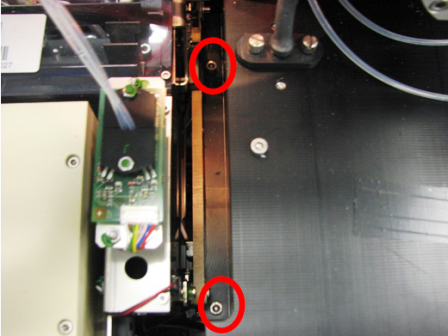
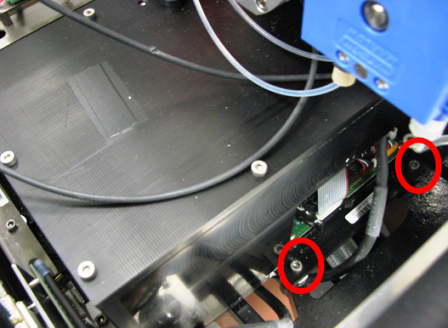
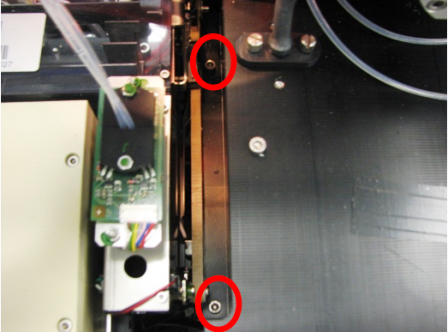
- Remove the four screws on the left and right sides of the Luminometer module.
- With the drawer slightly open, remove the Luminometer module from the side of the system.
Note—If the module will be returned, clean the module.
Replacement Procedure
- Insert the mounting screws into the Luminometer mounting through holes.
- Slightly open the Service Drawer and place the Luminometer into the system through the side with the MTUMulti-tube unit—Container used to process tests in the instrument. An MTU contains five separate reaction tubes. The MTU is moved through the instrument by the linear distributor and includes five tiplets for pipettiing to be used in the mag wash station. Input Queue open.
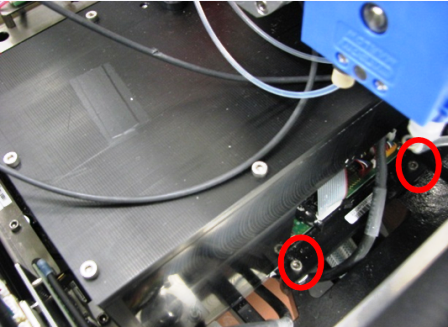
- Using a 4 mm Allen wrench, tighten the four screws that secure the Luminometer module.
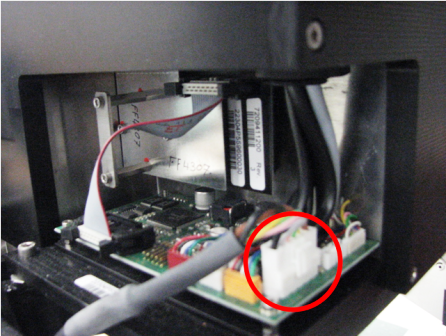
- Plug the Luminometer CAN cable into the Luminometer PCB.
-
Carefully close the Service Drawer.
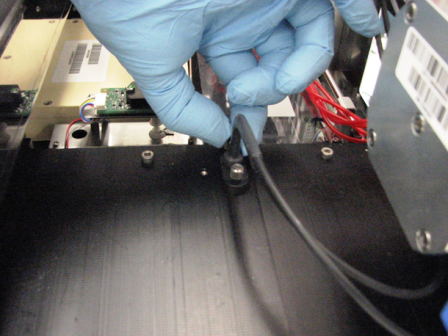
Note—The injector tubing routes toward the right side of the module (
see image)
Note—As per Open Drawer procedure, reinstall the injectors. - Lower the pipettor door flaps.
- Close the right side panel door.
- Turn on power to the Panther System.
- Run Panther Instrument Setup (Firmware).
- Start up Service Software.
Alignment/Calibration
Verification
- Verify the Luminometer is properly assembled. Using Service Software, run a system Operational Qualification procedure.
- Perform the Syscheck procedure.
- Perform the Flashcheck procedure.
 button at the top of the page to send feedback, comments, or change requests.