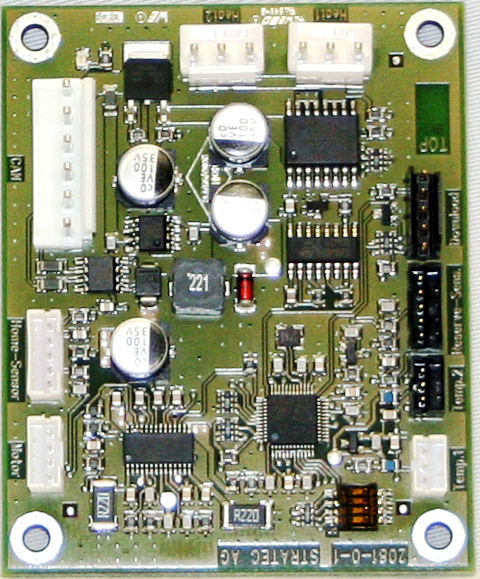
Parts and Materials Required
- Hex wrench, 2.5 mm
- LOAD STATION, MAIN PCB
Time Required
- 30 minutes (does not include re-teaching Distributor)
Removal Procedure

|
Wear clean nitrile gloves while performing the following procedures. |
- Put on proper PPE.
- Remove the Amp Load Station.
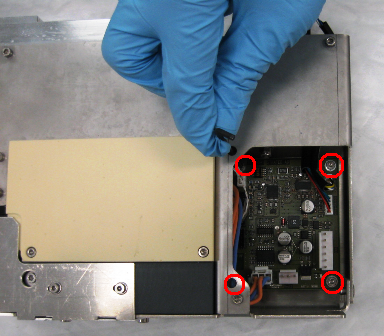
 Using a 2.5 mm hex wrench, remove the four screws on the corners of the PCB.
- Remove the PCB from the module.
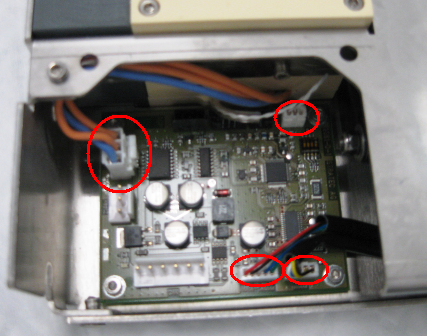
Replacement Procedure
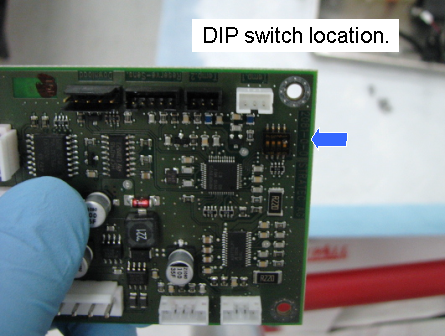
- Verify the following DIP switch settings:
DIP Switch Amp Load Station 1 ON 2 OFF 3 OFF 4 OFF - Reverse the removal procedure.
- Reinstall the Amp Load Station module onto the system.
- Run a Panther Instrument Setup (Firmware) procedure.
Alignment/Calibration
- Using Service Software, teach the Distributor to the Amp Load Station.
- Teach the Pipettor to the Amp Load Station.
 button at the top of the page to send feedback, comments, or change requests.