Auto-Teaching—Reagent Pipettor

|
Note—To minimize contamination, perform the auto-teaching procedure in the following order. |
|
|
Note—If a Fusion is installed the Reagent Pipettor teaching to the Elution Track MUST be completed. |
Parts and Materials Required
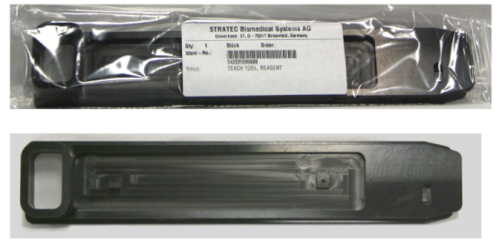
- Reagent Bay, Pipettor Teach Tool
Procedure
- Reagent Bay.
- HPA
 Hybridization protection assay—The Hologic HPA technique uses a specific DNA probe, labeled with an acridinium ester detector molecule that emits a chemiluminescent signal. Load Station.
 - Left Tip Eject Chute.
- Press the Eject Tip Left button to dispose of the DiTi-teach cap.
- Amp Load Station.
- Press the Eject Tip Left button to dispose of the DiTi-teach cap.
Reagent Bay
- Complete the Preparing the System for Pipettor Teaching procedure.
- Select the Reagent Bay module icon and click OK in the dialog box that opens.
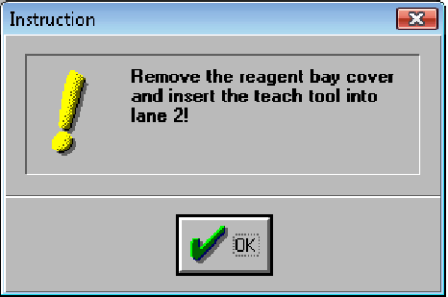
An Instruction message appears.
- When prompted to teach the area automatically, ensure the Reagent Bay teach tool is inserted in Lane 2. Then click Yes.

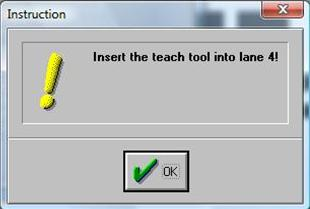
Warning—When placing the Reagent Bay teach tool, verify that the tool is fully inserted to the back of the bay. - Once the Pipettor has completed teaching Lane 2, remove the Reagent Bay teach tool from Lane 2 and insert it into Lane 4, as prompted.
- Click OK so that the Pipettor can teach Lane 4.
- If teaching the Reagent Bay only, select Eject Tip Left and follow the instructions to transfer coordinates to the COP and exit Teacher. Power down the system and replace the Reagent Bay cover.
HPA Load Station
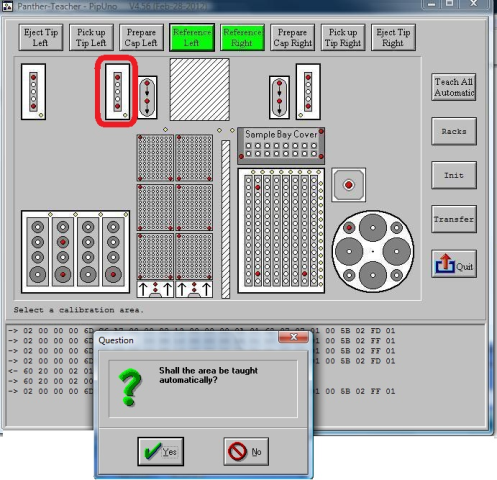
- Select the HPA Load Station module icon and click Yes in the dialog box that opens.
Auto-teaching begins.
Note—Select Transfer at this point to transfer coordinates.
Left Tip Eject Chute
- Select the Left Tip Eject Chute module icon and click Yes in the dialog box that opens.
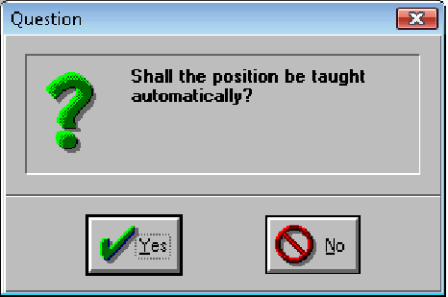
- Click Yes.
Auto-teaching begins.
- When auto-teaching has completed, select Eject Tip Left to dispose of the left Reagent Pipettor arm teach cap.
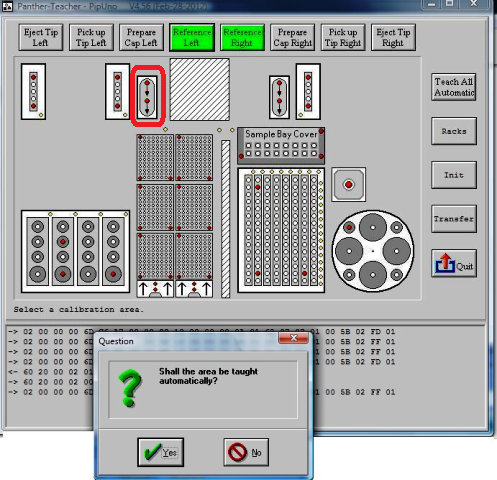
AMP Load Station
- Follow directions for preparing the DiTi cap.
- Select the AMP Load Station module icon.
- Click Yes.
Auto-teaching begins.
- When auto-teaching has completed, click Eject Tip Left to dispose of the left Reagent Pipettor arm teach cap.
 button at the top of the page to send feedback, comments, or change requests.