Luminometer
Refer to Common Features for features found on every tab (Common Control, Communication Status, Buttons).
 Main (tab)
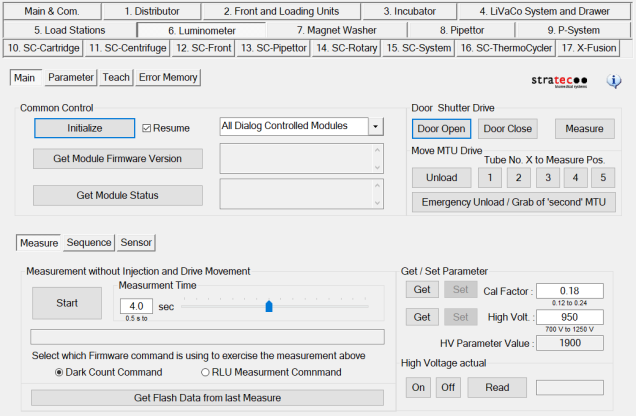
Door Shutter Drive
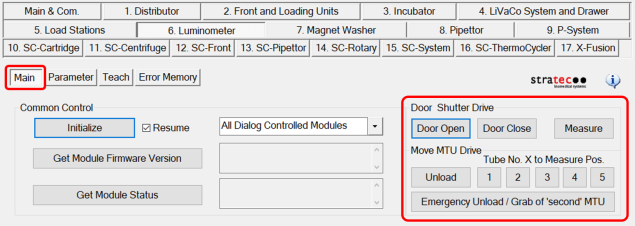
- Door Open, Door Close buttons (opens/closes Luminometer door)
- Measure button (opens shutter for measurement)
- Unload button (moves MTUMulti-tube unit—Container used to process tests in the instrument. An MTU contains five separate reaction tubes. The MTU is moved through the instrument by the linear distributor and includes five tiplets for pipettiing to be used in the mag wash station. to Unload position)
- 1,2,3,4,5 buttons (Moves tube to selected measurement position)
- Emergency Unload button (is used if 2 MTUs are placed into the Luminometer by accident)
Measure
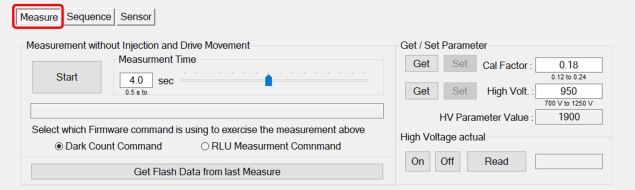
Measurement without Injection and Drive Movement (Dark Count)
See Luminometer Darkcount Procedure.
- Start (Initiate Dark Count Test)
- Measurement Time (Adjust length of measurement)
- Dark Count Command / RLURelative light unit Measurement (Determines type of measurement)
- Get Flash Data from Last Measure (Displays a diagram of last measurement)
Get /Set Parameter
- Get button (Displays current Cal Factor)
- Set button (Saves entered Cal Factor)
High Voltage actual
- On/Off/Read buttons (turns high voltage on or off and displays readout of high voltage)
Sequence
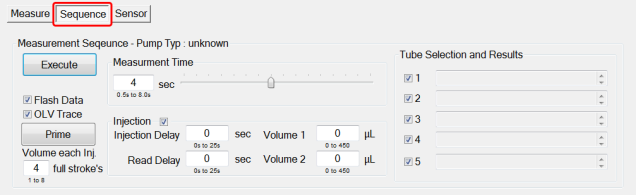
This tab is used to set up and execute a Flash data measurement test.
See Flashcheck - Lumo Injector Verification Procedure.
- Measurement Sequence (set up test parameters)
- Measurement Time (select measurement time)
- Injection (Set up injection delay and volumes)
- Tube Selection and Results (Select the tubes to run the test and show results)
Sensor
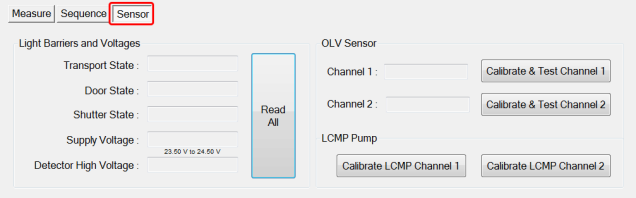
- Light Barriers and Voltages ( Click Read All button to display various voltages)
- OLV Sensor (Calibrate Test Channels)
- OLV Sensor (Calibrate Test Channels)
Parameter (tab)
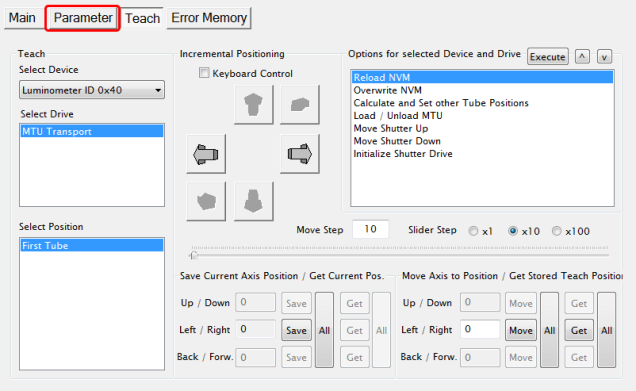
- Display any parameter value of the selected Device by entering a Parameter number and clicking the Read button.
- To allow Transport Drive teaching (on the Teach tab) the Authorization Code must be set to 1. Enter 1 in the Authorization Code Field and click Set before teaching.
Teach (tab)
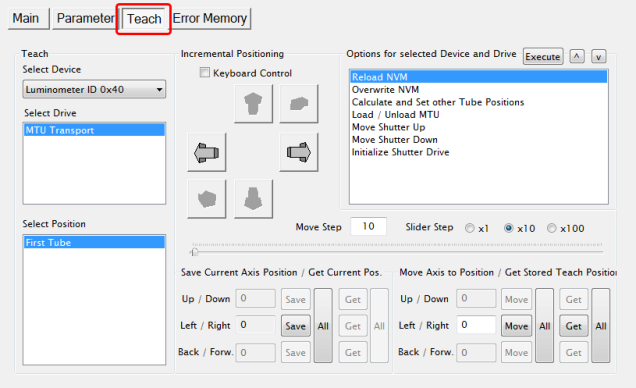
- The Teach tab is used to perform Transport Drive alignment to the incubator door.
Refer to the Luminometer Transport Drive Alignment Procedure.
Error Memory (tab)
- Lists errors created by module movement.
 button at the top of the page to send feedback, comments, or change requests.