Common Features
Common Control
Each main screen in Service Software has a Common Control area that contains the following functions:
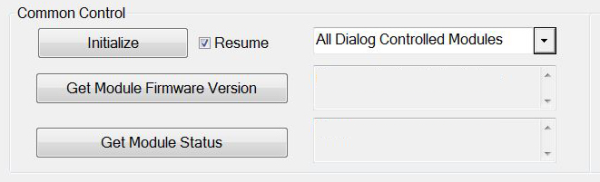
| Initialize |
Initialize any single module or all modules, depending on the selection in the Module dialog window. |
| Module dropdown |
Select all modules, Dialog Controlled Modules only, or a single module. |
| Get Module Firmware |
Displays the firmware version of the selected module. |
| Get Module Status |
Displays the status (Initialized, Not Initialized, Ready, Not Ready) of the selected module. |
Communication Status

Displays the communication status with the Panther COP (ok and idle, not initialized, etc.).
Buttons
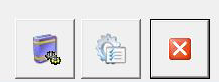
| Setup Report Header Data |
Enter serial numbers, login name and customer information for report headers. |
| Driver Option |
Setup driver options. |
| Exit |
Closes service software |
 button at the top of the page to send feedback, comments, or change requests.