
|
Laser Warning—This product utilizes internal barcode scanners with visible red laser light. Long term viewing of the laser light could result in eye damage. Never stare into the barcode scanner laser light. This is a Class 2 laser product in accordance to EN 60825-1: 2007 and complies with 21 CFR 1040.10 and 1040.11 except for deviations pursuant to Laser Notice N. 50, dated June 2007. |
Parts and Materials Required
- Ball end hex driver, 3 mm
- Nut driver, 7 mm
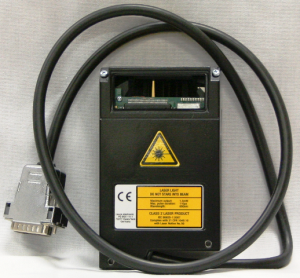
 SAMPLE/REAGENT BAY, BAR CODE SCANNER
Time Required
- 30 minutes
Removal Procedure
- Put on proper PPE.
- Power down the Panther System.
- Remove the Reagent Bay.
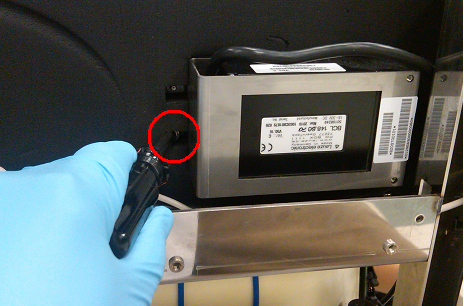
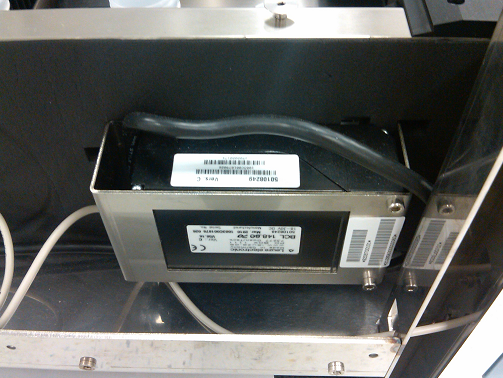
- Using a number 7 mm nut driver, remove the four screws from both sides of the barcode reader.
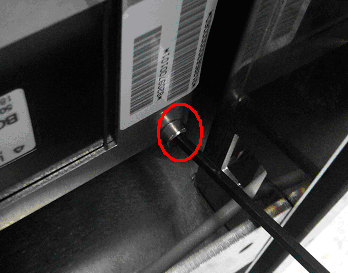
- Using a 3 mm hex driver, remove the four socket head cap screws that secure the reader to the bracket. There are two on the front and two on the back.
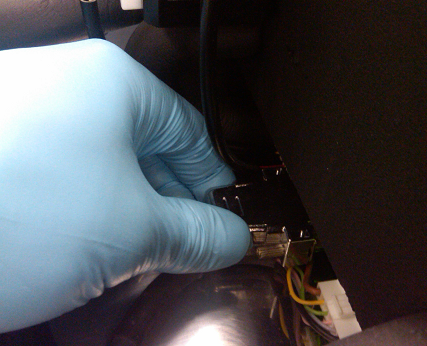
- Disconnect the reader from the back of the Reagent Bay module and carefully remove the reader from the system.
Replacement Procedure
- Reverse the removal procedure to install the new Reagent Bay barcode reader.
- Teach the Reagent Pipettor to the Reagent Bay.
- Configure the new Reagent Bay Barcode Reader.
Verification
- Start up Service Software.
- Using Service Software, verify that the Reagent Bay temperature is within acceptable range.
- Using Service Software, open and close the shutter and visually confirm that it operates properly.
- Scan racks with reagent bottles in all four lanes.
- Verify the detection of rack presence.
 button at the top of the page to send feedback, comments, or change requests.