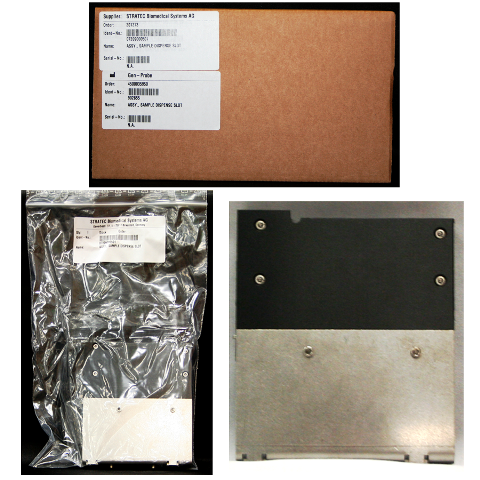
Parts and Materials Required
- Hex key, 4 mm
- SAMPLE DISPENSE SLOT, ASSY
Time Required
- 15 minutes
Removal Procedure

|
Wear clean nitrile gloves while performing the following procedures. |

|
Note—The sample dispense module is a passive element. It has no connection to the CAN bus or power. |
- Put on proper PPE.
- Carefully open the Service Drawer.

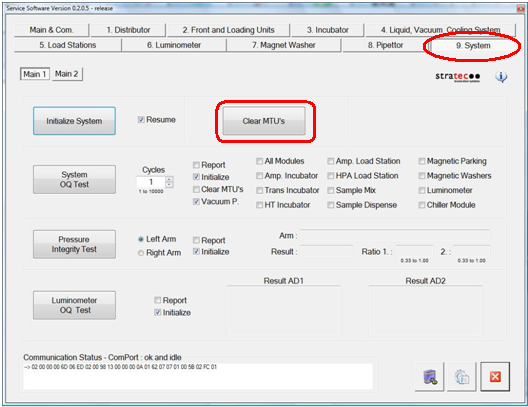
WARNING—MTUs may be present in module. It is necessary to remove all MTUs to avoid contamination. - Clear all MTUs using one of the following methods
- Reboot the Panther System main software.
Or
 Start Service Software, navigate to the Service Software System tab, and click Clear MTUs.
- Reboot the Panther System main software.
- Close Service Software, if necessary, and power down the system.
- Open the Service Drawer.
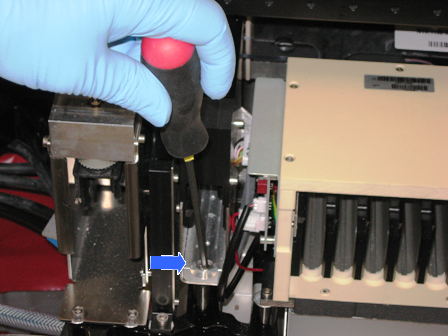
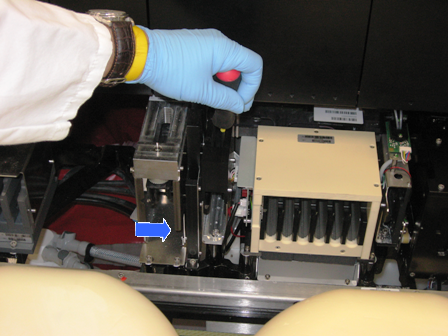
- Using a 4 mm hex wrench, remove the two 5 mm screws from the inside of the module.
- Using a 4 mm hex wrench, remove the 5 mm screw from the rear of the module.
- Lift the module out of the Service Drawer and place it on a properly prepared work surface.
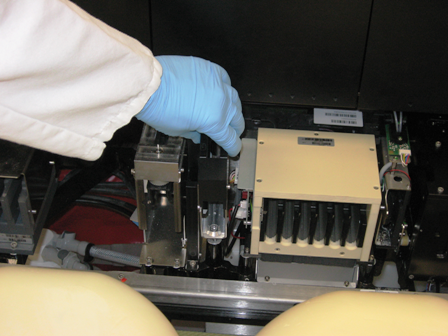
|
|
Note—If the module will be returned, clean the module. |
Replacement Procedure
- Reverse the removal procedure.Note—Be sure that the module is installed in the proper orientation. Check that the teach pin is visible in the front of the module.
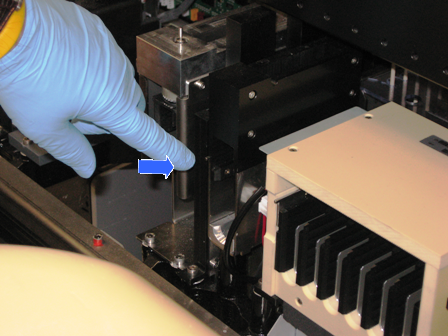
Alignment/Calibration
- Teach the Distributor to the Sample Dispense module.
- Teach the Pipettor to the Sample Dispense Slot module.
 button at the top of the page to send feedback, comments, or change requests.