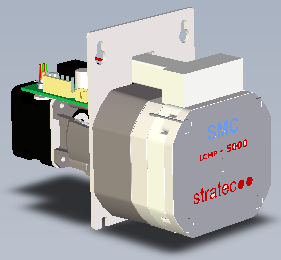
Parts and Materials Required
- Proper PPE
- Hex key, 3 mm
- PUMP (WASH), LCM 5ML
Time Required
- 30 minutes
Removal Procedure
- Put on proper PPE.
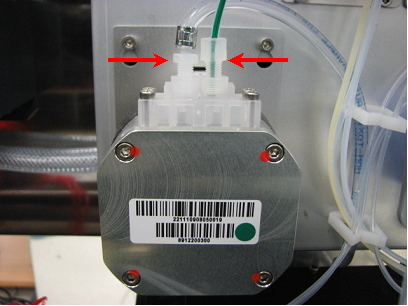
 Locate the Wash LCMP and unscrew the pump fittings.
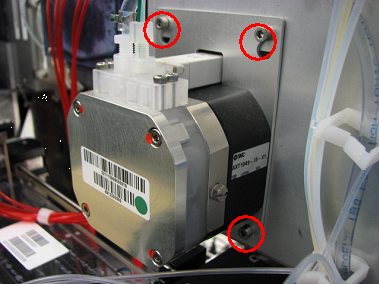
- Using a 3 mm hex key, loosen, but do not remove, the four 3 mm screws that secure the pump.
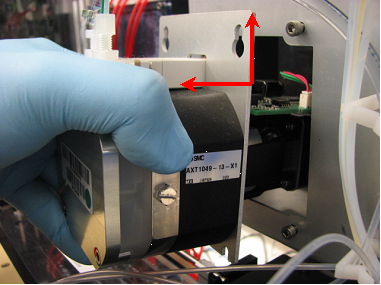
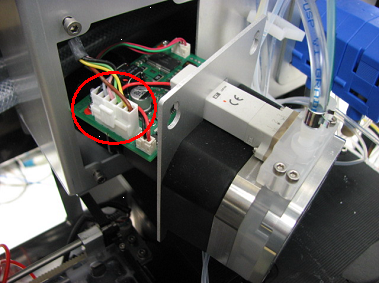
- Slide the pump up and pull carefully until the power connector is exposed.
- Remove the connector.
- Gently remove the Wash LCMP.

Note—If the module will be returned, clean the module.
Replacement Procedure
- Reverse the removal procedure.
- Verify that connections are properly seated and screws are all in place.
- If installing a new LCMP, verify that the DIP switches are properly set, all to the OFF positions.
DIP Switch Wash Pump 1 OFF 2 OFF 3 OFF 4 OFF
Verification
- Perform a Magnetic Wash Visual Dispense Verification procedure.
- Inspect for leaks.
 button at the top of the page to send feedback, comments, or change requests.