Scope
Perform this procedure when the system reports a target not reached error from the pump even after it has been calibrated.
Parts and Materials Required
- Proper PPE
- Ball end hex driver, 3 mm
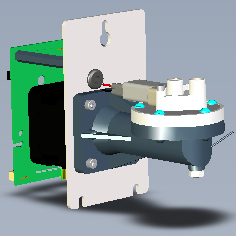
 PUMP (OIL/AD1/AD2), LCM 500UL
Time Required
- 15 minutes per pump
Removal Procedure
- Put on proper PPE.
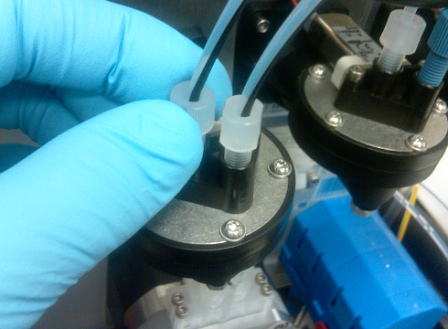
- Loosen and remove both Oil Pump fittings.
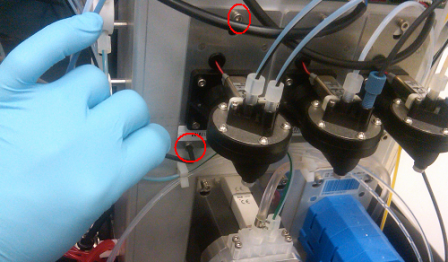
- Using a 3 mm hex driver, loosen, but do not remove) the three socket head cap screws that secure the Oil Pump and bracket to the back right side of the system.
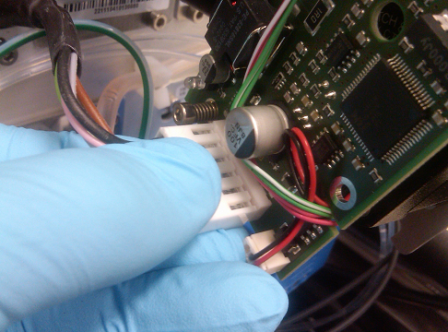
- Once the hardware is loose, carefully lift the pump up and out to expose the LCMP PCB and electrical connection.
- Disconnect the CAN BUS connector from the module.
- Remove the oil pump module.

Note—If the module will be returned, clean the module.
Replacement Procedure
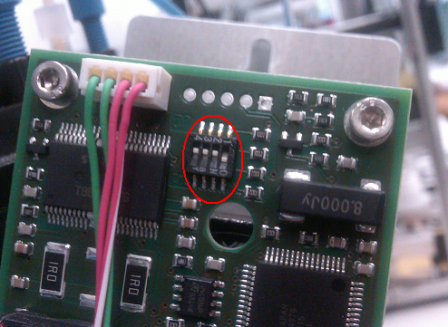
- Make sure the new LCMP pump is set up to be an Oil Pump.
- Locate the pump DIP switches.
- Set the DIP switch as follows:
DIP Switch Oil Pump 1 ON 2 OFF 3 OFF 4 OFF
- Reverse the removal procedure to install the new pump.
- Install Panther System firmware.
 button at the top of the page to send feedback, comments, or change requests.