Pipettor X-Axis Motor Encoder Replacement
Use discretion to determine whether an X-axis Motor or X-Axis Motor Encoder should be replaced.
The encoder is a simpler and less expensive repair than replacing the X-axis motor.
If servicing a System for a Pipettor X-axis Motor failure, order both an X-axis motor AND
an X-Axis Motor Encoder for the failed motor.
Remove the encoder cap and inspect as per this procedure.
If the encoder wheel is visibly damaged, replace the Encoder.
Additionally, to reduce the corrosion affects, a Encoder cap should be installed on all motors to protect the encoders from corrosion.
Parts and Materials Required
- Pipettor X-Axis Motor Encoder Cap (Bag of 12)
- Pipettor X-Axis Motor Encoder
- Pipettor X-Axis Motor
- Pipettor, Sample, X-Axis Encoder Cable (only required if existing cable on System is damaged)
- PH0 screwdriver
Procedure
- Safely shut down the PC and Power off the System.
- Remove the rear Panther (and Fusion, if servicing a Fusion) canopy to access the X-motors.
- Remove the 4 hardware screws that hold the side Plexiglas.
Carefully remove the Plexiglas and set aside.  Carefully inspect the encoder cable’s wire sockets.
Confirm they are firmly attached to the connector.- (Optional Step) Remove the X-Axis Motor cable harness.
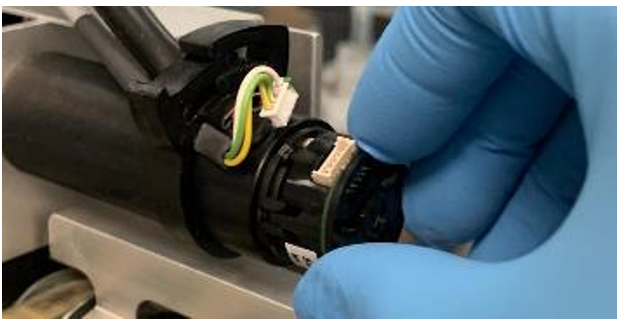
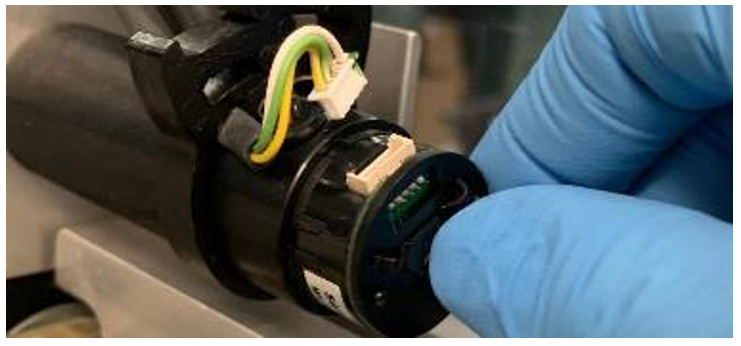
The harness would need to be removed ONLY if it is difficult to install the Encoder Cap. - Disconnect the encoder cable from the X- Axis motor.

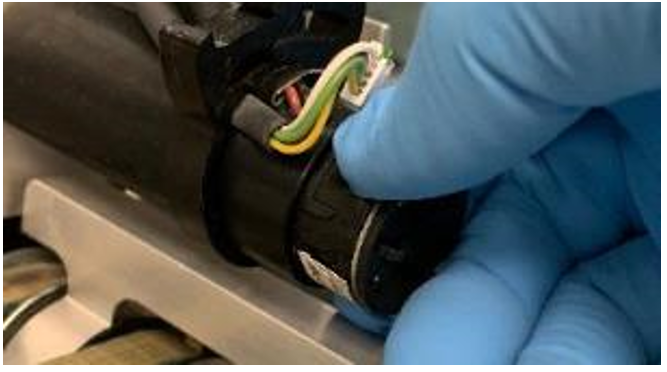
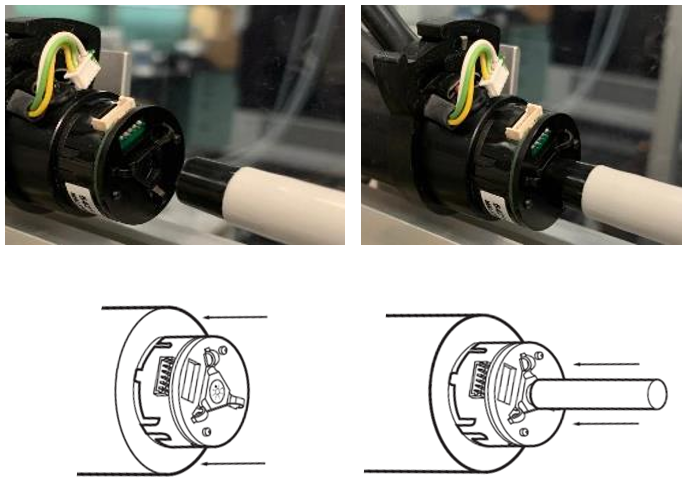
Caution— DO NOT pull out by wires! Loose wire/connections here will cause intermittent encoder related errors. - Snap-off encoder housing. (pull directly along motor axis).
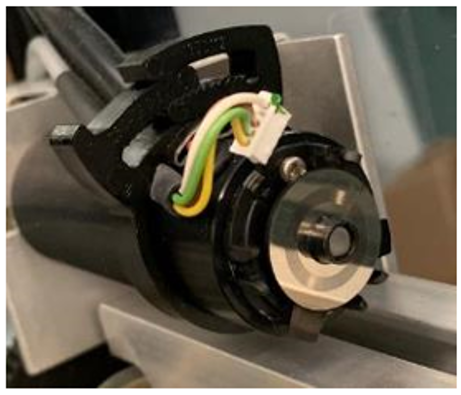
- Removing the housing, exposes encoder disk.
- Using a 5-10mm wide flathead screwdriver, pry the Encoder disk off.
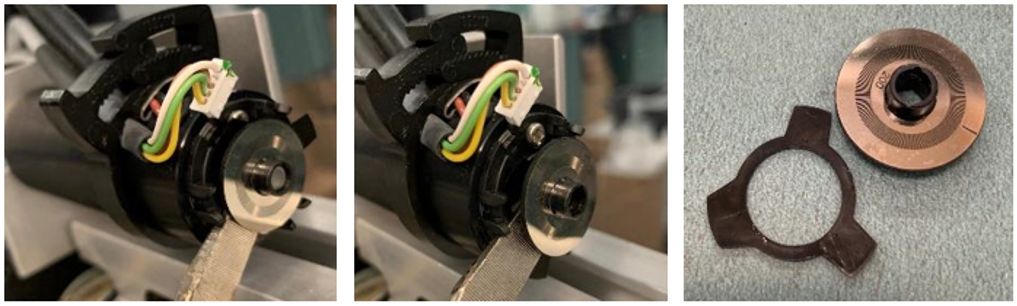
- Inspect the Encoder Disk
- If inspection of the Encoder disk shows signs of damage, wear or corrosion, proceed to the next step and replace the encoder.
- If inspection of the Encoder disk shows NO signs of damage, wear or corrosion, proceed to replace the entire X-Motor.
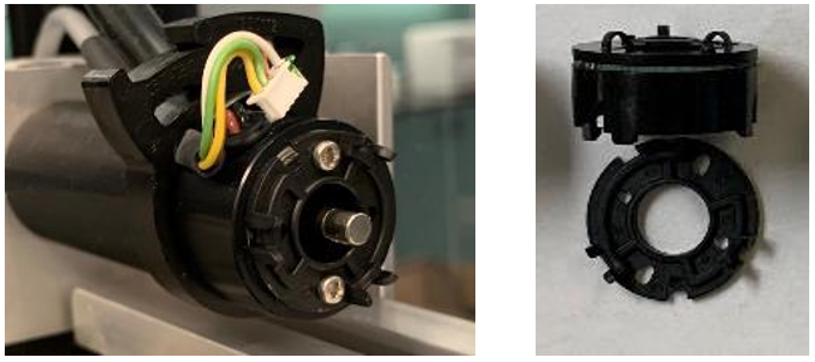
- Inspect baseplate. Ensure the 6 prongs have not been damaged.
If needed, replace baseplate with that provided with the new Encoder. - Align new Encoder with baseplate. The assembly is keyed to prevent incorrect installation.
- Snap into place.

!!! IMPORTANT !!! Depress the (triangular) push-button atop the encoder to index the encoder disk inside the housing. - Verify the push-button easily depresses.
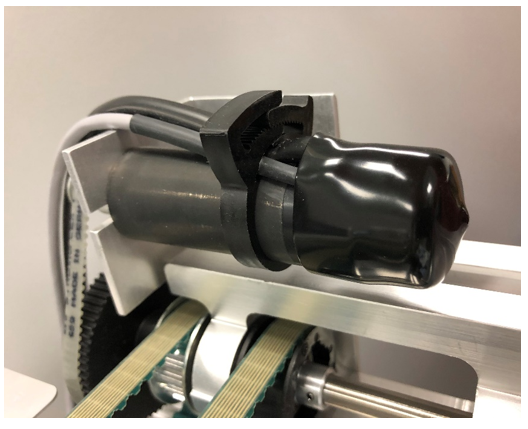
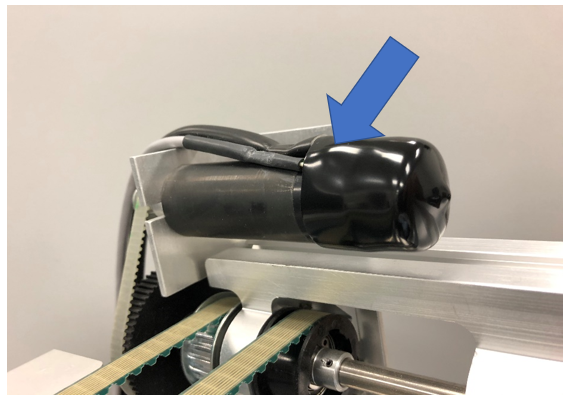
- Install the Encoder Cap, by pressing on the cap so that the cap covers the encoder cable and motor power cables.
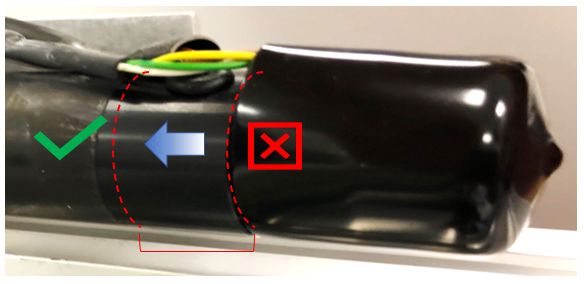
During installation be careful not to put excessive strain on the cables. - Ensure that the cap is fully seated onto the X-Axis Motor and fully covering encoder.
Below are examples of incorrect & correct installation of the encoder cap. - If the X-Axis Motor cable harness was removed, re-install now.
- Final Procedures
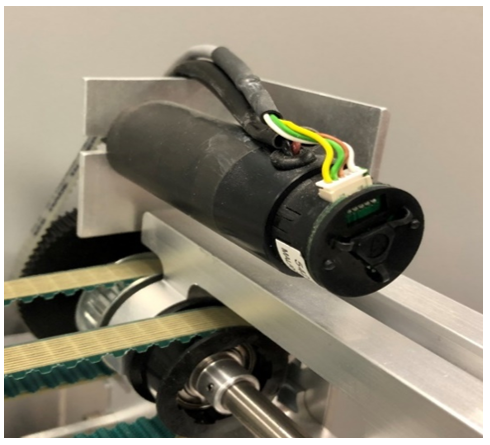
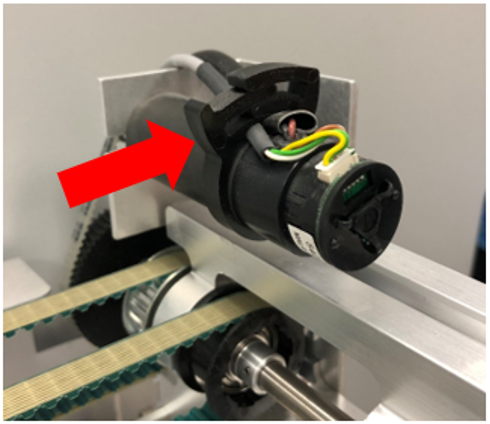
Verification
 button at the top of the page to send feedback, comments, or change requests.