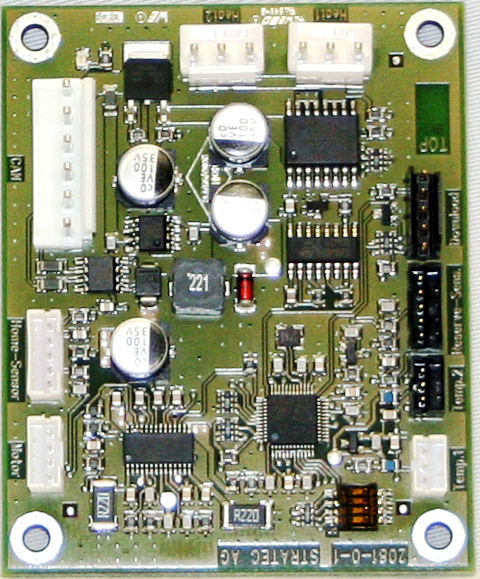
Sample Mix Station PCB Removal and Replacement
Parts and Materials Required
- Hex wrench, 2.5 mm
- LOAD STATION, MAIN PCB
Time Required
- 30 minutes
Removal Procedure

|
Wear clean nitrile gloves while performing the following procedures. |
- Put on proper PPE.
- Remove the Sample Mix Station module.
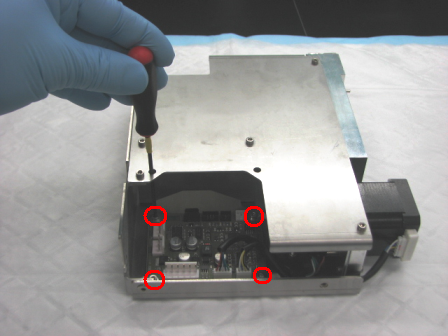
 Using a 2.5 mm hex wrench, remove the five 3 mm screws on the corners of the PCB.
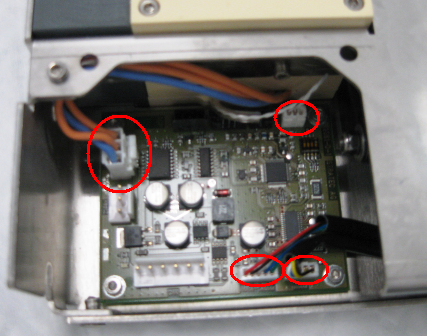
- Remove the PCB from the module.
Replacement Procedure
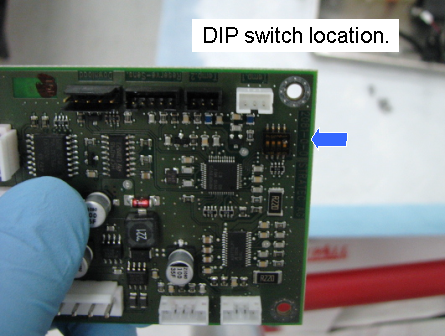
- Be sure that the DIP switches on the new board are set correctly.

Note—Image for reference ONLY.
- Reverse the removal procedure.
- Reinstall the Sample Mix Station module.
- Run the Panther Instrument Setup (Firmware) procedure.
 button at the top of the page to send feedback, comments, or change requests.