Parts and Materials Required
- Ball driver or Allen key, 2.5 mm
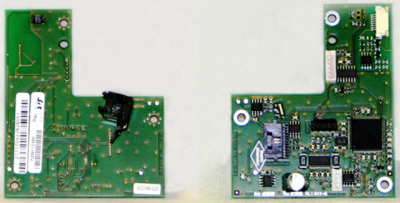
 DISTRIBUTOR, HOOK PCB W/HOME SENSOR
Time Required
- 15 minutes
Removal Procedure
- Put on proper PPE.
- Remove the Luminometer Injector.
- Carefully open the Service Drawer.
- Unplug all cables from Hook PCB.
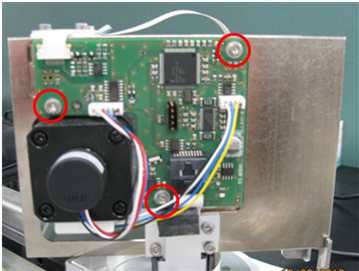
- Using a 2.5 mm ball driver or Allen key, unscrew the three bolts and remove the Hook PCB.
Replacement Procedure
- Fasten the new hook PCB.
- Plug all cables into the new hook PCB.

Note—The correct location for each cable is written on the PCB. - Close the Service Drawer.
- Reinstall the Luminometer Injector.
- Install Panther System firmware to the module.
- Start up Service Software.
 button at the top of the page to send feedback, comments, or change requests.