Parts and Materials Required
- Proper PPE
- Open-ended wrench, 8 mm
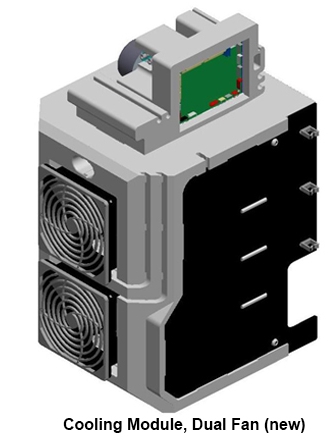
- COOLING MODULE, ASSY
Time Required
- 30 minutes
Removal Procedure
- Put on proper PPE.
- Drain the Cooling Module.
- Power down the Panther System.
- Open the right-side panel door
- Open the Universal Fluids Drawer.
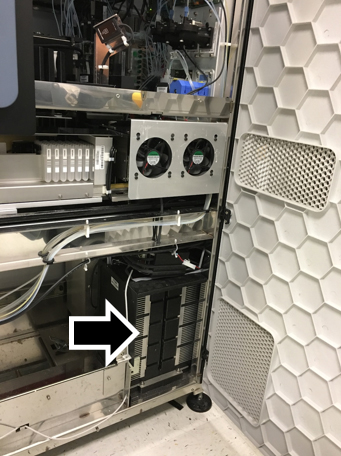
 Locate the Cooling Module.
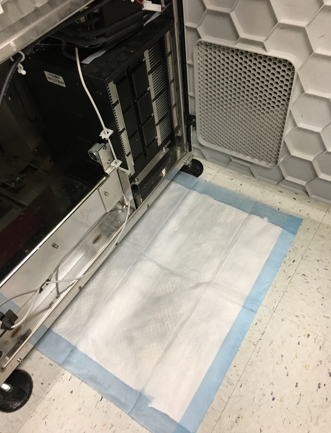
- Place an absorbent pad on the floor near the Cooling Module.
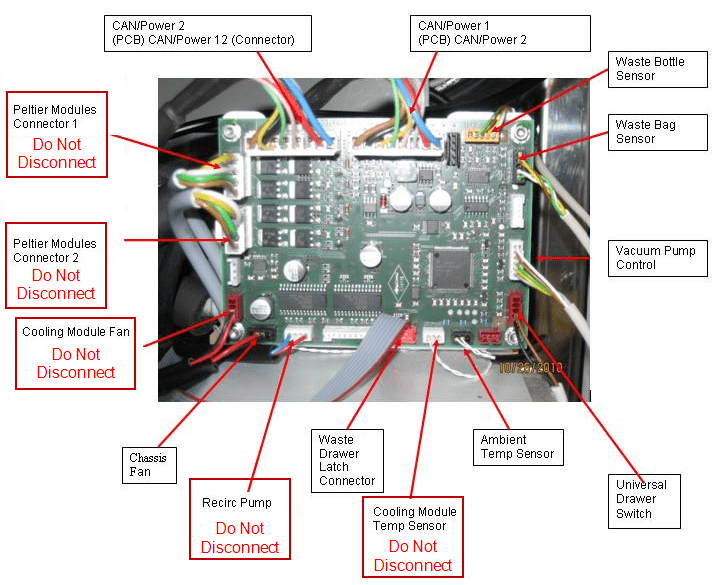
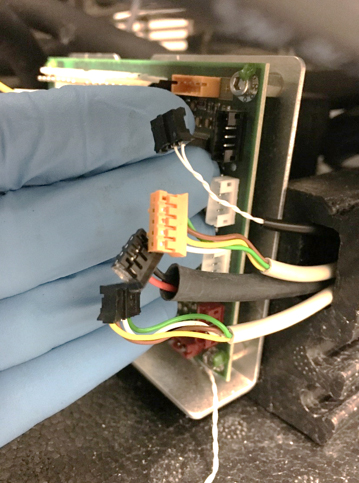
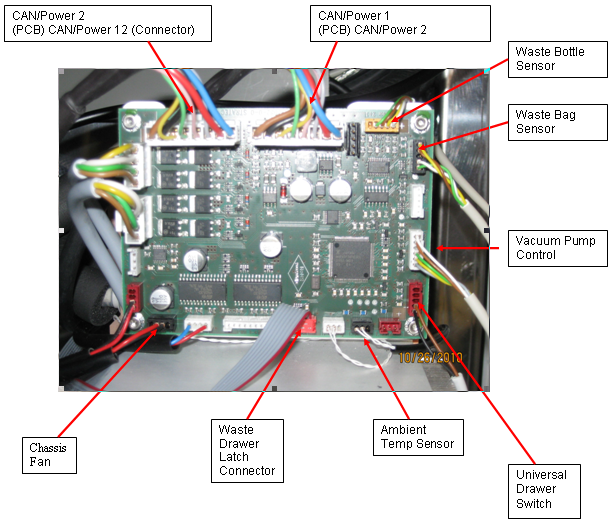
- Disconnect the cables from the Cooling Module PCB according to the following illustration. Keep the cables marked to avoid confusion when plugging the cables back in.

Caution—Use special care when disconnecting the sensors. DO NOT pull on the sensor wires to disconnect the connector from the PCB. The sensor wires are fragile. 
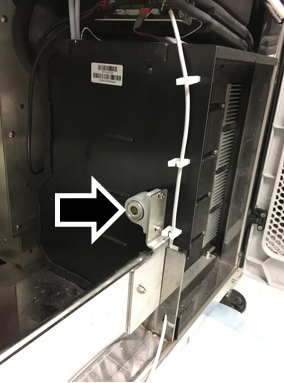
Note—The Waste Drawer Latch Connector MUST have the Red Stripe on the right when plugged into the Cooling Module PCB. - If the system has UFD magnetic latches, you will need to remove them using a 7 mm wrench and a 2.5 mm hex key.
- Remove the Universal Drawer Switch Cable from the cooling module PCB.
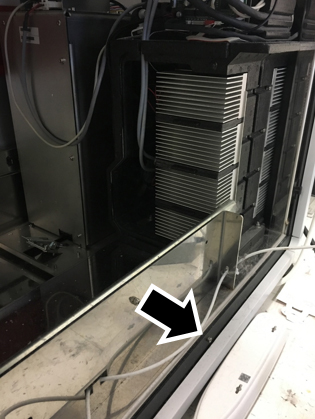
- Remove the cooling module cover (to gain access to the two rear nuts).
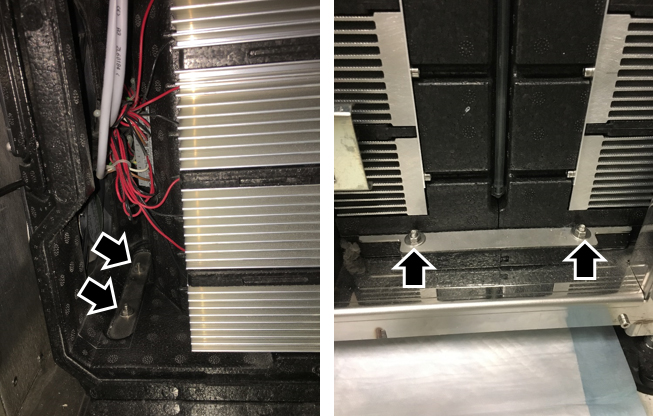
- Using an 8 mm open-ended wrench, remove the four nuts and washers that secure the Cooling Module—two on the left (inside) of the module and two on the right (outside) of the module.
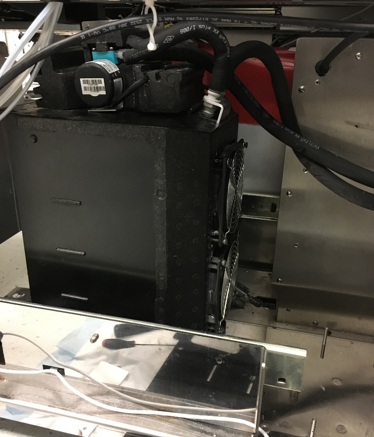
- Lift the module off of the mounting studs and turn the module so you can access the fluid line connections.
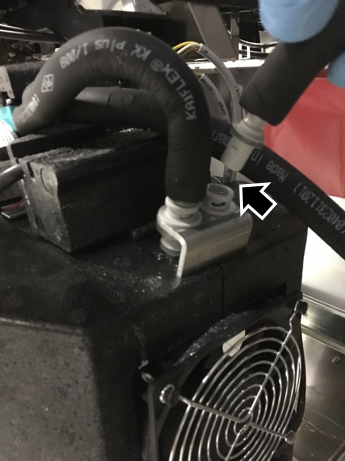
NOTE—Prior to disconnecting the fluid lines, use paper towels to catch any fluid that drips from the connection. Always disconnect the fluid lines in the order described to reduce fluid spills. - Disconnect the fluid return line from the Sample Bay (right quick-connect, just above the fan, NOT the short black hose). Push and twist counterclockwise to disconnect.
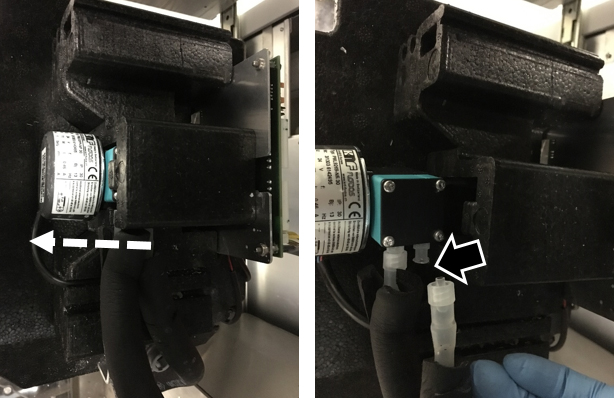
- Disconnect the fluid supply line from the pump outlet (right pump luer connection) by twisting the luer connection counterclockwise (this is NOT the short black hose between the pump and the quick-connect on the reservoir). The pump may be slid out of the foam housing for easier access. Fluid may drip from tubing.
- Store the fluid supply line (from the pump outlet) in a fluid container on the system deck above the level of the cooling module. This will prevent fluid from draining out of the tubing onto the floor.
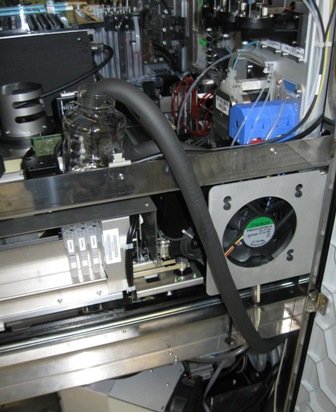
- Remove the module from the system. Tilt and lift the module out of the right side of the system.
Note — If returning the module, decontaminate the module and complete the COD/OBF/RMA Form [19-02-APX-A].
Replacement Procedure
- Open the Universal Fluid Drawer.
- Open the right side panel.
- Place the Cooling Module into the system and position it to access the fluid line connections.
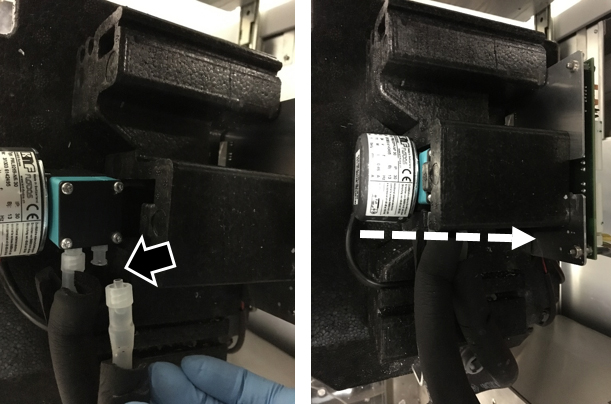
- Connect the fluid line from the pump outlet (right fluid connection) by twisting the luer connection clockwise..
- Connect the fluid return line from the Sample Bay (right fluid connection). Push and twist clockwise to connect.
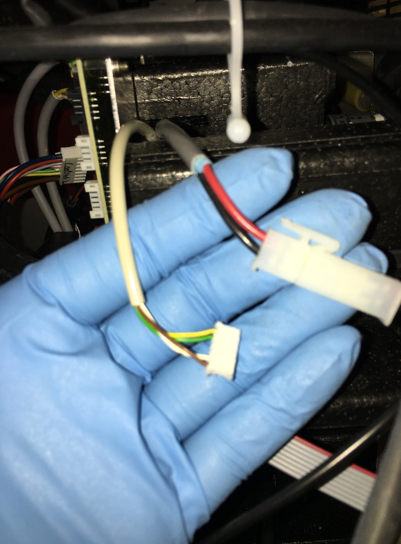
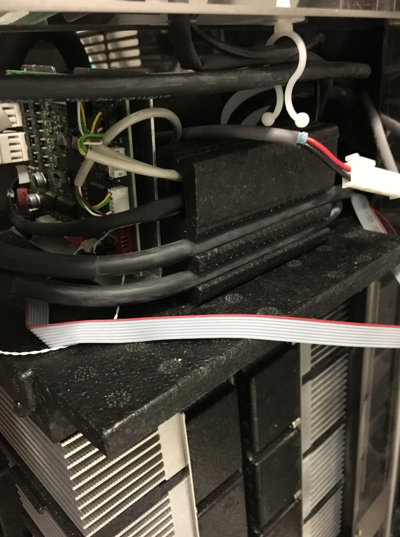
- Route the Ambient Temperature Sensor, Waste Bottle Sensor, Chassis Fan, and Waste Bag Sensor cables through the foam cable harness as shown.
- Route the Vacuum Control and Vacuum CAN cables behind the Cooling Module PCB mount and under the PCB mounting tab as shown.
- Ensure the Cooling Module CAN cables are secured in the foam cable guides.
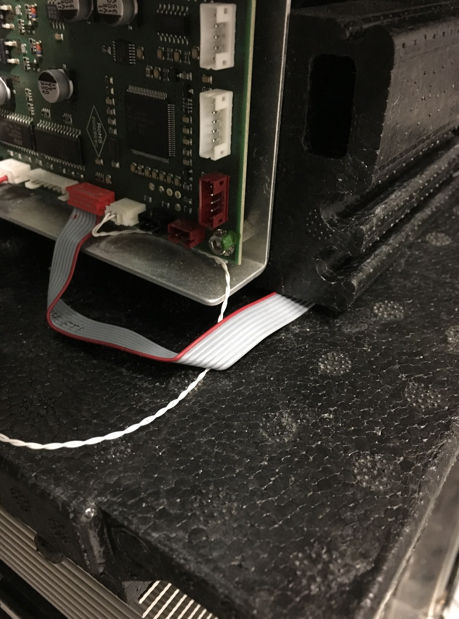
- Route the Waste Drawer Sensor underneath the foam lying flat.
- Re-connect the rest of the connectors according to the diagram below.
NOTE—Connectors are keyed for orientation. Please make sure to install each connector in its proper orientation.
- Position the module onto the mounting studs. Make sure fluid lines are routed so that they are not pinched or kinked when the Mid Bay Drawer is closed.
- Using an 8 mm open-ended wrench, insert and tighten the four washers and nuts that secure the Cooling Module—two on the left of the module and two on the right of the module.
- Close the Universal Fluid Drawer.
- Close the right side panel door.
- Install the Panther System firmware to the module.
- Fill the Cooling Module.
Verification
- Verify the temperatures of the Sample Bay and Reagent Bay.
- Visually inspect the fluid height within the Cooling Module.
- Verify vacuum pressure.
- Verify that the Universal Fluid Drawer opens, closes, locks, and unlocks.
- Verify that the Waste Drawer opens, closes, locks, and unlocks.
- Verify that the waste bag presence sensor operates.
- Verify Liquid Waste Bottle level sensing.
- Verify that the right-side Panther System cooling fan functions properly.
 button at the top of the page to send feedback, comments, or change requests.