Incubator
Refer to Common Features for features found on every tab (Common Control, Communication Status, Buttons).
 Main (tab)
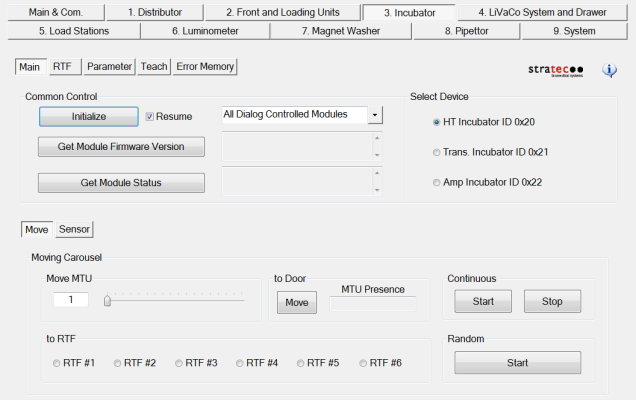
Select Device
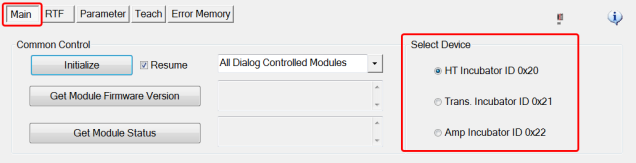
- Determines the specific incubator that the Move and Sensor functions will affect.
Move
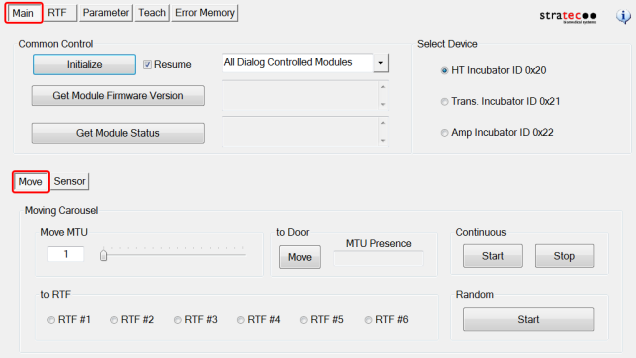
Moving Carousel
- Move MTUMulti-tube unit—Container used to process tests in the instrument. An MTU contains five separate reaction tubes. The MTU is moved through the instrument by the linear distributor and includes five tiplets for pipettiing to be used in the mag wash station. - Select one of the 18 MTU slots to move (to Door, Continuous, or Random).
- to RTF - Moves the carousel so the MTU selected under Move MTU is positioned over the selected RTF.
Sensor
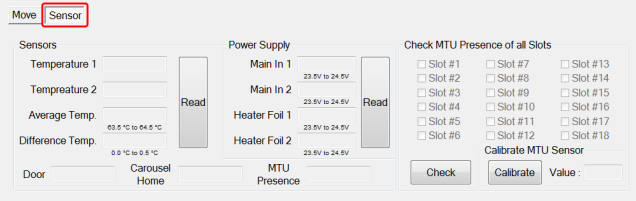
Sensors
- Read button (reads all 5 sensors of each incubator)
Power Supply
- Read button (reads the incoming voltage to the incubator heaters)
Check MTU Presence of all Slots (select any or all slots)
- Cycles the carousel and determines which slots trigger the MTU presence sensor. MTU presence is indicated with an X.
Calibrate MTU Sensor (calibrates the MTU Present Sensor)
- Calibrates the Axis PCB MTU presence sensor when the PCB has been replaced or when inaccuracies are discovered using “Check.”
RTF (tab)
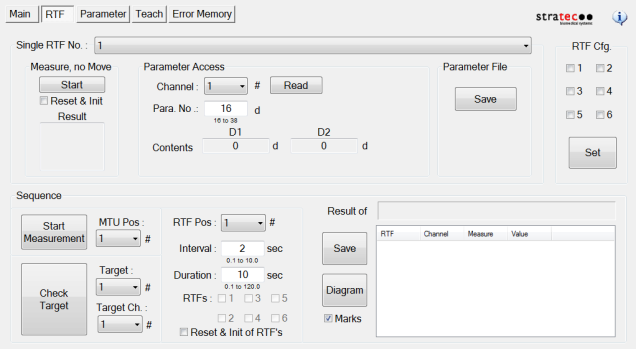
Single RTF No. section
- Single RTF No.: Select the RTF# of interest from the drop down bar, use the “Measure, no Move” Start button to display RTF readings for channels 1-5 for the RTF# selected in the “Result” box.
- Parameter Access: No access to RTF parameters from the traditional Parameter page, RTF parameters can be viewed here.
- Parameter File: Saves the RTF parameters to desired location.
- RTF Confg.: Select and set the RTFs installed.
Sequence (section)
- Start Measurement moves the carousel to the MTU slot selected at “MTU Pos:” to the RTF selected at “RTF Pos:” and reads the fluorescence at every RTF selected in the check boxes.
- Check Target works similarly to Start Measurement and will get the MTU position and RTF and move the selected target to that position.
Parameter (tab)
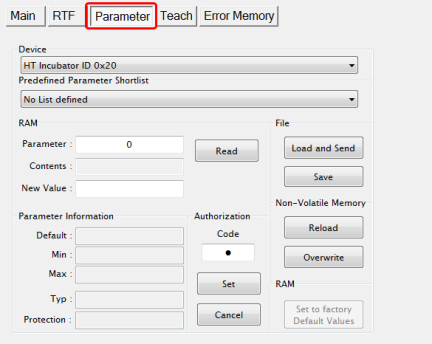
- Display any parameter value of the selected Device by entering a Parameter number and clicking the Read button.
- To allow Incubator teaching (on the Teach tab) the Authorization Code must be set to 1. Enter 1 in the Authorization Code Field and click Set before teaching.
Teach (tab)
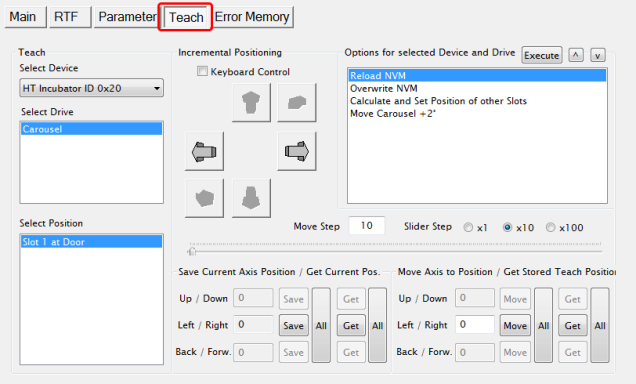
- The Teach tab is used to perform carousel slot alignment to the incubator door.
Refer to the Incubator Slot Alignment procedure.
Error Memory (tab)
- Lists errors created by module movement.
 button at the top of the page to send feedback, comments, or change requests.