Sample Bay Barcode Reader Verification Procedure
Parts and Materials Required
- Panther System PC
Procedure
- Start up Service Software.
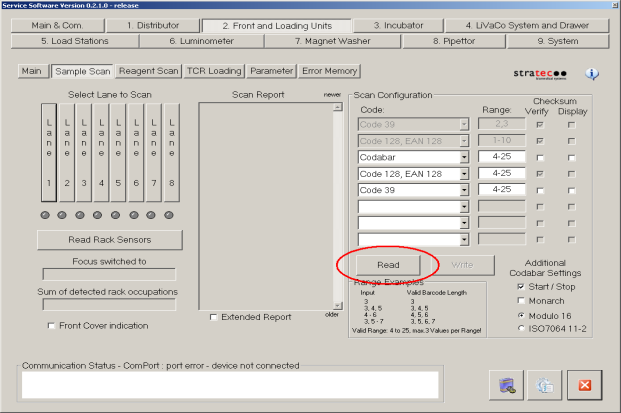
- Navigate to the 2. Front and Loading Units tab.
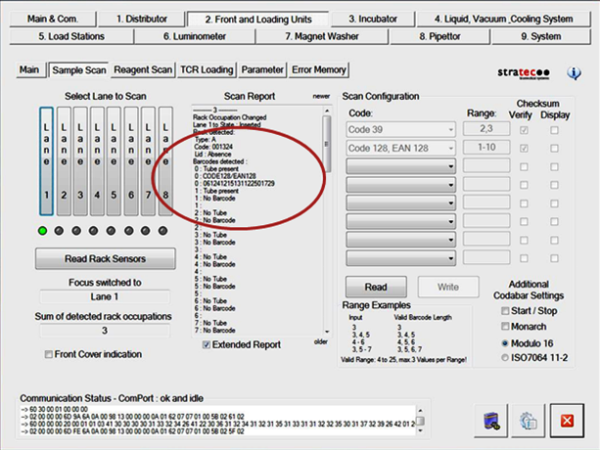
 Under Sample Scan, press the Read under Scan Configuration and confirm that the scanner is configured as expected.
- Remove all Sample Racks from the Sample Bay.
- Obtain a Sample Rack and fill the tube positions with sample tubes that have barcodes that are representative of what the customer typically uses. Note which barcodes were placed in which positions.
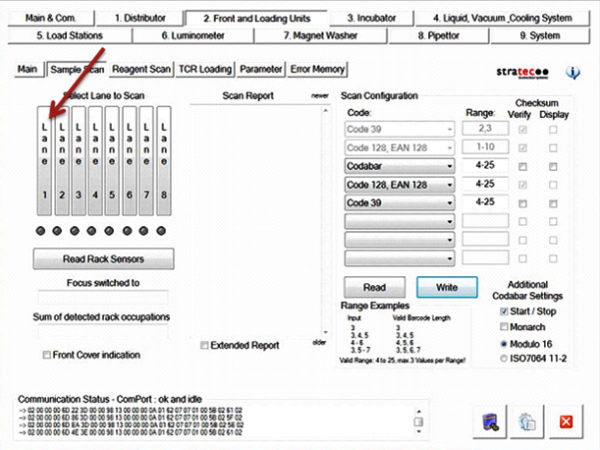
- Under the Select Lane to Scan section, press Lane 1.
- Wait until the Sample Bay barcode scanner activates and focuses on the lane.
- Open the Sample Bay door and insert the Sample Rack into Lane 1. Insert the rack at a speed slightly faster than what would be considered typical.
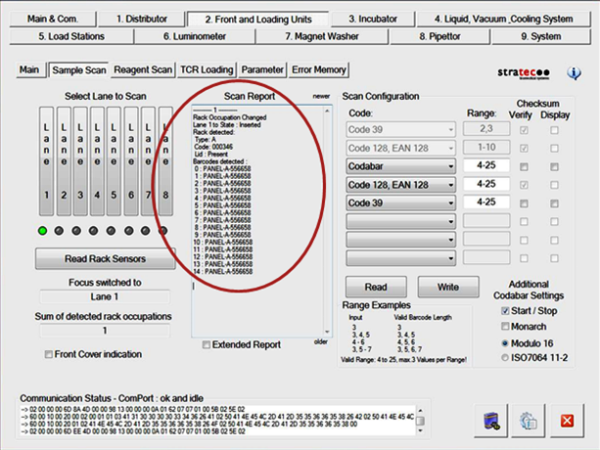
- In the Scan Report box, the module will report all read barcodes from the Sample Rack, the rack barcode, and whether a lid was present or not
.
- Check the scanned barcodes. Note whether any barcodes were unable to be read (a blank space will appear instead of the barcode if it was unable to be read). Check whether any of the barcodes were read incorrectly.
- Check to make sure that the read barcodes are in the proper rack position. Service Software designates rack positions 1-15 as positions 0–14.
- Check to see whether the rack ID barcode was properly read.
- Check to see if the scanner properly indicates whether the lid is present or absent.
- Repeat steps 6–8 at least three times at each lane.
- Repeat steps 6–9 on all eight lanes of the Sample Bay.
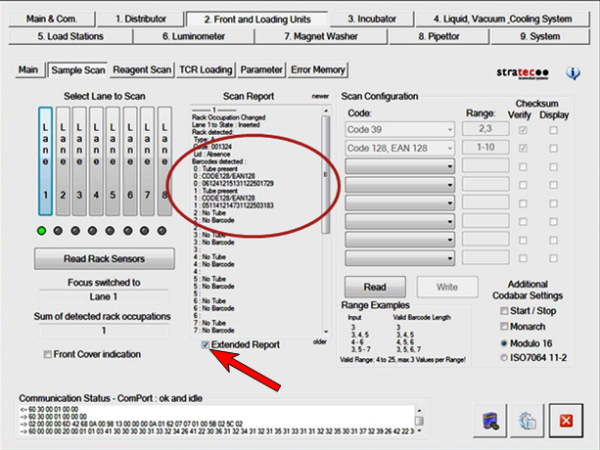
- If any barcodes are consistently unable to be read properly it may be helpful to check the Extended Report option and read it again. This will display additional information about each tube position in the sample rack. The Extended Report will display three items at each rack position: whether a sample tube is present or not (which is determined by whether the barcode scanner can read the small ‘no tube present’ barcode that is normally blocked by a sample tube), the detected barcode format, and the barcode interpretation itself.
- Here is an example of an Extended Report of a Sample Rack with two sample tubes in positions 0 and 1 that have been properly read. .
- Here is an example of an Extended Report of a Sample Rack with a properly read sample tube in position 0 and a sample tube present in position 1 but with an unreadable barcode.
 button at the top of the page to send feedback, comments, or change requests.