Parts and Materials Required
- VACUUM FAN
Time Required
- 60 minutes
Removal Procedure
To replace the fan inside the vacuum module, the module must first be removed from the system, then the pump assembly must be taken out to access the fan.
- Remove the vacuum module from the system.
- Remove the pump assembly. Follow Steps 1-6 of the Removal procedure in the Vacuum Module Pump Removal and Replacement procedure.
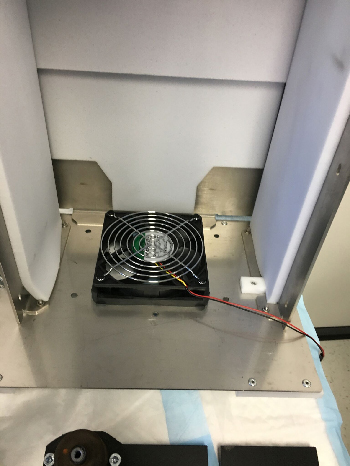
 Once the pump assembly has been removed, the fan will be accessible.
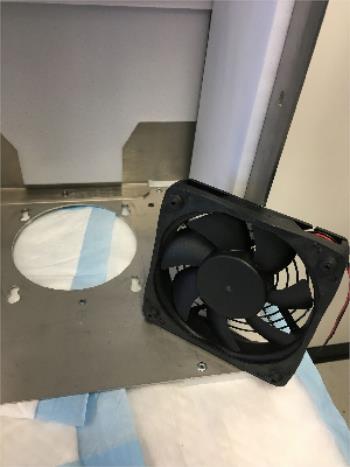
- Slide the fan towards you to free the rubber grommets from the slots and remove the fan.
Replacement Procedure
- Re-install the fan, ensure grommets are secure in the slots.
- Re-install the pump assembly. Follow Steps 5-10 of the Replacement procedure in the Vacuum Module Pump Removal and Replacement procedure.
 button at the top of the page to send feedback, comments, or change requests.