Parts and Materials Required
- Allen wrench, 4 mm
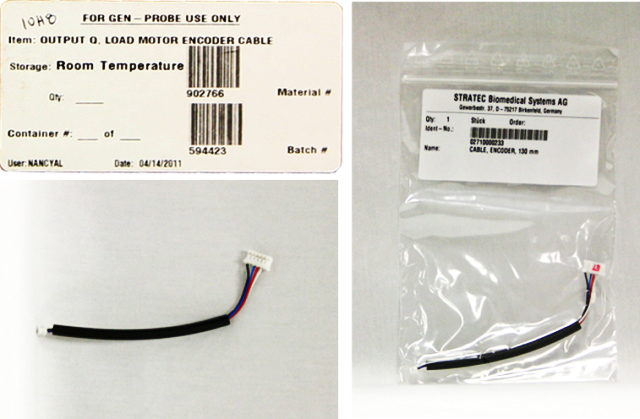
- OUTPUT Q, LOAD MOTOR ENCODER CABLE
Time Required
- 45 minutes
Removal Procedure
- Put on proper PPE.
- Remove the Output Queue module.
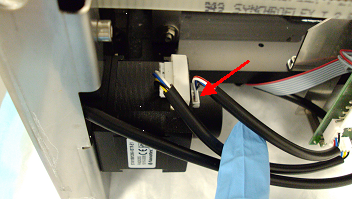
 Disconnect the encoder cable from the load motor.
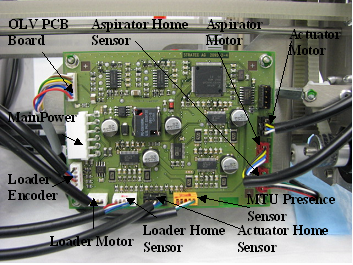
- Disconnect the load motor encoder cable from the main PCB.
- Remove the load motor encoder cable.
Replacement Procedure
- Reverse the removal procedure.
- Verify that connections are properly seated and that screws are all in place.
Alignment/Calibration
Verification
- Perform a System Level Operational Qualification.
- Start the Panther System main software and PrimeOperation of pumping fluid through tubing to ensure proper and consistent fluid delivery (remove air from the tubing, etc.). the system (see the Panther System Operator's Manual).
 button at the top of the page to send feedback, comments, or change requests.