Parts and Materials Required
- Customer provided absorbent pad
- Slotted screwdriver
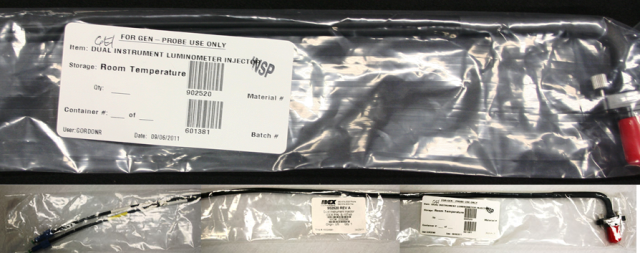
- DUAL INSTRUMENT LUMINOMETER INJECTOR
Time Required
- 45min (includes performing a Flashcheck Verification procedure ).
Removal Procedure
- Put on proper PPE.
- Power down the Panther System.
- Open the right side door panel.
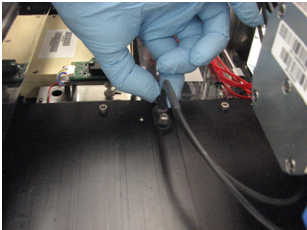
 Remove the Luminometer injectors by unscrewing the two screws that secure the injectors to the Luminometer module.
- Place the injectors securely on the absorbent pad or wrap in an absorbent towel.
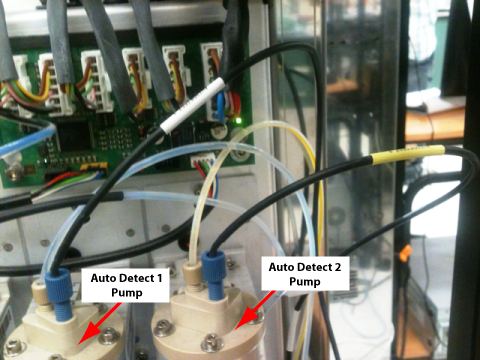
- Unscrew the luminometer injector fittings from the Auto Detect 1 and 2 pumps.
Replacement Procedure
- Tighten the Luminometer fittings on the Auto Detect 1 and Auto Detect 2 Pumps as shown in the following photo.
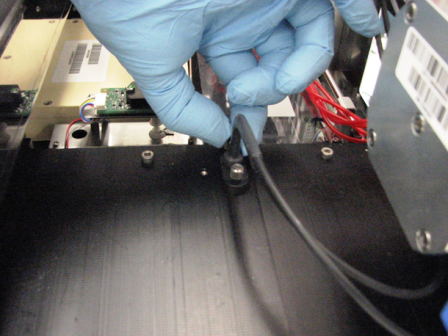
- Insert the injector into the Luminometer cover.

Note—The injector tubing routes toward the right side of the module. - Finger tighten the Luminometer injectors into the Luminometer lid.
- Close the right side door panel.
 button at the top of the page to send feedback, comments, or change requests.