Parts and Materials Required
- Allen wrench, 3 mm
- Cooling Module Fan Shroud
Time Required
- 15 minutes
Removal Procedure
- Put on proper PPE.
- Remove the Cooling Module from the system.
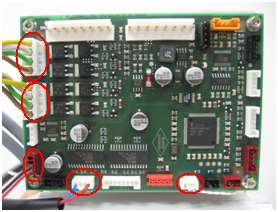
 Unplug five connectors from the Cooling Module PCB
.
Unplug five connectors from the Cooling Module PCB
.
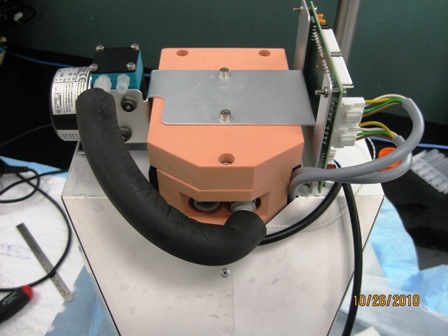
Note — Mark the Peltier cables to indicate to which connector they attach. - Remove the hose from the pump inlet connection and from the reservoir outlet connection
.
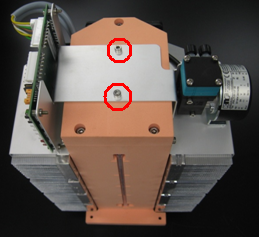
- Remove the two 3 mm screws from bracket that holds the PCB and the cooling pump
.
- Remove the pump/PCB bracket from the cooling module.
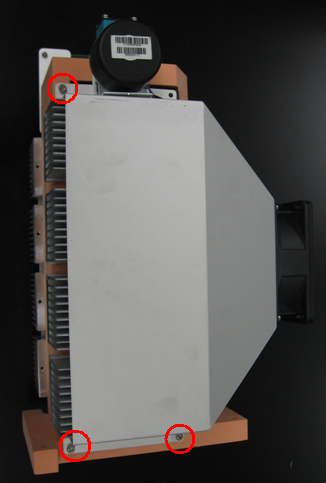
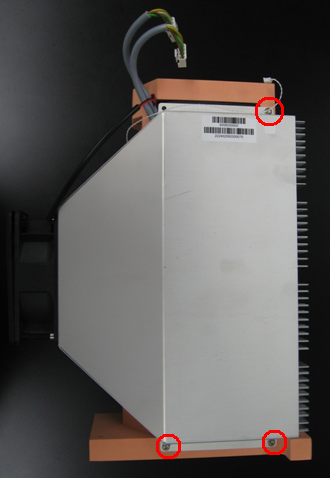
- Using a 3 mm Allen wrench, remove the three 3 mm screws from the right side of the fan shroud.
- Remove the three screws from the left side of the fan shroud.
- Unplug all connectors from the Liquid Cooling Module PCB except for the coolant pump motor.
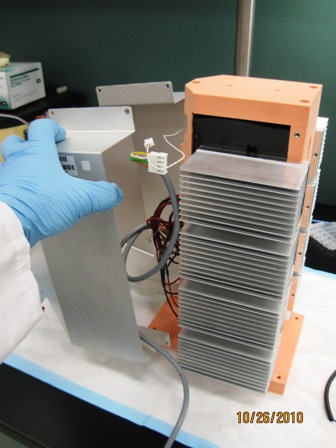
- Slide the fan shroud off and remove it from the module.
Replacement Procedure
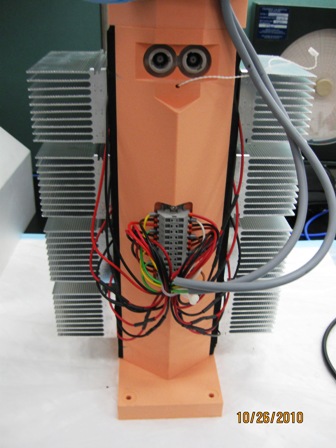
- Make sure cables are bundled and tied to prevent interference with fan.
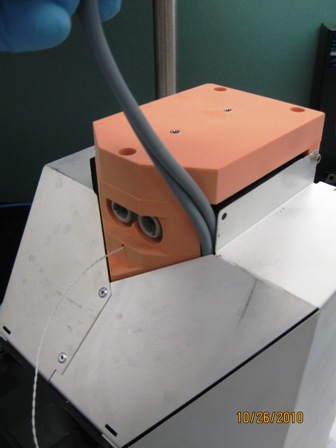
- Place the fan shroud over the Peltiers. Note Peltier cable routing in the picture below
- Using a 3 mm Allen wrench, insert and tighten the three screws on the right side of the fan shroud and the three screws on the left side of the fan shroud
.
- Replace the pump/PCB bracket and screw in the two screws that secure the bracket to the Cooling Module.
- Connect the hose to the inlet connector on the pump (left connector) and to the outlet connector on the reservoir (right connector).
- Plug the five connectors into the PCB.
- Reinstall the Cooling Module.
Alignment/Calibration/Prime/Firmware
- None
Verification
- Inspect the fluid height within the Cooling Module.
- Verify the temperatures of the Sample Bay and Reagent Bay.
- Verify vacuum pressure.
- Verify that the Universal Fluid Drawer opens, closes, locks, and unlocks.
- Verify that the Waste Drawer opens, closes, locks, and unlocks.
- Verify that the waste bag presence sensor operates.
- Verify Liquid Waste Bottle level sensing.
- Verify that the right side Panther System cooling fan functions properly.
 button at the top of the page to send feedback, comments, or change requests.