Load Stations
Refer to Common Features for features found on every tab (Common Control, Communication Status, Buttons).
 Main (tab)
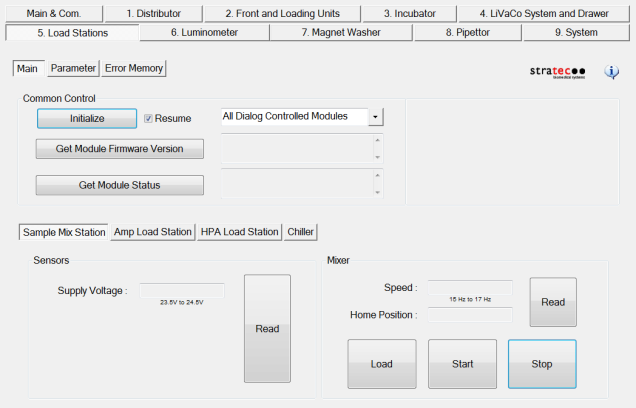
Sample Mix Station
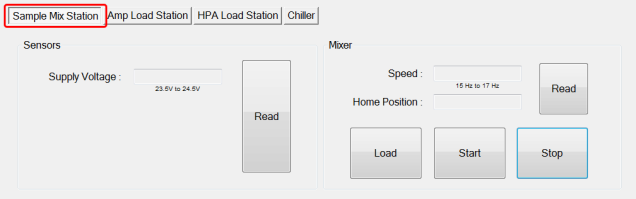
Sensors
- Read button (displays voltage to the module and temperatures)
Mixer
- Read button (displays mixer speed and home position
- Load button (loads a MTUMulti-tube unit—Container used to process tests in the instrument. An MTU contains five separate reaction tubes. The MTU is moved through the instrument by the linear distributor and includes five tiplets for pipettiing to be used in the mag wash station.)
- Start, Stop buttons (turns mixer on and off)
Amp Load Station
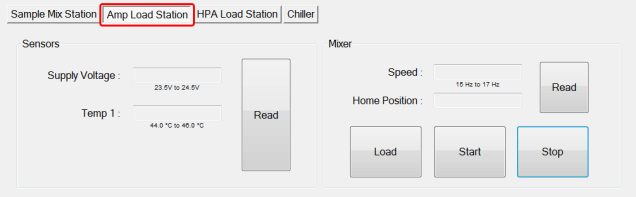
Sensors
- Read button (displays voltage to the module and temperatures)
Mixer
- Read button (displays mixer speed and home position
- Load button (loads a MTU)
- Start, Stop buttons (turns mixer on and off)
HPA Load Station (tab)
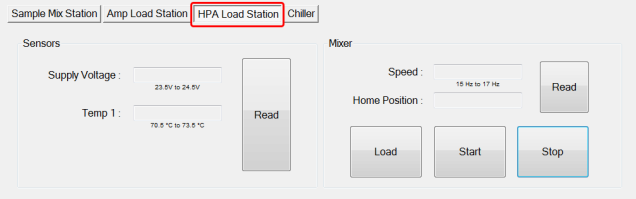
Sensors
- Read button (displays voltage to the module and temperatures)
Mixer
- Read button (displays mixer speed and home position
- Load button (loads a MTU)
- Start, Stop buttons (turns mixer on and off)
Chiller
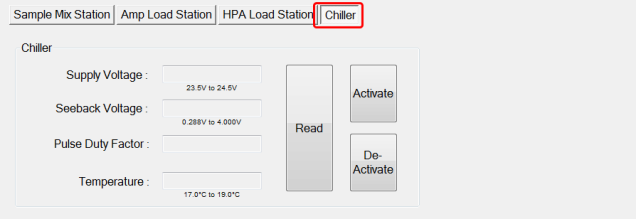
Chiller
- Read button (displays supply voltage to the Peltier, Seebeck Voltage, Pulse Factor and Temperature)
- Activate/Deactivate buttons (manually start/stop Chiller)
Parameter (tab)
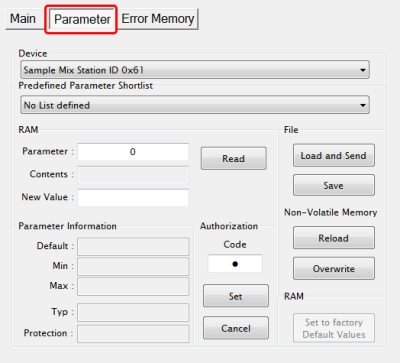
- Display any parameter value of the selected Device by entering a Parameter number and clicking the Read button.
Error Memory (tab)
- Lists errors created by module movement.
 button at the top of the page to send feedback, comments, or change requests.