Liquid Vacuum Cooling (LiVaCo) System and Drawer
Refer to Common Features for features found on every tab (Common Control, Communication Status, Buttons).
 Main (tab)
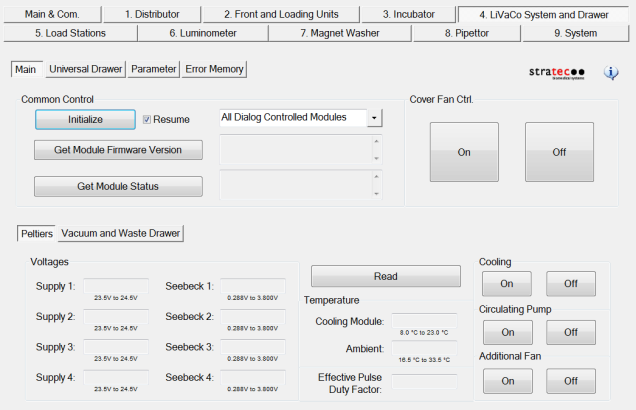
Cover Fan Control
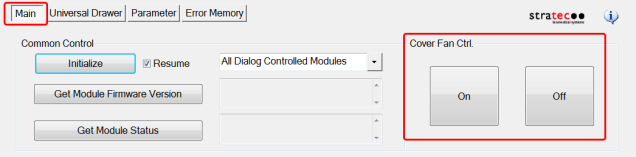
- Manual control of cooling fan(s) on left side of the Panther (above PC Bay.)
Peltiers
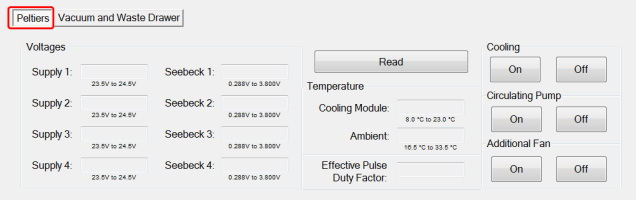
Voltages
- Read button (displays the Supply and Seebeck voltages for the four cooling Peltiers as well as Module and Ambient temperatures
Cooling
- Cooling On/Off buttons (turn the cooling module on or off)
- Circulating Pump On/Off buttons (turn the cooling water circulating pump on or off)
- Additional Fan On/Off buttons (turn additional fan on or off, on right side of Panther)
Vacuum and Waste Drawer
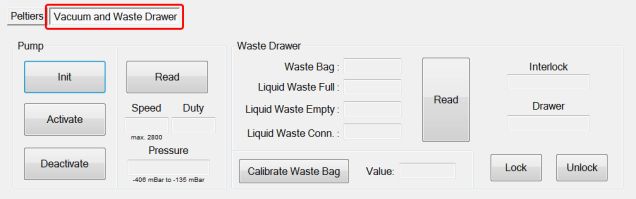
Pump
- Init button (initializes the vacuum pumps)
- Activate button (starts the vacuum pumps)
- Deactivate button (stops the vacuum Pumps)
- Read button (displays pump speed, vacuum pressure, duty)
Waste Drawer
- Read button (displays Waste Bag and Liquid Waste status, Interlock and Drawer state)
- Calibrate Waste Bag (calibrates the waste bag sensor)
- Lock/Unlock buttons (manually lock/unlock Waste Drawer)
Universal Drawer (tab)
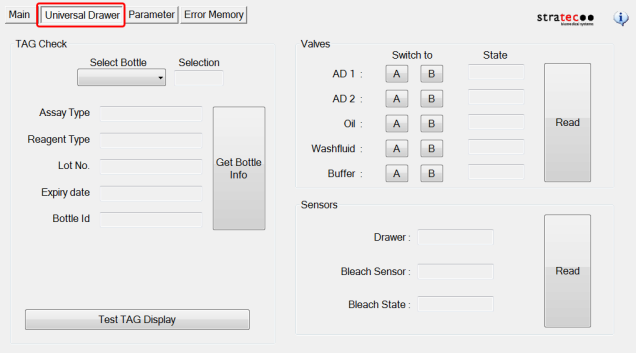
TAG Check
- Get Bottle Info button (reads RFID tag for selected bottle)
- Test TAG Display button (tests TAG readability)
Valves
- Read button (displays current state of fluid line solenoid valve)
- "Switch to" buttons (switch between A and B bottles)
Sensors
- Read button (displays current state of Drawer, Bleach Sensor, Bleach State)
Parameter (tab)
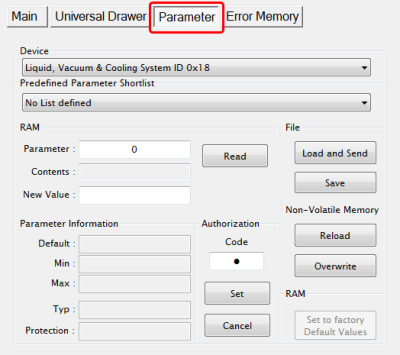
- Display any parameter value of the selected Device by entering a Parameter number and clicking the Read button
Error Memory
- Lists errors created by module movement.
 button at the top of the page to send feedback, comments, or change requests.