Distributor
Refer to Common Features for features found on every tab (Common Control, Communication Status, Buttons).
 Main (tab)
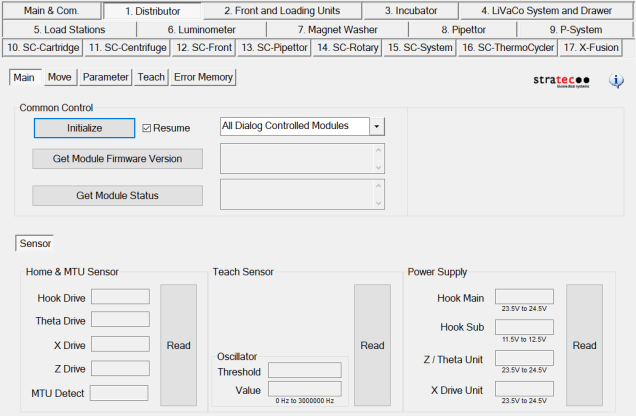
Sensor
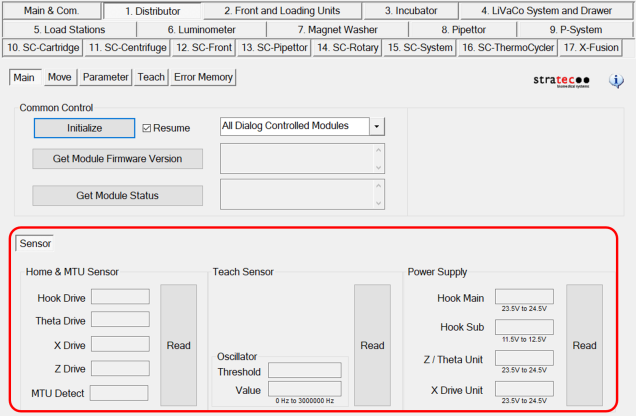
- Home & MTUMulti-tube unit—Container used to process tests in the instrument. An MTU contains five separate reaction tubes. The MTU is moved through the instrument by the linear distributor and includes five tiplets for pipettiing to be used in the mag wash station. Sensor - Read button shows voltage values measured at each drive.
- Teach Sensor - Read button shows voltage value measured at each the teach sensor.
- Power Supply - Read button shows voltage values read at each location.
Move (tab)
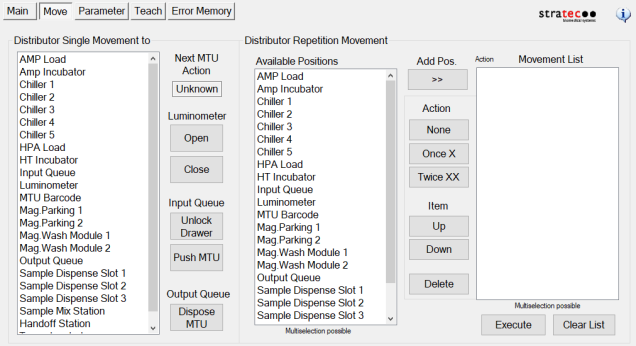
Distributor Single Move
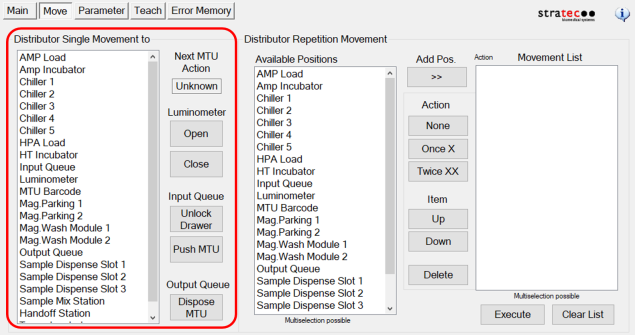
- Selecting the module with a single click moves the Distributor to that location.
- Selecting a module with a double-click, causes the Distributor to load or unload an MTU at the location.
Luminometer
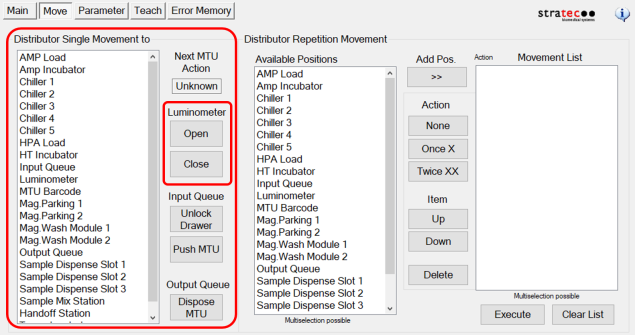
- Open - Opens the Luminometer door.
- Close - Closes the Luminometer door.
Input Queue
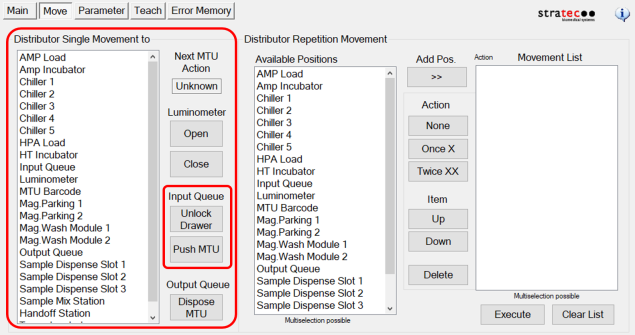
- Unlock Drawer —Unlocks the MTU Input Queue drawer.
- Push MTU —Tightens and secures MTU stack Advance MTU.
Output Queue
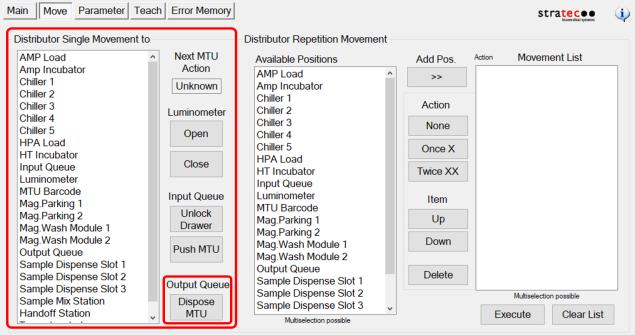
- Dispose MTU—Aspirates and disposes all MTUs in the Output Queue.
Distributor Repetition Move
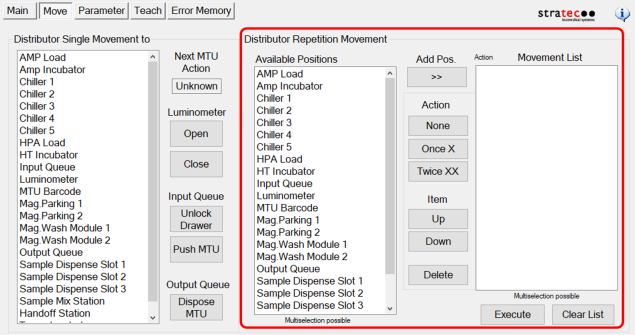
- By selecting a module and then Add Pos., you can add multiple modules to the movement list. Use an Action button to select the number of times the Distributor moves to the modules. Use Item buttons to change the order of the modules or delete a module from the list.
Parameter (tab)
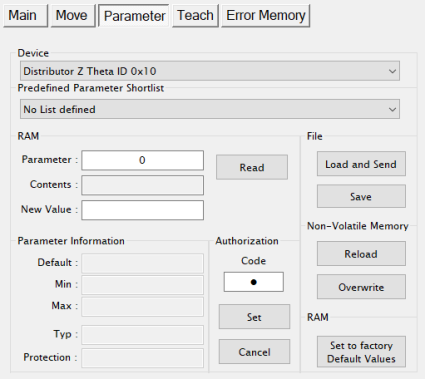
- Display any parameter value of the selected Device by entering a Parameter number and clicking the Read button.
- To allow Distributor teaching (on the Teach tab) the Authorization Code must be set to 1. Enter 1 in the Authorization Code Field and click Set before teaching.
Teach (tab)
Error Memory (tab)
- Lists errors created by module movement.
 button at the top of the page to send feedback, comments, or change requests.