Installation of the MagWash and Pump Module Drip Shields
Purpose
Instructions to install MagWash and Pump Module Drip Shields on Panther Systems below Serial # 00281.
Parts and Materials Required
- Proper PPE
- Absorbent pads
- 4 mm Allen wrench
- Nitrile gloves
- 3 mm Allen wrench
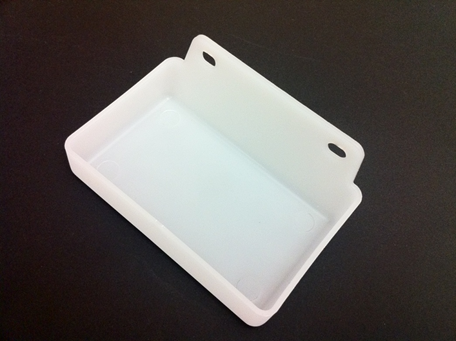
 MagWash Drip Shield
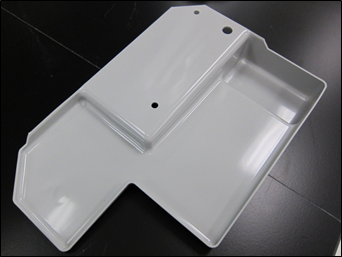
- Pump Module Drip Shield
Time Required
- 30 minutes
Preparation
- Prepare the system for service. (Shutdown the instrument)
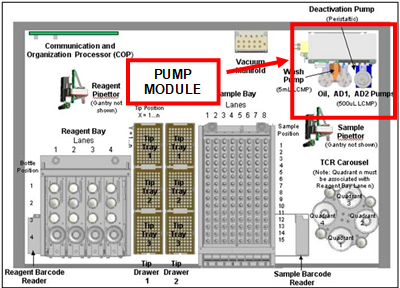
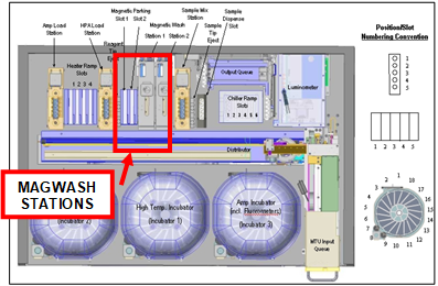
- Open both side panels of the system and locate the pump module and the 2 MagWash stations.
- Read the entire procedure prior to starting it.
Procedure
Installation of the Pump Module Drip Shield
- Put on proper PPE.
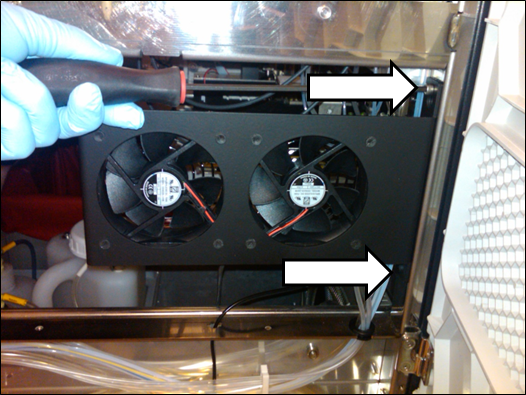
- Using a 4 mm Allen wrench, remove the right chassis fan assembly.

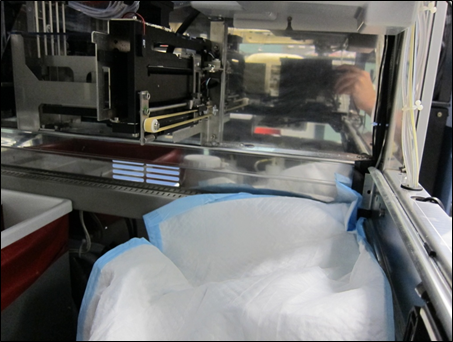
Note—If needed refer to Left and Right Chassis Fan Removal and Replacement for removing the right chassis fan. Make sure NOT to disconnect the chassis fan's electrical connection. - Place an absorbent pad under the pump module, to catch any dropped parts.
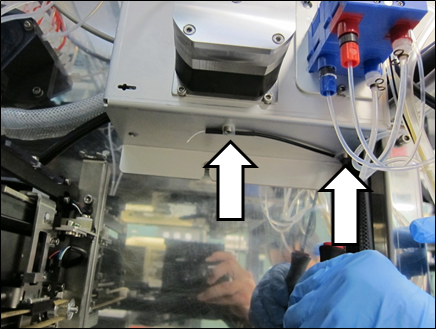
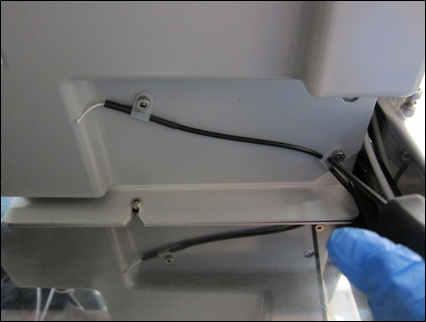
- Using a 3 mm Allen wrench, remove the 2 M4 screws securing a cable to the bottom of the pump module.
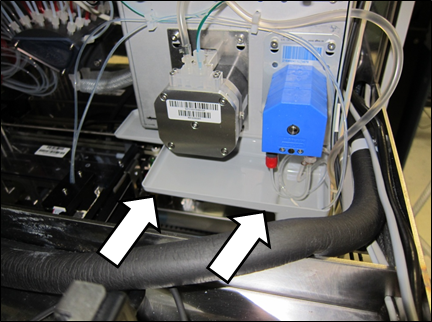
- Place the pump module drip tray under the pump module and mount it using the 2 M4 screws removed in the previous step.
Note—Make sure that the drip tray is mounted flush on the bottom of the pump module, where the cable clips are mounted to the bottom of the drip tray, and the cable is routed through the clips as shown below. - Remove the absorbent pad.
- Reinstall the chassis fan.
- Close the side panel.
- The procedure is complete.
Installation of the MagWash Drip Shields
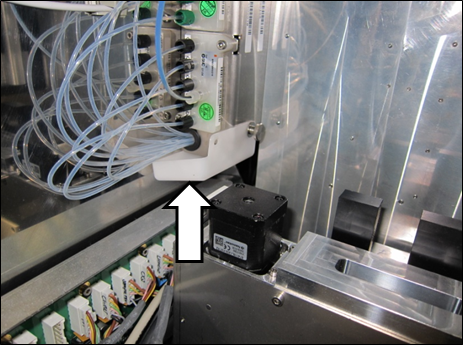
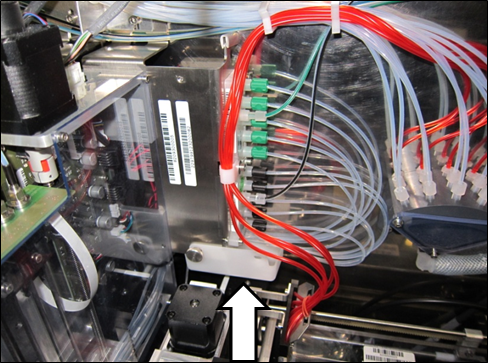
- Placing the MW drip shield under the left MagWash station, secure it with an M4 thumbscrew found on the side of the MagWash.
- Placing the MW drip shield under the right MagWash station, secure it with an M4 thumbscrew found on the side of the MagWash.
- The procedure is complete.
Verification
- No OQ is required after installation of the drip shields.
 button at the top of the page to send feedback, comments, or change requests.