Unlocking the PC BIOS on a Dell Optiplex XE
Purpose
This procedure provides instruction to re-initialize the Panther System PC BIOS if the BIOS is not accessible and locked.
The Panther System PC BIOS may become locked or inaccessible due to faulty programming or hardware failures. This procedure will reset the BIOS and allow the user to reinitialize the BIOS configuration.
Parts and Materials Required
Time Required
- 20 minutes
Procedure

|
WARNING—Use proper ESD procedures when handling this device and Nitrile gloves are mandatory for PCB handling to eliminate or reduce the chance of static discharge to the PCB. |
- Power down the Panther System and PC.
- Unplug the Power Cable from the back of the PC.
- Press the Computer Power switch and keep it pressed for 10 seconds in order to fully unload the PC Power Supply.
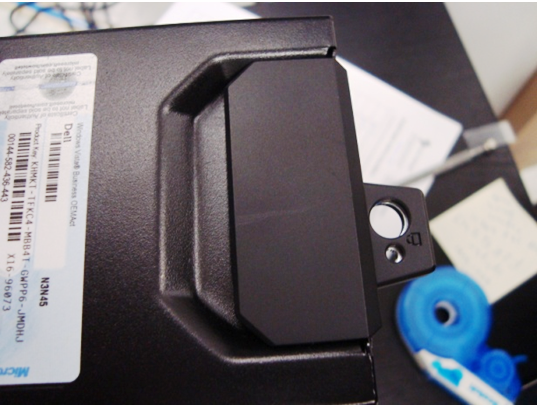
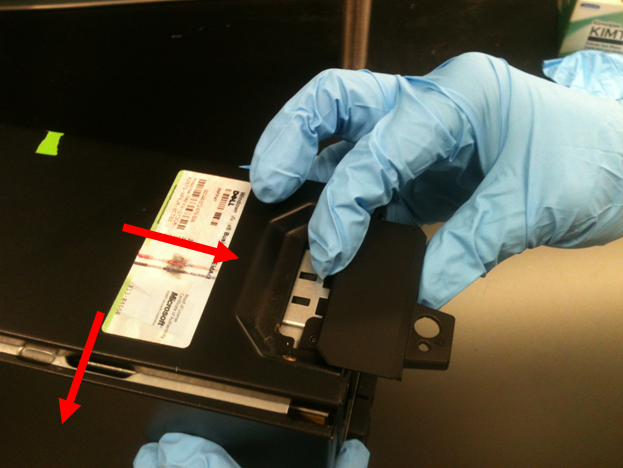
 Unlatch and flip open the computer case.
- Turn the computer on its side.
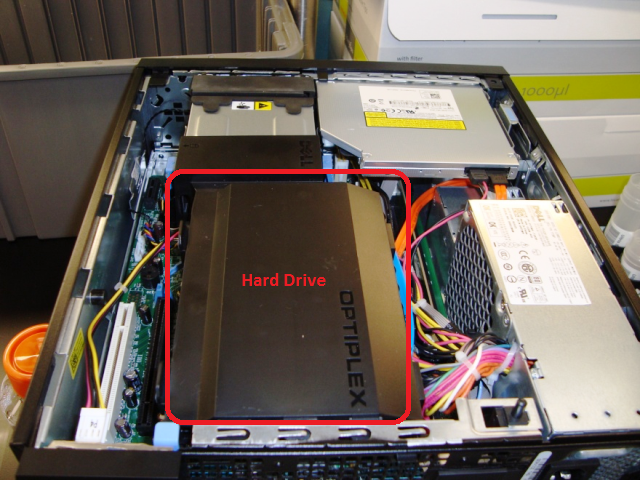
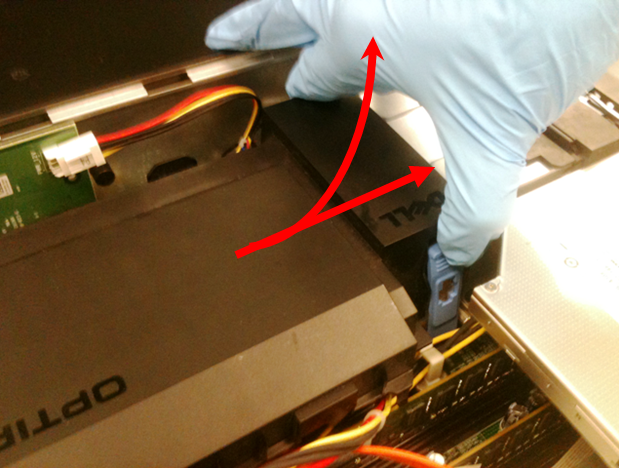
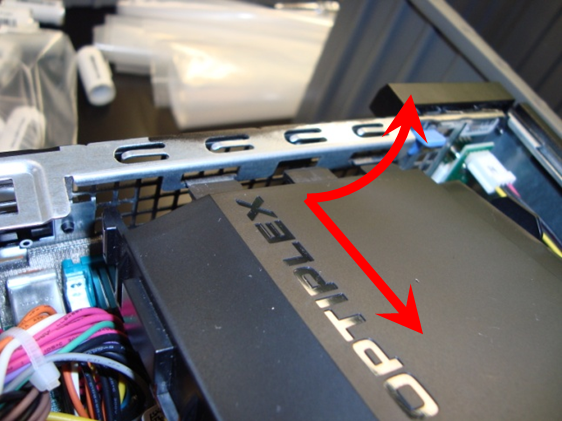
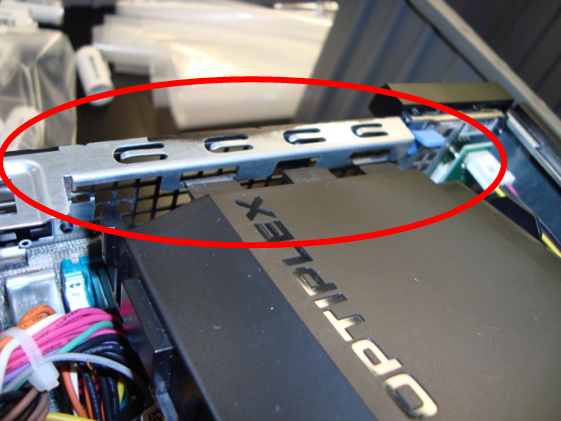
- Remove the hard drive by squeezing the blue latches, lifting and moving the hard drive assembly away from the back of the PC. Set the hard drive aside. No cables need to be disconnected.
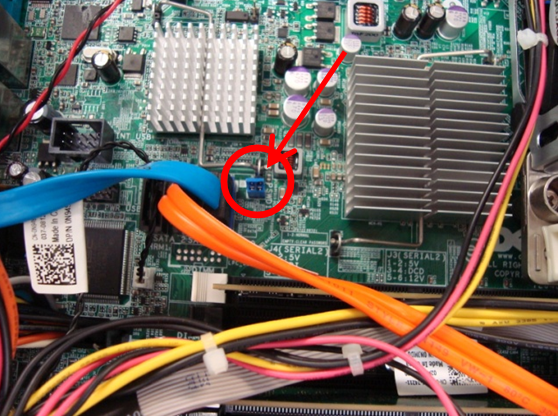
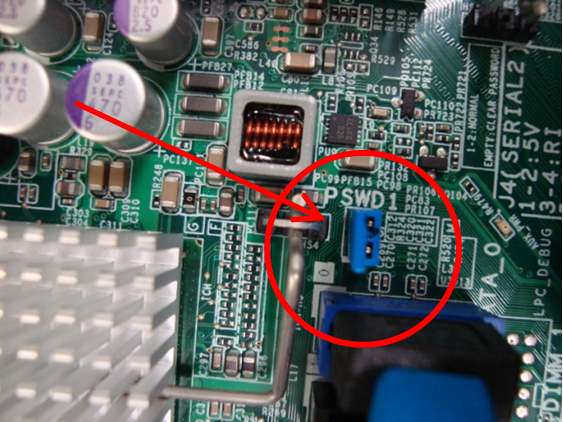
- Remove the jumper labeled PSWD1. Do not discard the jumper.
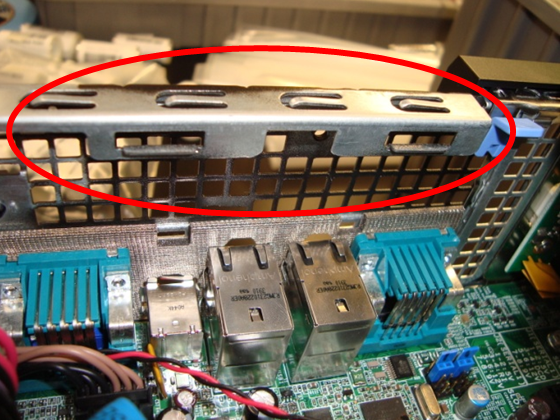
- Re-install the hard drive. Make sure the hard drive assembly tabs are inserted in the chassis slots.
- Connect the Power Cable to the back of the PC.
- Turn on the Panther System and PC.
- Access the BIOS by pressing F12 upon starting up the Panther System PC.
- On the BIOS screen, verify that the BIOS is unlocked—there should be no lock icon at the bottom left of the BIOS screen.
- Repeat steps 1–6 to remove the hard drive.
- Re-install the PSWD1 jumper.
- Re-install the hard drive. Make sure the hard drive assembly tabs are properly positioned in the chassis slots.
- Turn the computer right side up. Re-install the computer side cover.
- Connect the Power Cable to the back of the PC.
- Turn on the Panther System and PC. Access the BIOS by pressing F12 upon starting up the Panther System PC.
- Make sure BIOS is unlocked and ready to be configured.
- Configure the BIOS according to the Software Installation procedure.
Verification
- Power on the Panther System PC workstation.
- Launch the Panther System main assay software.
 button at the top of the page to send feedback, comments, or change requests.