Updating the System Serial Number in the GUI
Parts and Materials Required
- None
Time Required
- 5 minutes
Procedure
-
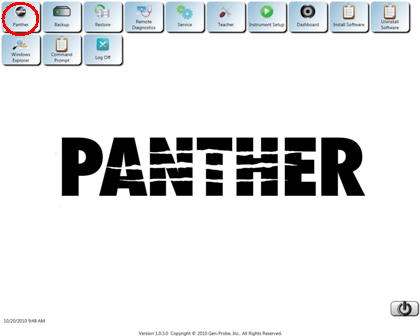
Launch the Panther FSE Shield software.
- Log on to the Panther System software.
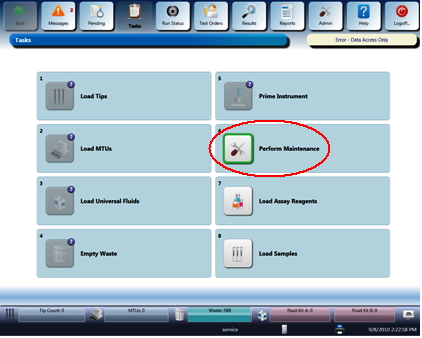
- Navigate to the Tasks screen.
 Click Perform Maintenance.
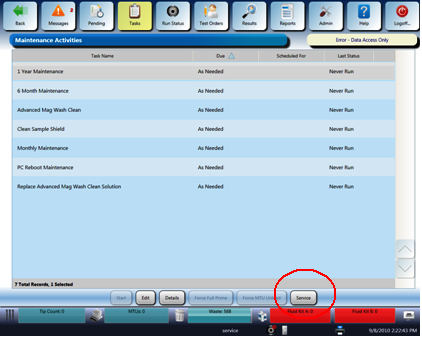
The Maintenance Activities screen appears.
- Click Service at the bottom of the screen.
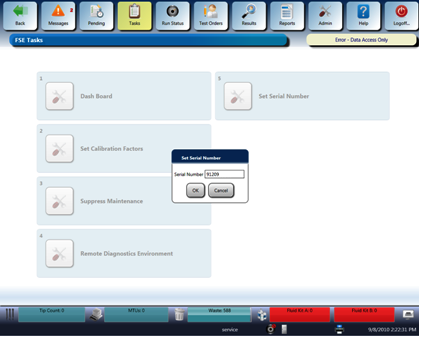
- Click the Set Serial Number button.
- Enter the Serial Number of the Panther System to be installed using the following format:
Serial Number: XXXXX, where XXXXX is only the last five numbers of the system serial number on the side of the system below the main power switch.
For example: System 88 would be 00088. System 2350 would be 02350.
- Click OK.
- Click OK.
- Restart Panther Main (GUI) so change will take effect.
- The Panther System serial number will be saved and will appear in the results run reports
 button at the top of the page to send feedback, comments, or change requests.