FSE Shield Software Login
- Upon PC boot up, touch the screen or press any key to stop the Panther Main from starting up.
The Panther Shield software screen appears.

Note—If no key is pressed or the touch screen is not touched, the Panther System main assay software launches. - Press Shift + F10.
The FSE Password Login dialog box appears.
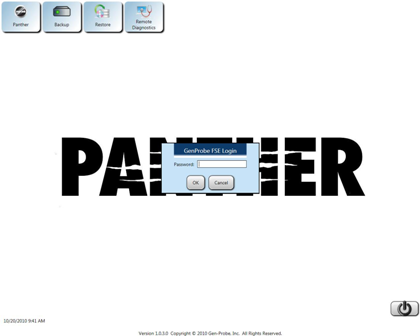
- Enter the following password
For Diagnostics:
!G9x53rvic3y
Where x = the last digit of the day and y = the last digit of the month.For BloodBank:
!53rx4Grif0l5y
Where x = the last digit of the day and y = the last digit of the month. - Click OK.
The Panther FSE Shield software screen appears.


 button at the top of the page to send feedback, comments, or change requests.