Output Queue MTU Presence Sensor Calibration
Programs
- Service Software
Time Required
- 10 minutes
Calibration Procedure
- Start up Service Software.
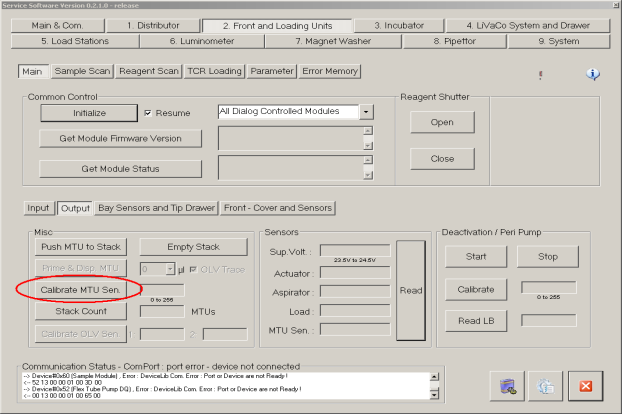
- Initialize the Output Queue.
 Under the Output Queue tab, select Calibrate MTUMulti-tube unit—Container used to process tests in the instrument. An MTU contains five separate reaction tubes. The MTU is moved through the instrument by the linear distributor and includes five tiplets for pipettiing to be used in the mag wash station. Sen.
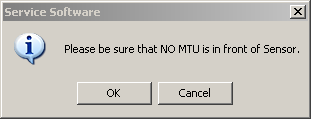
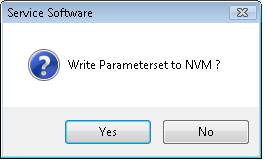
- Select OK.If the calibration is successful, the following message appears.
- Select Yes.
Verification
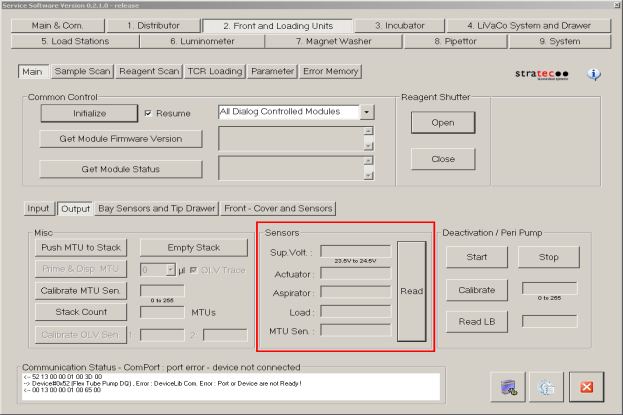
- Without an MTU present at the entrance of the Output Queue, press Read.
The MTU Sen status should show Not Present.
- Place an MTU at the entrance of the Output Queue and press Read.
The MTU Sen status should show Present.
 button at the top of the page to send feedback, comments, or change requests.