Fusion Pipettor Pressure Integrity Test
- From the 15. SC-System tab,
 select OQ - Test.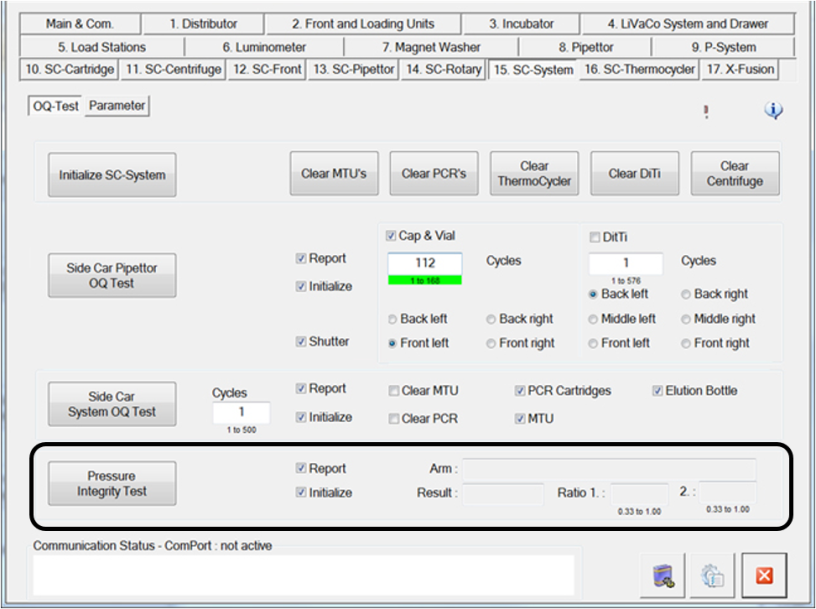
- In the Pressure Integrity Test section, select the Report and Initialize check boxes.
- Click Pressure Integrity Test to begin the test.
- Fill in all the fields in the Report Setup window and click OK.
- Insert a DiTi cone cap into Position 1, Tip Tray 1, Tip Drawer 1.
- Save the report when complete.
Any test result equal to 0.33 or above is a successful test result for the Pressure Integrity Test.
Click the  button at the top of the page to send feedback, comments, or change requests.

