Waste to Drain Installation Procedure for SN#01938 and Above
Procedure
- Power down the Panther System.
- Power down the Panther PC.
- Remove the side panels to allow access for the Waste-to-Drain Installation.
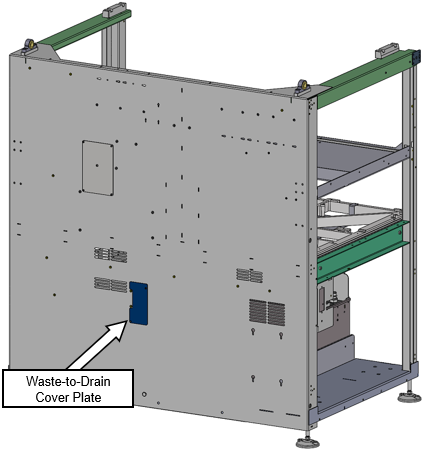
 Locate the Waste-to-Drain cover plate on the rear chassis panel as shown in BLUE below.
- Use an M2.5 hex key to remove the 2 screws securing the Waste-to-Drain cover to the back chassis.
- Set the Waste-to-Drain cover aside.
- Proceed to Create a Access Hole for Tubing in the Waste Drawer.
 button at the top of the page to send feedback, comments, or change requests.