Connecting the Cisco ASA 5505/5506 to FSE Laptop
- Connect the included Power Supply to the Cisco ASA 5505/5506 and a wall outlet.
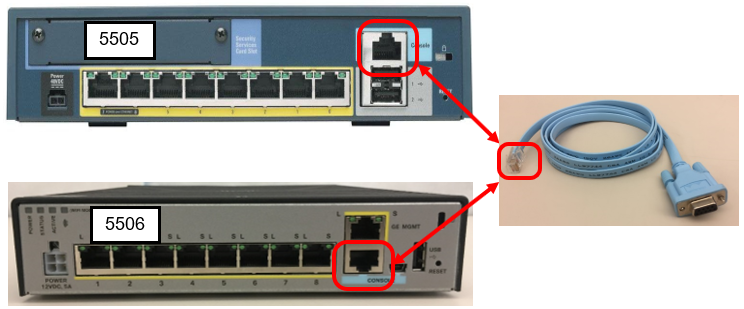
 Connect the Console Cable to the Console Port on the ASA 5505/5506.

Note—The Blue Console port MUST be used.
No other port will establish a connection.- Connect the FSE laptop to the Console port of the Firewall
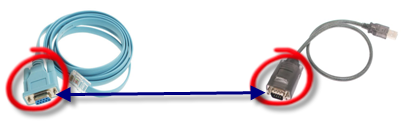
- For the 5505, connect the Console Cable to the USB to Serial Adapter Cable.
- For the 5506-X, you many use a USB to Serial Adapter cable (as in Step 3a)
OR
use the provided USB to Mini USB cable to directly connect to the console port.
- Plug the USB end of the cable into the FSE laptop.
- Confirm the Cisco ASA 5505/5506 is ON by checking that the POWER, STATUS, and ACTIVE lights are on.
Proceed to Programming the Firewall
 button at the top of the page to send feedback, comments, or change requests.