Uninstalling Panther Software and Shield Software
Parts and Materials Required
- Panther System PC
- USB memory stick or USB external hard drive
Time Required
- 10 minutes
Procedure
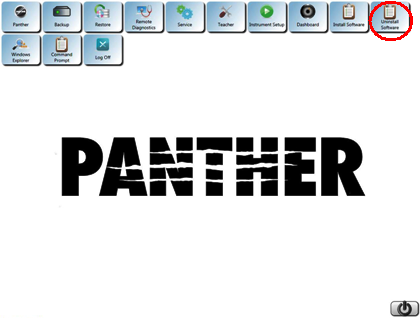
 From the Panther FSE Shield software screen, select Uninstall Software.
- From the Add and Remove Programs screen, remove the following applications in the order listed below.
- Panther Help Software
- RSL software
- Panther Assays Software
- Panther Dashboard Software (if present)
- Panther System Setup software
- Panther Service Software
- Panther Teach Software
- Panther System Software
- Panther Shield.
- For System SW v6.2 and below:
- From the FSE Shield, click the Log Off button
- Log into the Windows gpservice account, password is “gpservice”.
- Uninstall Panther Shield through Start\Control Panel\Programs and Features
OR
- For System SW v7.1 and above:
- Access the GPService account.
- Uninstall Panther Shield through Start\Control Panel\Programs and Features
- For System SW v6.2 and below:
- Restart the Panther System PC.
 button at the top of the page to send feedback, comments, or change requests.