Accessing the MS Windows GPService account on Image v6 and above.
The GP Service account is disabled as default on Image v6 and above.
To access the GP Service account on Image v6 and above follow the instructions below:
- From the FSE Shield, navigate to Windows Explorer
- Navigate to the C:\Panther
- Double Click on "enable_gpservice"
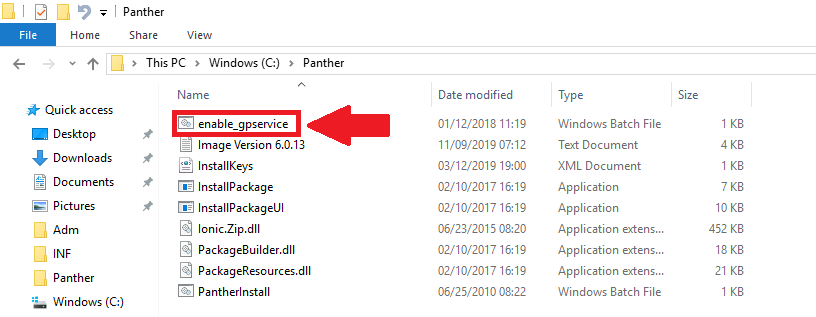
- The GP Service account is now enabled.
- Log off of the FSE Shield
- Select GPService and log in.
- Don't break anything!
 button at the top of the page to send feedback, comments, or change requests.