Software Verification
Parts and Materials Required
- Panther System PC
Procedure
Verify the Panther Software Version.
- Launch the Panther System main software (see the Panther System Operator's Manual).
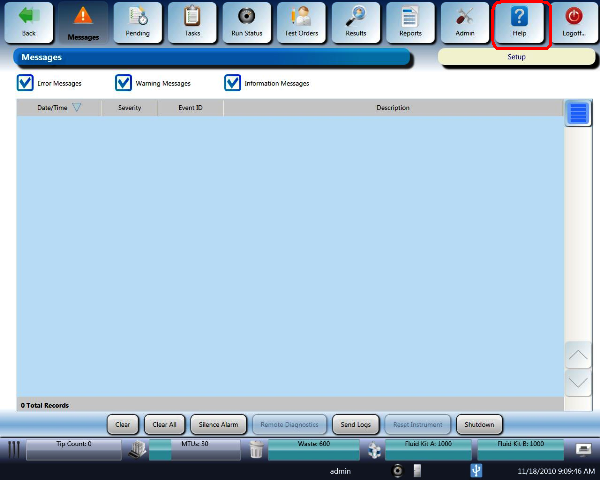
 Select Help in the upper right corner of the Panther System GUI screen.
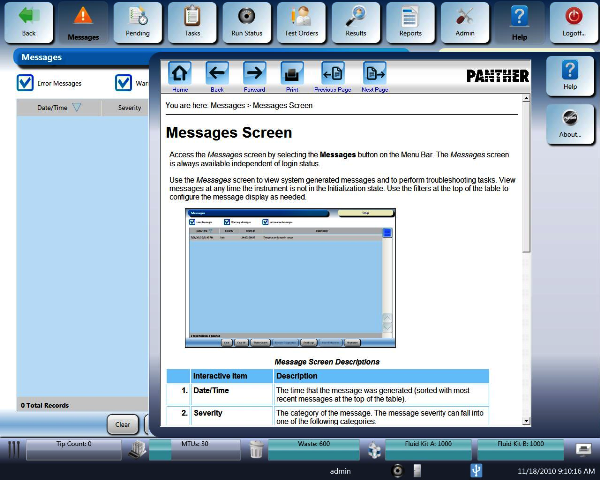
- Select About.
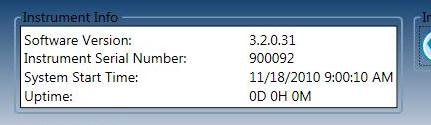
- The Software Version is located in the Instrument Information section on the top part of the screen.
- Verify that the Software Version matches the version listed in the appropriate Technical Bulletin.. (Example shown below.)
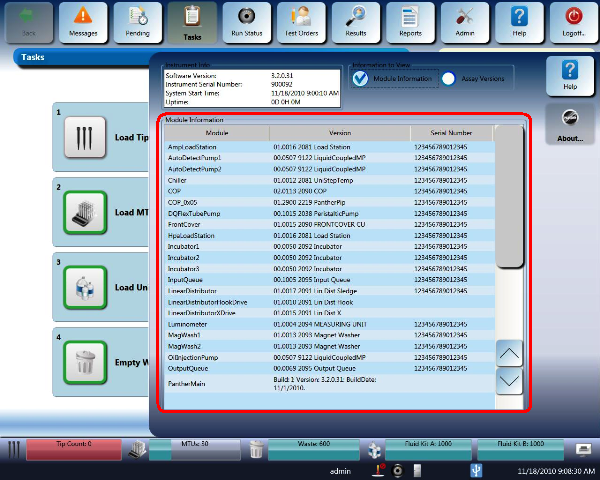
Verify the Firmware Version for Each Module
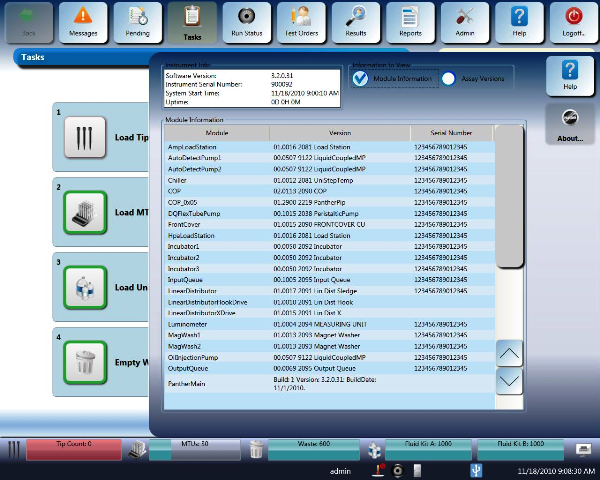
- Navigate to the Help/About screen of the Panther System main software.
- Select the Module Information check box.
- Verify that the firmware versions match those listed in the most current Panther System Module Firmware Versions.
Refer to the applicable TB for the most current list of the module firmware versions. - Continue to System Prime.
Verify Assay Versions
- Navigate to the Help/About screen of the Panther System main software.
- Select the AssayProcedures required to prepare and perform a specific test. In the context of this document, assay refers exclusively to a Hologic test, such as Aptima Combo or Ultrio. Version check box.
- Verify that the Assay Versions match those listed in the applicable System and Assay Install TB.
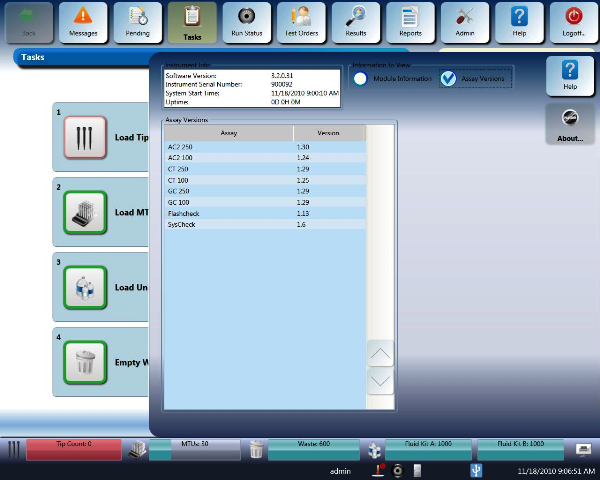
Refer to the applicable TB for the most current list of the Assay versions.
 button at the top of the page to send feedback, comments, or change requests.