Unloading Undeactivated MTUs from MagWash 1 & 2
Purpose
To explain the method for removing and deactivating MTUs from MagWash 1 & 2 in the event of a failure.
Parts and Materials Required
- Proper PPE
- Panther Tool Kit
- Squirt Bottle with recommended sodium hypochlorite concentration
- Procleix Assays: 0.5 to 0.7%
- Aptima
 Automated Probe Transcription Mediated Amplification. Trade name for amplified NAT infectious disease assays and reagents designed for use with Hologic's instrument platforms. and other diagnostic assays: 2.5 to 3.5%
- Absorbent Bench Pads
- Hex Wrench Set
Procedure
- Put on proper PPE.
- Power down the Panther System.
- Dispose of MTUMulti-tube unit—Container used to process tests in the instrument. An MTU contains five separate reaction tubes. The MTU is moved through the instrument by the linear distributor and includes five tiplets for pipettiing to be used in the mag wash station. waste bag and replace with a new waste bag.
- Change Gloves
- Open the right and left side panel doors.
- Verify that both pipettor arms are up. Manually push them up if they are not.
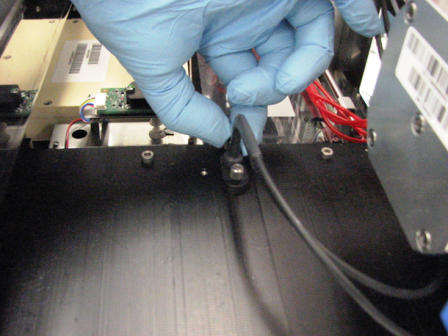
- Remove the Luminometer injectors by unscrewing the two screws that secure the injectors to the luminometer module.
- Unlock the Mid Bay drawers (left and right side) and pull the Mid Bay all the way out.
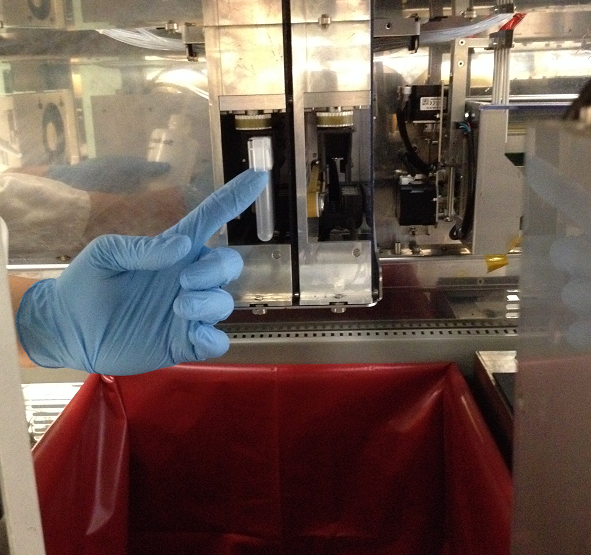
- From the left side of the Panther, reach in to access the MTU.
- Pull the MTU out of the MagWash.
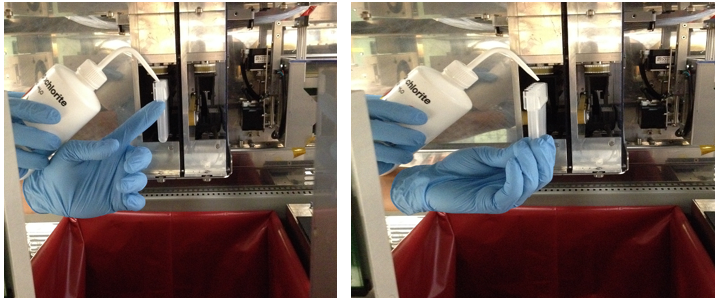
- Hold MTU above waste bin and dispense bleach into each tube.
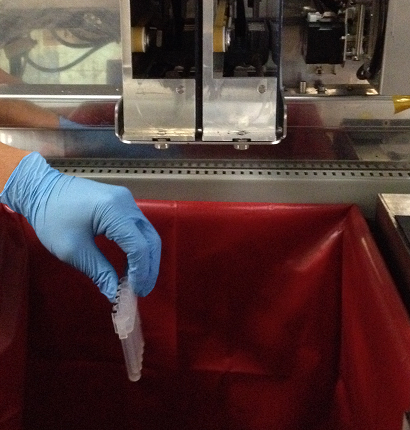
- Gently place the MTU in the waste bag and let it sit for 15 minutes.
- Change gloves.
- Remove the waste bag and dispose in a bio-hazard waste container.
 button at the top of the page to send feedback, comments, or change requests.