Drain the Panther Plus System
- Start Service Software
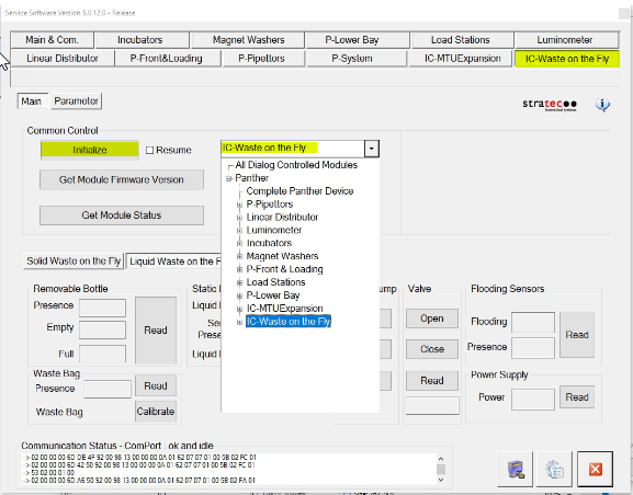
 Click on the IC-Waste on the Fly Tab, select IC-Waste on the fly in the drop down menu and click Initialize.
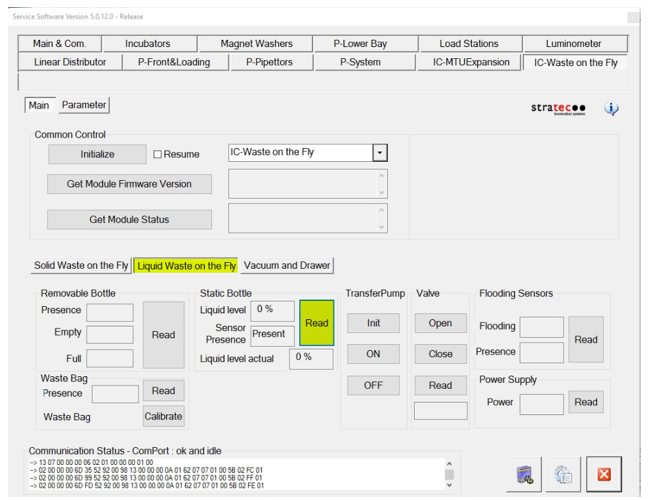
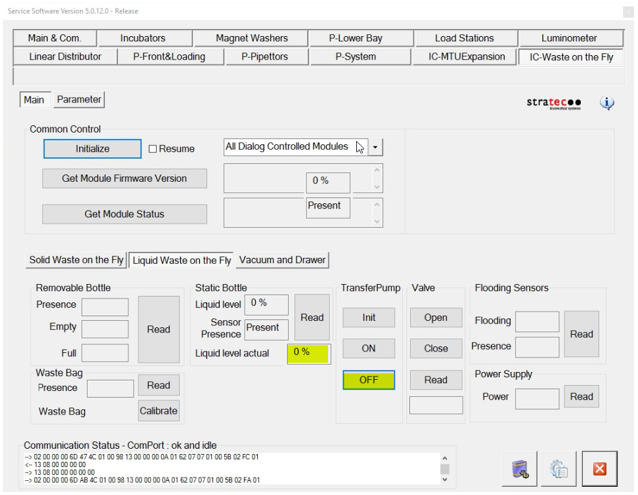
- Select the Liquid Waste on the Fly tab and click on Read under the Static bottle section.
- Remove the cap of the static waste bottle, add approximately 1L of DI water.
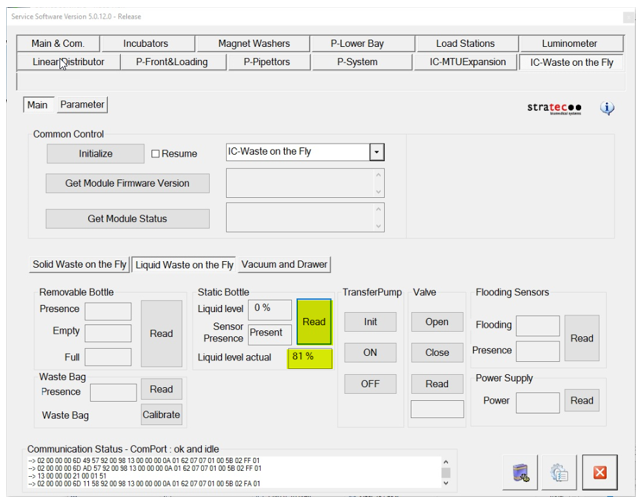
- Click on Read under the Static bottle section, you will see some percentage for the Liquid Level Actual
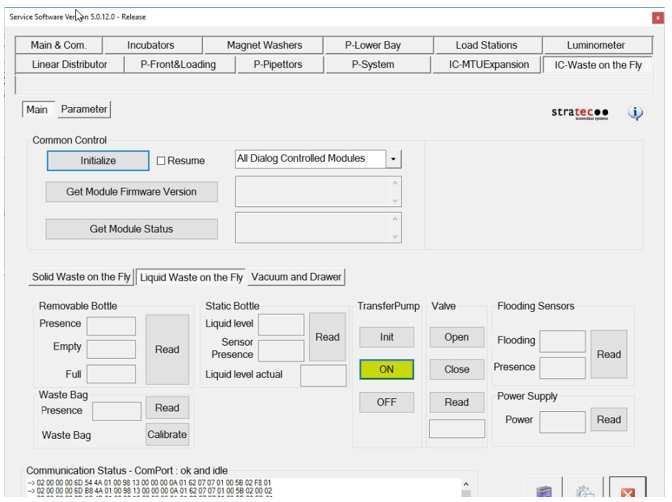
- Click On under the Transfer Pump section.
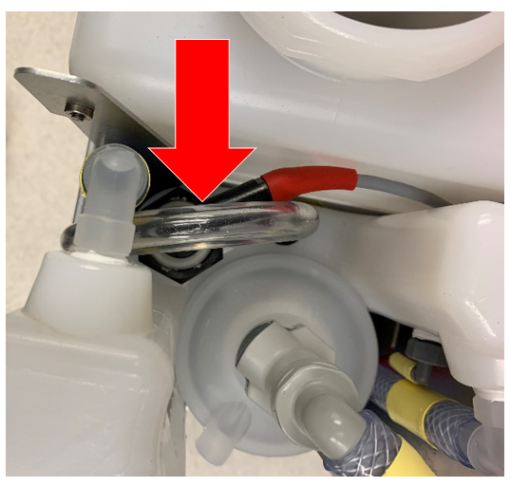
- Click Off under the Transfer Pump Section when there is no fluid left in the tubing from the static to removable waste bottles.
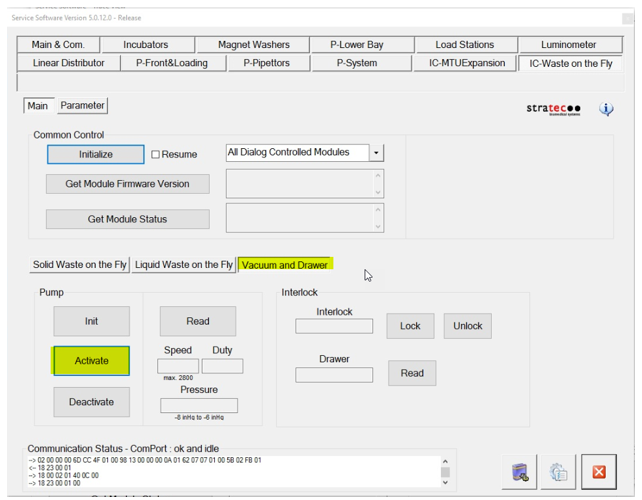
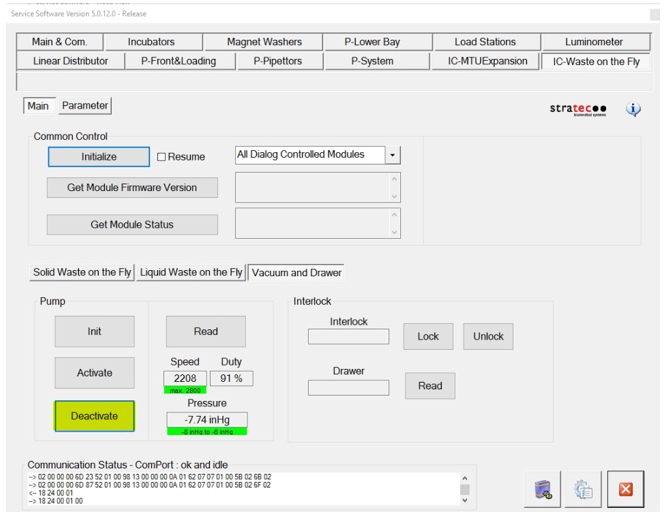
Ensure that the Liquid Level Actual is at 0%. - Select the Vacuum and Drawer tab and click Activate under the pump section
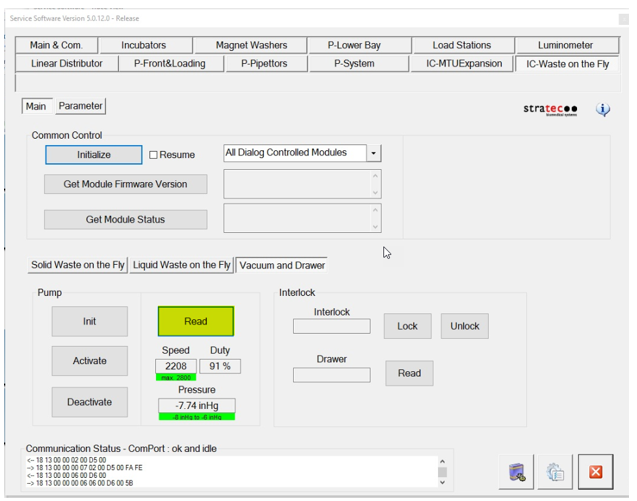
- Click Read under the Pump section and verify that the vacuum is within specification [(-203 mBar to -270 mBar) or (6 inHg to 8 inHg)].
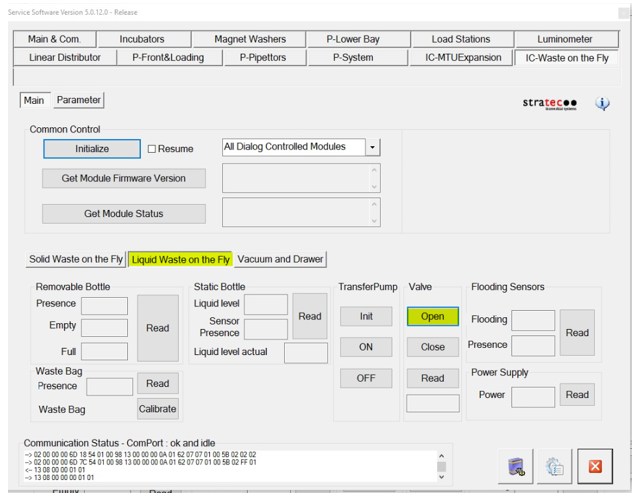
- Select the Liquid Waste on the Fly tab and Click Open under the Valve section
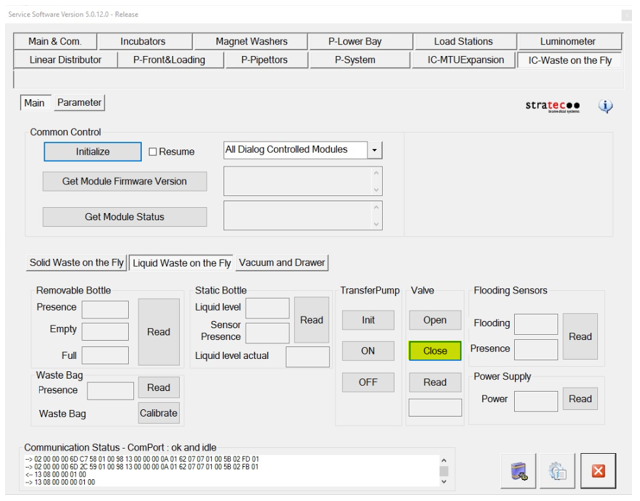
- After approximately 5 seconds, click Close under the valve section.
- Select the Vacuum and Drawer tab and click deactivate under the pump section.
-
Remove the waste bottle, empty in an appropriate container and replace the bottle.

 button at the top of the page to send feedback, comments, or change requests.