Auto-Teaching—Sample Pipettor

|
Note—To minimize contamination, perform the auto-teaching procedure in the following order. |
- Endozime Holder.
- TCR
 Target capture reagent—An assay-specific reagent added as part of specimen pipetting. Carousel.
 - Sample Bay Cover.
- Sample Dispense Slot.
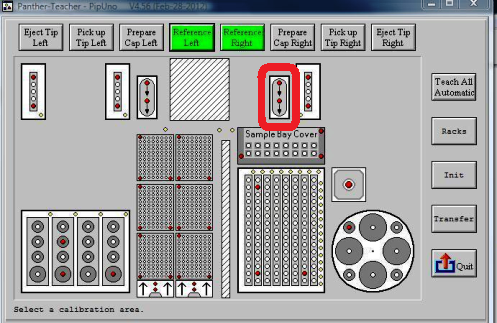
- Right Tip Eject Chute.
- Press the Eject Tip Right button to dispose of the DiTi-cap.
Endozime Bottle
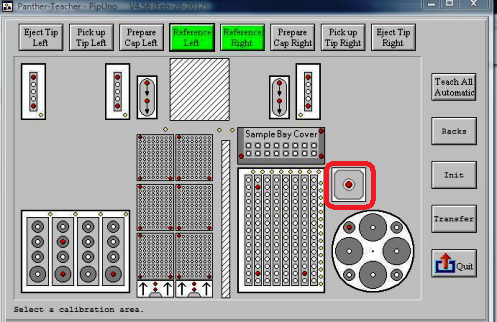
- Select the Endozime Bottle module icon.
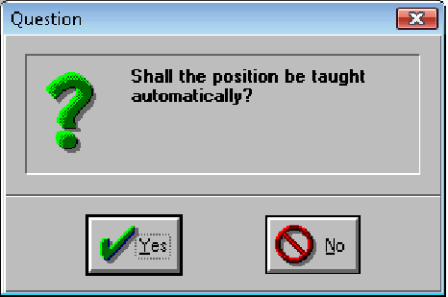
- Click Yes.
Auto-teaching begins.
- When auto-teaching has completed, proceed to the next module.
TCR Carousel
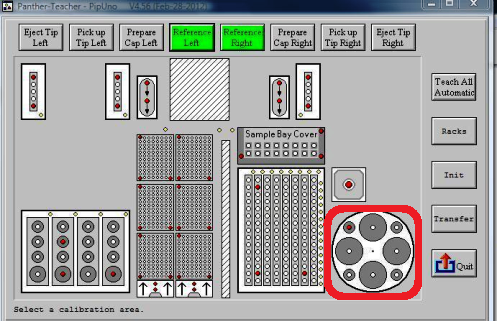
- Select the TCR Carousel module icon.
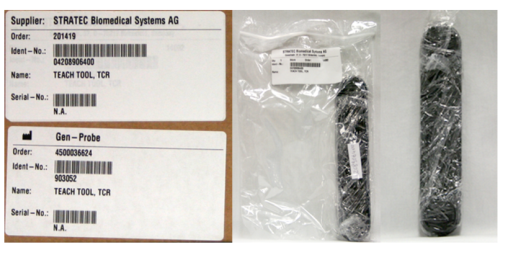
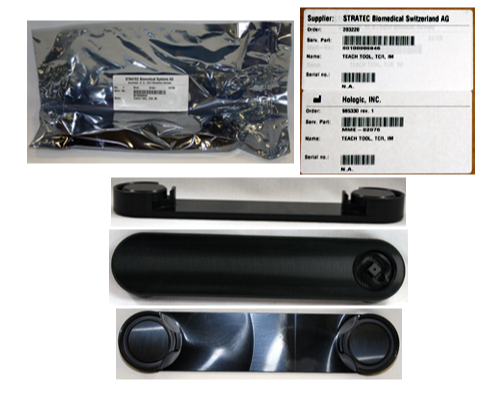
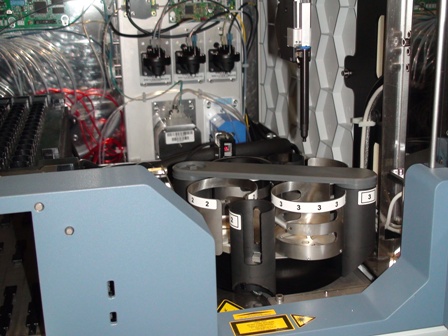
- At the prompt, insert the TCR alignment tool so that it lays across positions 1 and 3 with the teaching feature over position 1, as shown in the following photo.
Note—There are two TCR Alignment Tools available.
903052 - TCR CAROUSEL, PIPETTOR TEACH TOOLMME-02076 - TCR TEACH TOOL, (For use with molded TCR Carousels Cut in on P827 and higher) - Select Yes.
Auto-teaching begins.
Sample Bay Cover
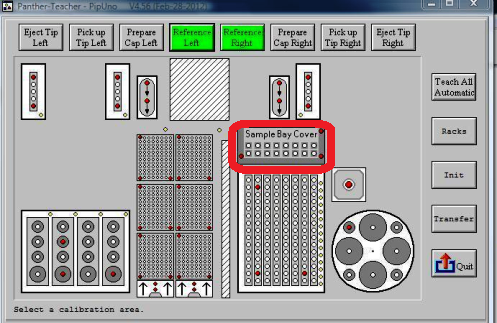
- Remove the partition wall if not done so already.
- Select the Sample Bay Cover module icon.
- Click Yes.
A prompt appears.
- Remove the partition wall.
Auto-teaching begins.
Sample Dispense Slot
- Select the Sample Dispense Slot module icon.
- Click Yes.
Auto-teaching begins.
Right Tip Eject Chute
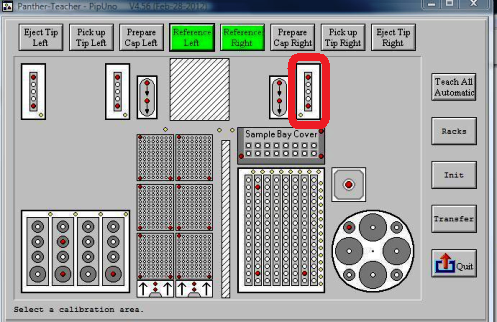
- Select the Right Tip Eject Chute module icon.
- Click Yes.
Auto-teaching begins.
- When auto-teaching has completed, click Eject Tip Right to dispose of the right Reagent Pipettor teach cap.
 button at the top of the page to send feedback, comments, or change requests.