Windows Vista Activation on the Panther System PC
Parts and Materials Required
- Panther System PC
- Windows Activation Key
Time Required
- 5 minutes
Procedure
- Power on the Panther System.
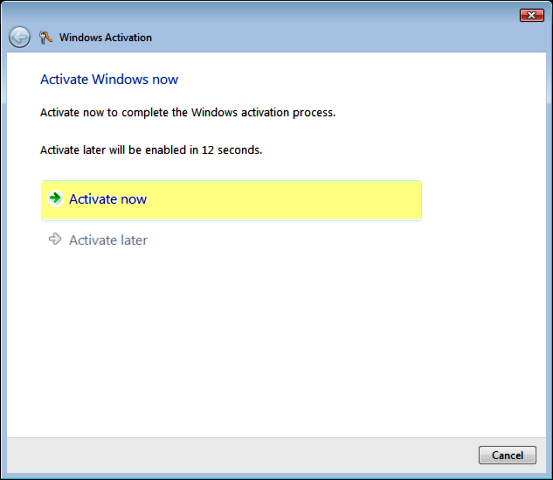
 In the Windows Activation screen, select Activate Now.
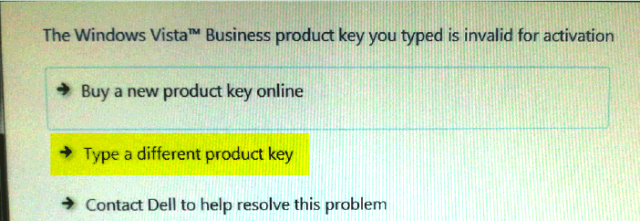
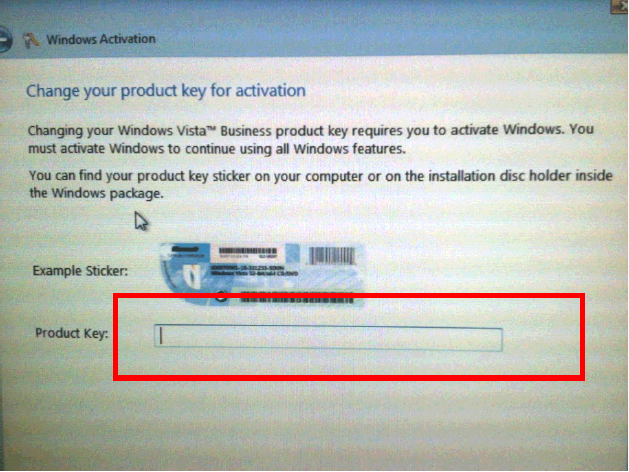
- Select Type a different product key.
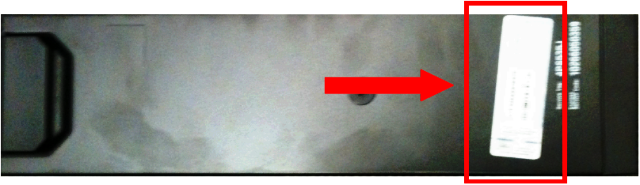
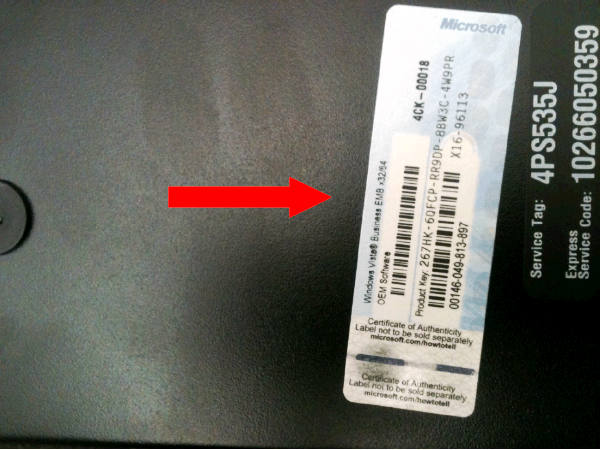
- Locate the Product Key sticker on the PC.
- Ensure that Num Lock is turned OFF.
- Enter the Product Key # from the PC sticker into the Product Key box.
- Select Next.
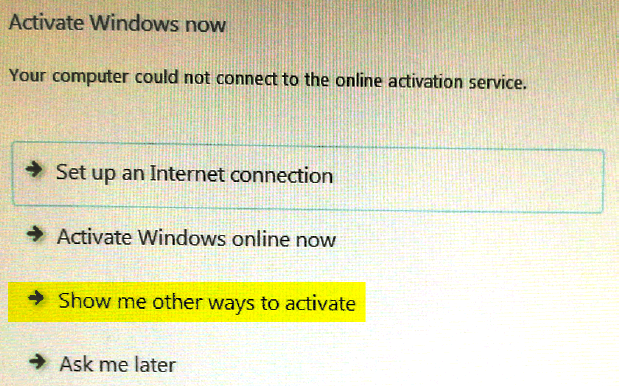
- Select Show me other ways to activate.
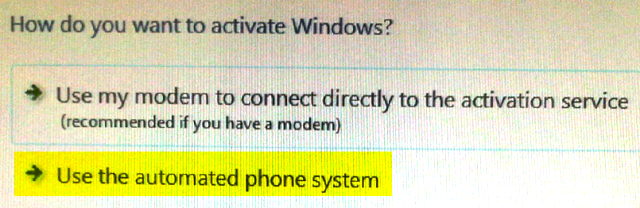
- Select Use the automated phone system option.
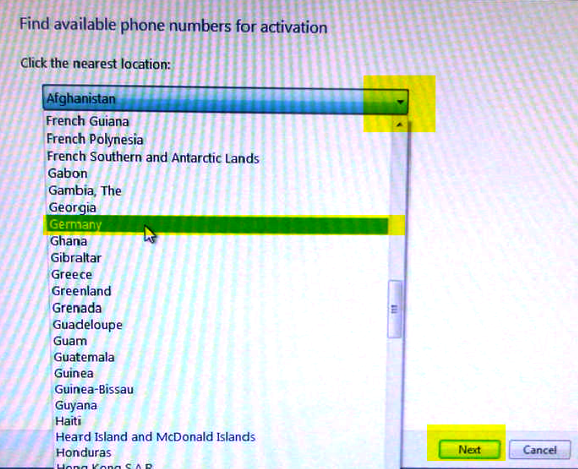
- Select the country in which the Panther System is located from the drop-down list and select Next.
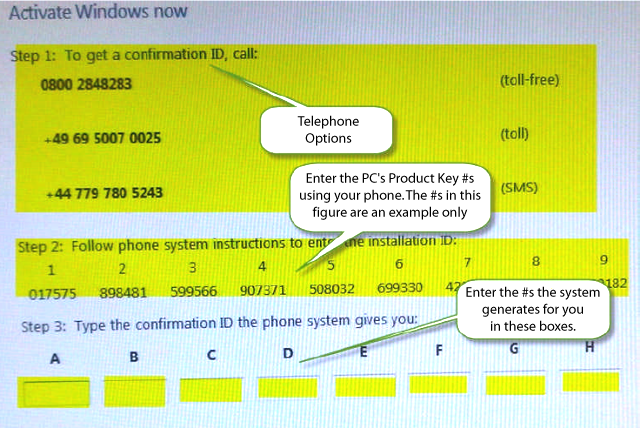
- Call the telephone number listed for the selected country and follow the voice prompts:
- Press #2 for Business Customer, or request a text message activation link.
- Using your phone, key in the series of nine six-digit number groupings listed on the screen.
- The Windows Activation system will provide you with nine new six-digit number groupings. Enter these number groupings in the boxes labeled A through H.
- The system allows you to select an option to have these new numbers sent directly to your cell phone as a text message, as well (optional).
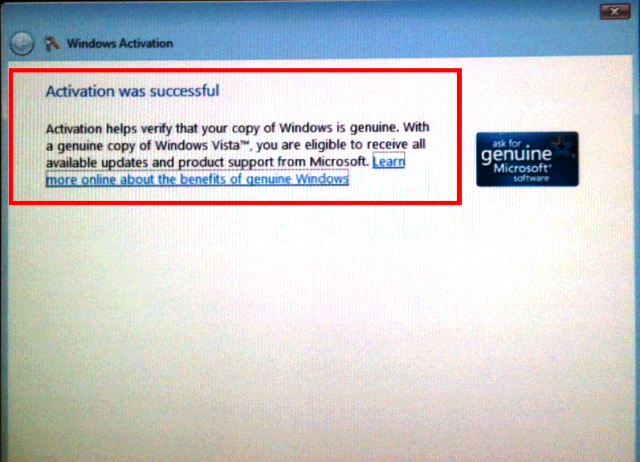
- Select Next.If all numbers were entered correctly, an Activation was Successful screen appears.
- If the activation was successful, select Close. If the activation was not successful, restart from step 1.
 button at the top of the page to send feedback, comments, or change requests.