Set Sample Handling Configuration to Not Read Repeat Barcodes
Procedure
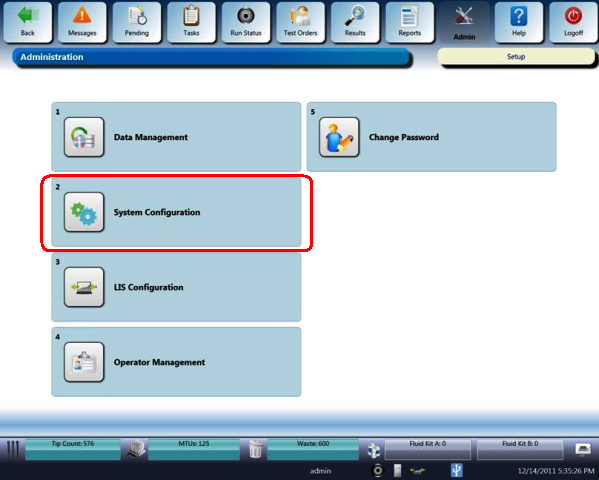
- On any Panther System screen, select the Admin button at the top of the screen.
The Administration screen appears.
- On the Administration screen, select System Configuration.
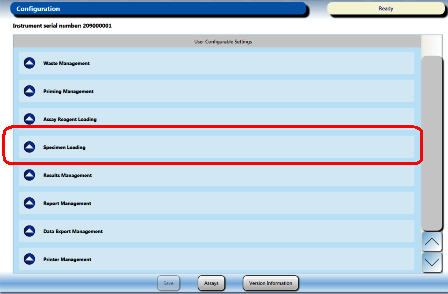
The Configuration screen appears
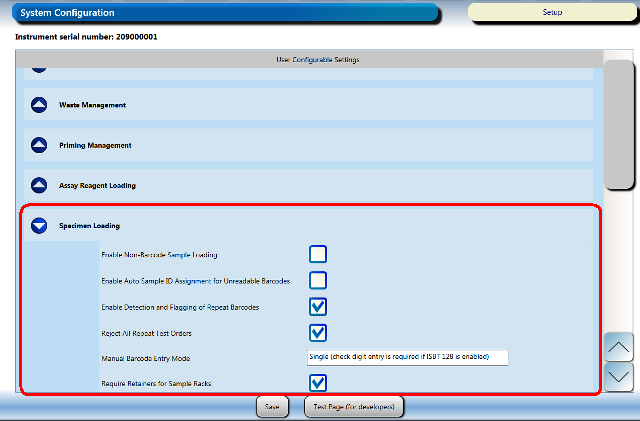
 Select the Specimen Loading option.
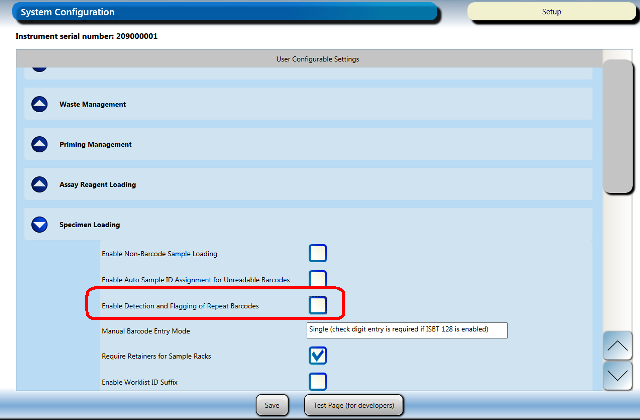
- Clear the Enable Detection and Flagging of Repeat Barcodes option box.
- Select Save at the bottom of the System Configuration screen.
 button at the top of the page to send feedback, comments, or change requests.