Purging Message Logs
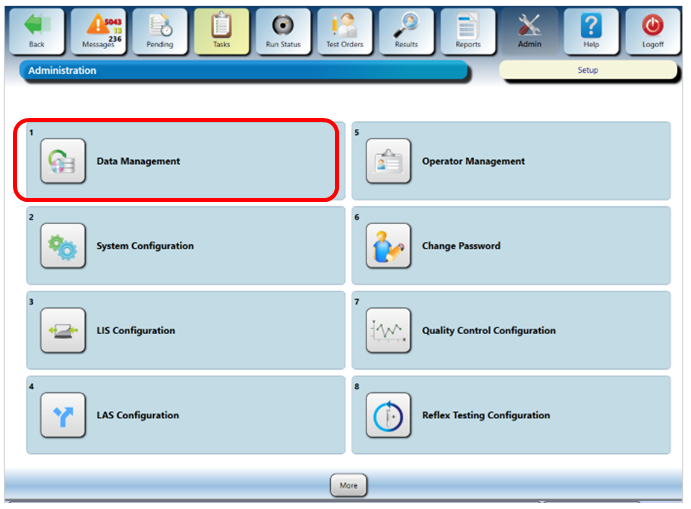
- From the Panther GUI, navigate to the Admin tab.
- Select Data Management.
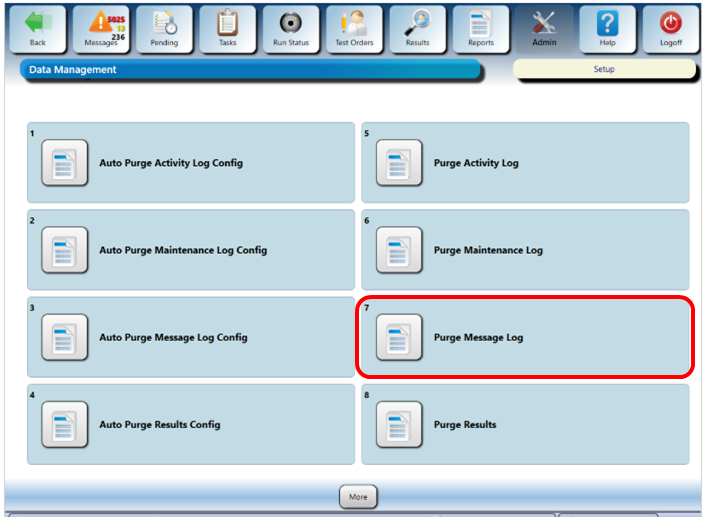
- From the Data Management screen, select Purge Message Log.
 S
S - Select the Purge Everything Before option is selected and select today's date.
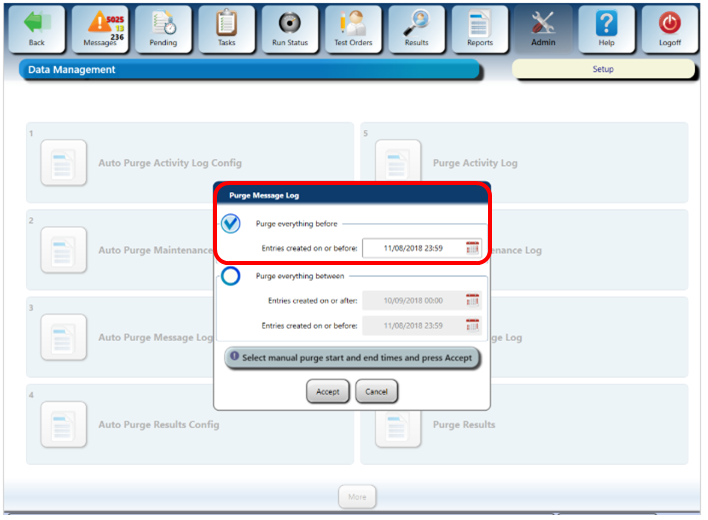
- Select Accept.
S
Click the  button at the top of the page to send feedback, comments, or change requests.