Enabling LIS Communication
Procedure
- On any Panther System screen, select the Admin button at the top of the screen.
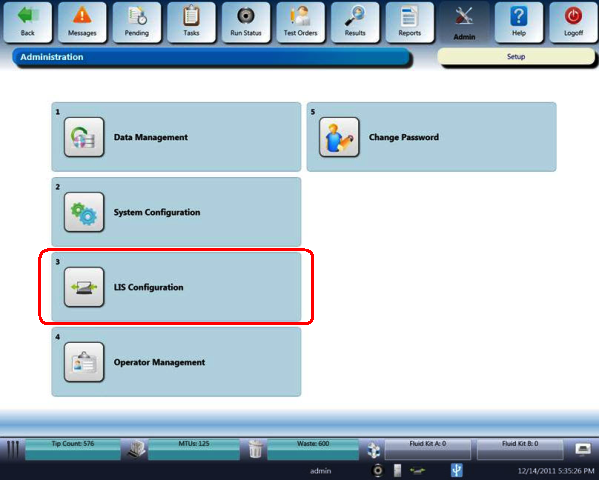
The Administration screen appears.
- On the Administration screen, select LIS Configuration.
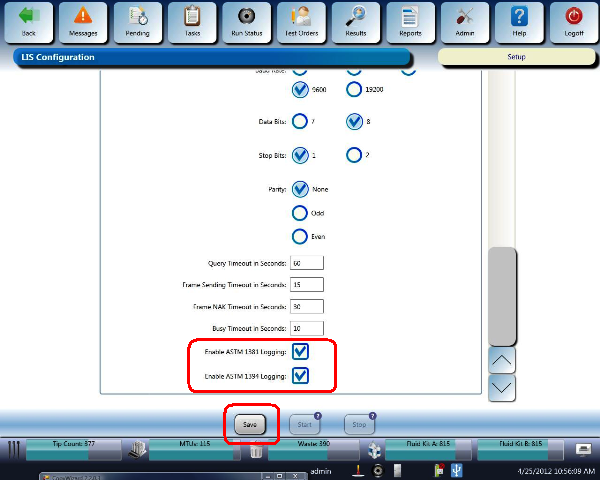
 At the bottom of the LIS Configuration screen, select the following check boxes:
- Enable ASTM 1381 Logging
- Enable ASTM 1394 Logging
- Select Save at the bottom of the LIS Configuration screen.
 button at the top of the page to send feedback, comments, or change requests.