Enabling HIV-1 Analyte Mode
If the customer will run the HIV-1 assay the QHIV-1 ANALYTE REPORT MODE MUST be enabled per your region.
 For US Customers
Select “Show Separate Analyte Results (US)"
- Navigate to Tasks>Perform Maintenance>Service> qHIV-1 Analyte Report
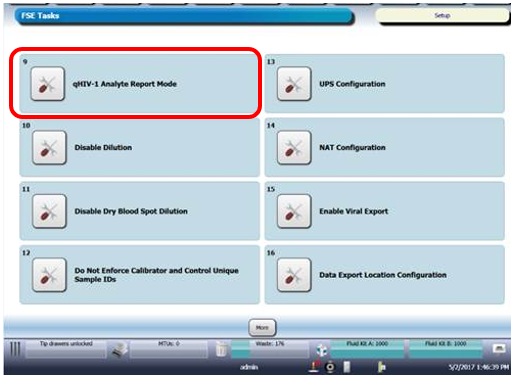
- Then select “Show Separate Analyte Results (US)”
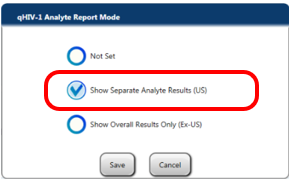
- Click on Save
For Customers OUTSIDE the USA
Select “Show Overall Results ONLY (Ex-US)” AND Enable Dilution AND Enable Dry Blood Spot Dilution
- Navigate to Tasks>Perform Maintenance>Service> qHIV-1 Analyte Report
- Then select “Show Overall Results ONLY (Ex-US)”
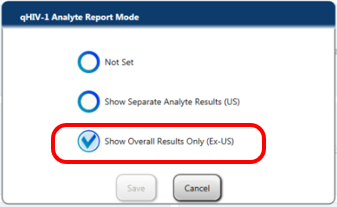
- Click on Save
- Then Enable Dilution via GUI>Tasks>Perform Maintenance > Service
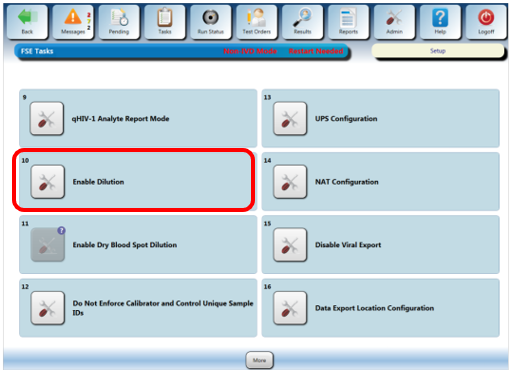
- Then Enable Dry Blood Spot Dilution via GUI>Tasks>Perform Maintenance > Service
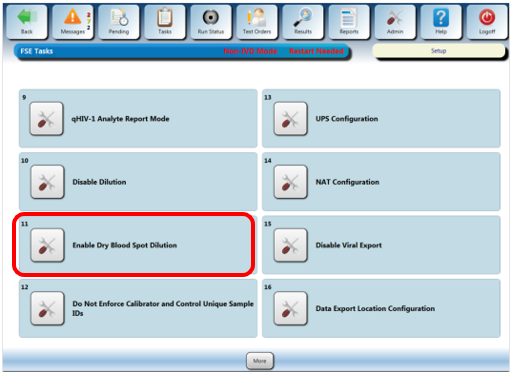
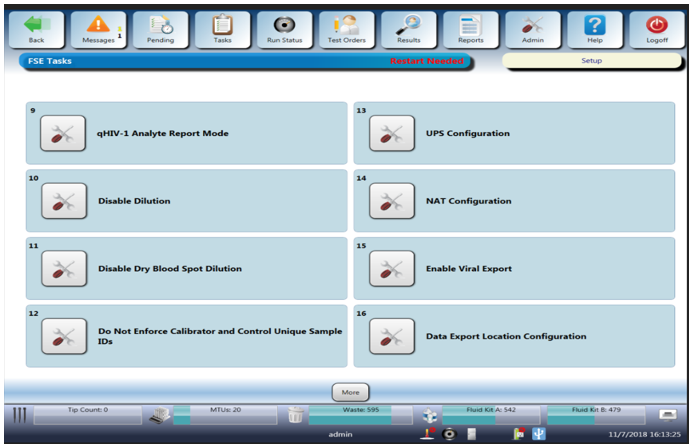
- Once completed your screen should display the following:
 button at the top of the page to send feedback, comments, or change requests.