Collecting Test Count Data
- Log into the FSE Shield and click on Panther Dashboard
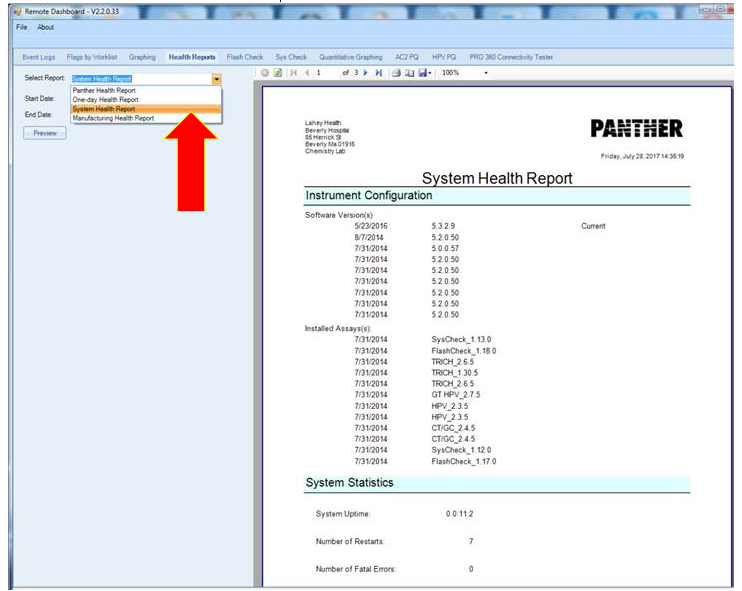
- From the Panther Dashboard, select Health Reports.
- Choose the System Health Report drop down and select your date range.
- Then click Preview. A report will display on the right hand pane.
A screen shot from the Dashboard dropdown is below:
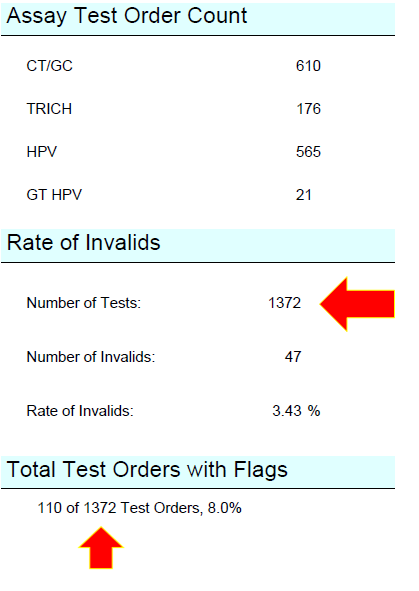
- The Cycle Count data (for the date range chosen) will be listed in several places as shown below.
Click the  button at the top of the page to send feedback, comments, or change requests.