Magwash Aspirator Drive Greasing Procedure
The lubrication of the Aspirator Drive lead screw can be performed in the event of an aspirator stall crash.
Parts and Materials Required
- SuperLube multi-purpose grease OR Teflon-based Grease
Procedure
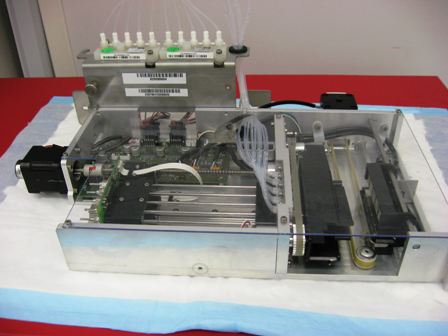
- Remove the Magwash(es) from the Panther
 Place the Magnetic Wash module on a properly protected work surface.
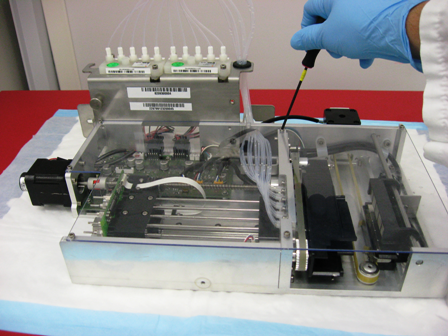
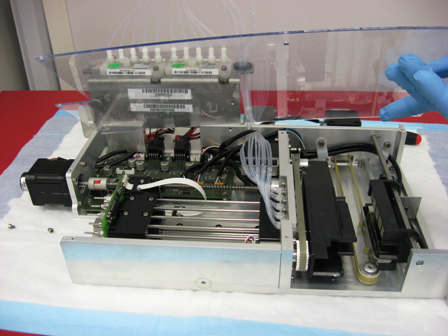
- Using a 3 mm hex wrench, remove the seven 4 mm screws that secure the clear module cover and lift the cover off the module.
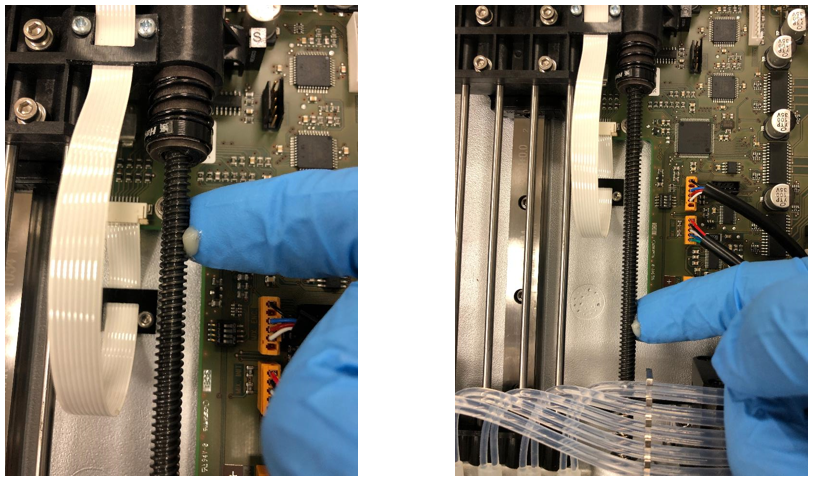
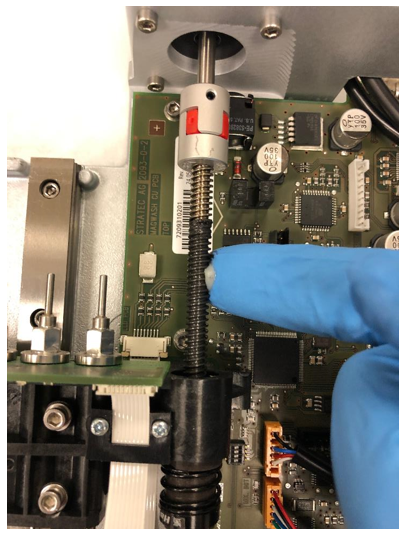
- Wipe excess grease from the lead screw using a dry lint-free wipe or paper towel.
- Inspect the linear reel and slide bearing and wipe any debris or grease with a dry lint-free wipe or paper towel.
- Apply a pea-sized amount of Teflon Grease (ball detent grease) or
an equivalent synthetic grease to the lead screw (SuperLube multi-purpose grease).
Push the grease into the threads and try to distribute the grease all along the length of the screw. - Manually rotate the motor coupling to lower the aspirators a few centimeters to expose the very top portion of the screw.
Apply grease to this top portion of the screw. - Replace the clear plastic covers on the MagwashMagnetic washer.
- Repeat steps 3-8 on the other Magwash, as necessary.
- Re-install the clear cover and its seven screws.
- Install the Magnetic Wash module.
Verification
- Align the Distributor to the Magnetic Wash modules.
- Ensure that no MTUs are in the Magwashes and perform several “Tip Ejects” in Service Software.
This moves the aspirator drive through its full range of motion.
Note— Carefully listen for any motor stalls – not all motor stalls will return an error message if the module can eventually complete its motion.
If any motor stalls are heard, or if any aspirator drive error messages are delivered, the root cause is NOT lead screw lubrication. - Perform a 4 cycle Magwash OQ.
 button at the top of the page to send feedback, comments, or change requests.