Dashboard Server Troubleshooting
- If you don't see USB as a boot option, you may need to update the Boot Settings.
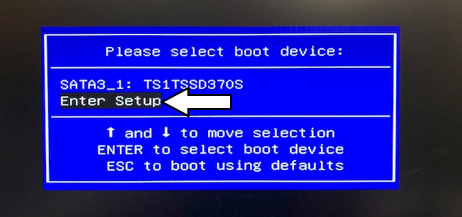
 Press F11 during startup again and choose Enter Setup.
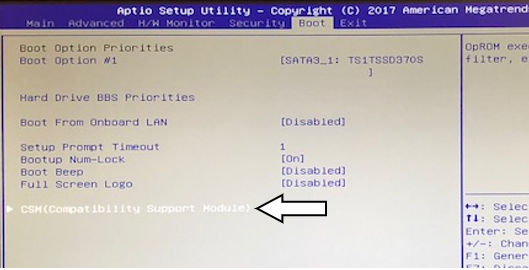
- Use the left and right arrow keys to highlight the Boot top level menu.
- Use the up and down arrows to highlight CSM(Compatibility Support Module) and hit Enter.
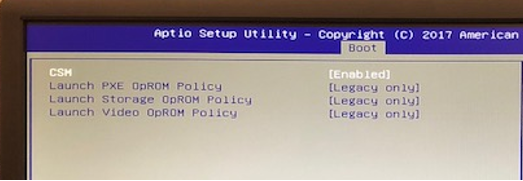
- Change CSM to [Enabled] if not enabled already.
- Change all remaining Launch options to [Legacy Only].
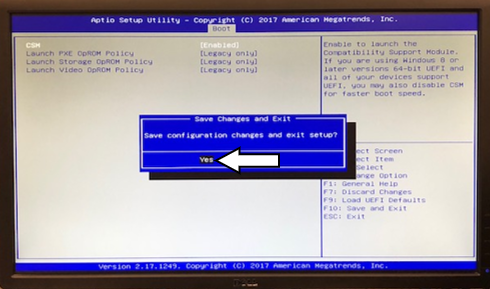
- Press F10 to Save and Exit.
- Highlight Yes in the Save Changes and Exit pop-up.
- Hit Enter to Save.
- Once the PC restarts, the USB boot option will be displayed.

 button at the top of the page to send feedback, comments, or change requests.