Dashboard - Threshold Configuration
The Threshold Configuration screen allows users to set up a notification when the following reach
a warning or critical threshold for time or count:
- MTUs
- Tips
- Waste
- Fluids
- Reagents
- Maintenance
- Calibrators
- Controls
To access the Threshold Configuration screen, select Thresholds from the Administration screen.
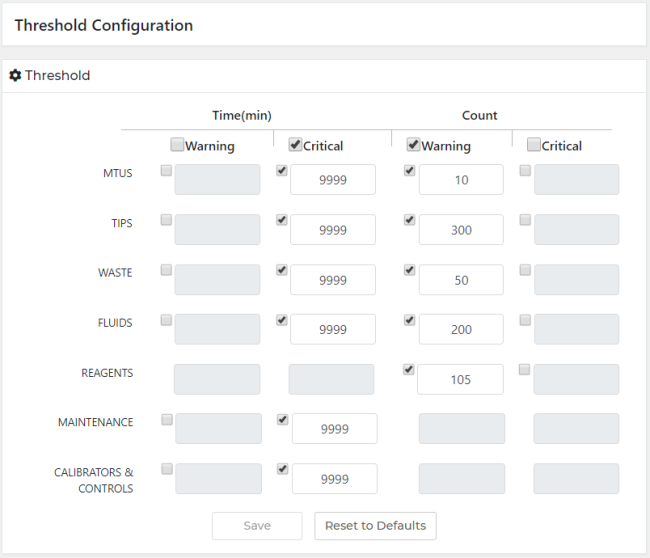
Set Time and Count Threshold
- Select the applicable resources.
- Enter a value for each resource with checked box.

Warning—Value must be greater than the critical value 
Note—Enable/disable the Warning and/or Critical option to enable/disable all applicable resources - Select Save.
Note—Once a Warning or Critical value has been reached, the user is notified via Dashboard Card orGrid View - To undo the last update, select Reset to Default.
 button at the top of the page to send feedback, comments, or change requests.