Dashboard - Network Configuration
The Network Configuration screen allows users to view the current Network setup and offers options to edit.
To access the Network Configuration, from the Panther Dashboard >> Administration, select the Plugicon or the Network button.
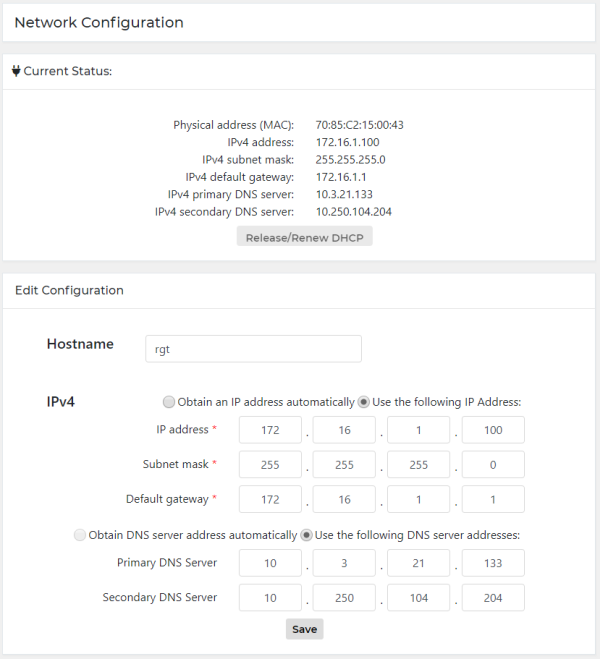
The Current Status section provides current physical address and IP information.
Only statically assigned IP addresses are supported by Dashboard.
Refer to the instructions.txt file generated by the Firewall Wizard for configuration values.
Edit Configuration
- Enter Host name.
- Select the appropriate option to obtain IP address or provide IP addresses directly.
- Select Save.
 button at the top of the page to send feedback, comments, or change requests.