Create Dashboard

|
Note—Only a super-user or higher can create a dashboard. |
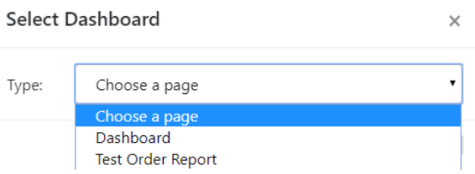
- Select Add to open the Select Dashboard window.
 Select the Type using the drop-down menu.
- Select Dashboard or Test Order Report.
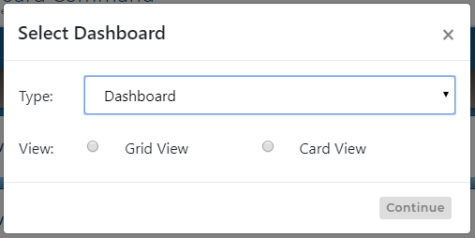
- Select Grid View or Card View, if applicable.
- Select Continue.
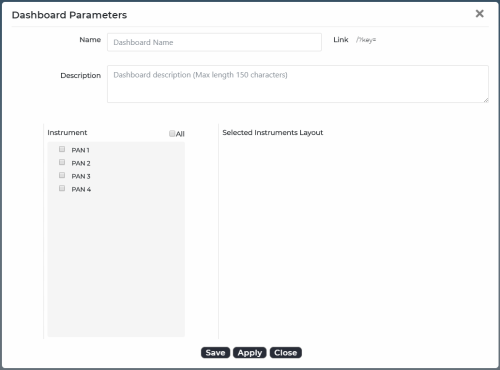
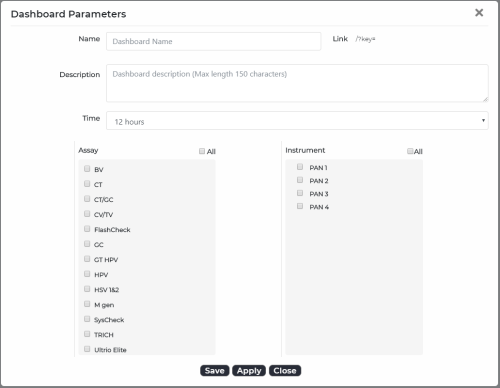
- Type or select the applicable information and parameters.Note—Depending on which Grid View, Card View, or Test Order Status Report option is selected, the Dashboard Parameters window displays different parameters.
Note—If Apply is selected, the dashboard parameters are not saved, and the user is taken directly to the detail screen for the newly created dashboard. - Select Save and then Close.
- A new dashboard opens in the Dashboard Management grid on the Dashboard Command Home screen.
 button at the top of the page to send feedback, comments, or change requests.