Installing New Hand-held Barcode Scanner (F560) and Bracket Install Procedure
What is Affected
The previous model was discontinued by the manufacturer and is no longer orderable. The new scanner model (F560) replaces all older models.
Parts and Materials Required
- Panther Tool Kit
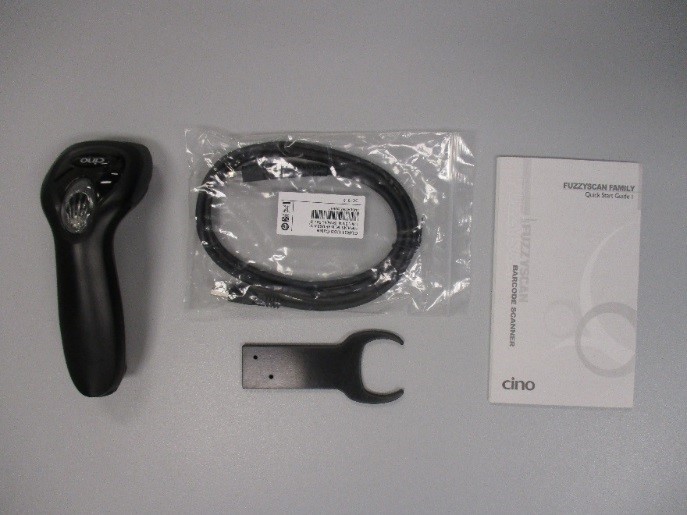
 Scanner with Bracket
- Cino F560 Scanner
- RJ-45 to USB A cable
- Bracket
- Quick Start Guide
Time Required
30 Minutes
Procedure
Install the New Hand-held Barcode Scanner
- Put on proper PPE.
- Remove the old Hand-held Barcode Scanner and unplug it from the USB Hub.
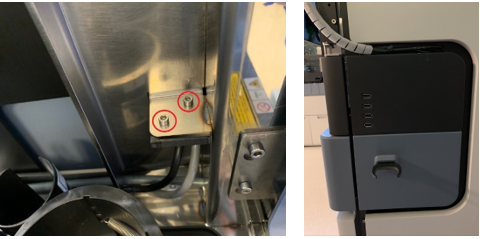
- If this an upgrade, remove the old Hand-held Barcode Scanner bracket by unscrewing the 2 screws with a hex key on the back side of the bracket. Save the 2 screws for reassembly.
- Install the NEW Hand-held Barcode Scanner Bracket with the 2 screws from the old bracket.
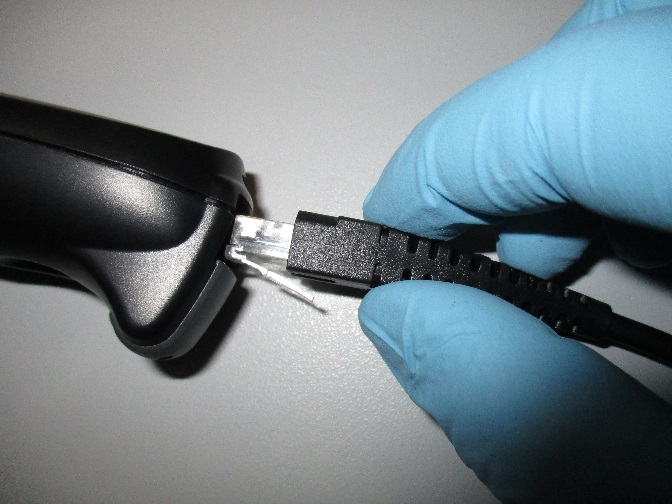
- Insert the RJ-45 connector into the handle of the New Hand-held Barcode Scanner.
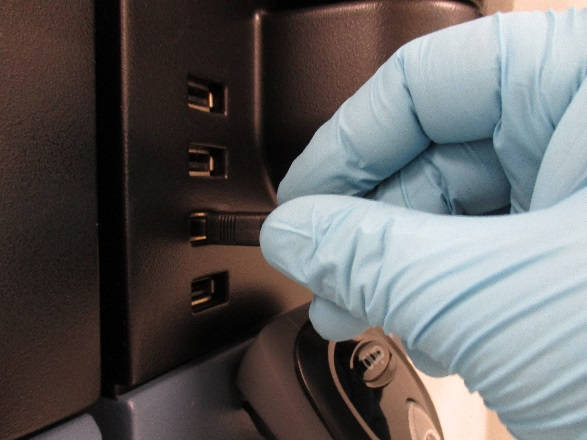
- Insert the USB end of the cable into the USB port located below the monitor and hang the scanner on the Bracket.
- The hardware installation is complete.
Program the Hand-held Barcode Scanner
- Print the document below and follow the instructions to program the new Barcode Scanner.
- If this is an installation, continue to Verify Fittings.
 button at the top of the page to send feedback, comments, or change requests.