Enabling Fiber Cleaner Nest in Fusion Teach Software

|
NOTE— This procedure is ONLY required for Fusion Teacher software v1.0.17.0. |
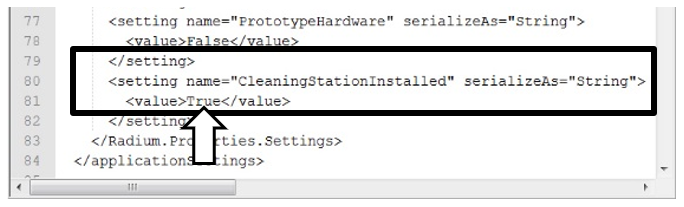
- In Notepad, open this file: C:/Panther/Fusion Teacher Software/FusionCoo.exe.config
 In the <applicationSettings> section of the file, set the value of the "CleaningStationInstalled" variable for <setting name> to True.
- Save and close the file.
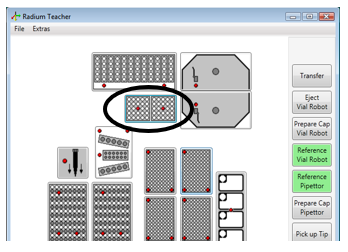
- Restart Fusion Teacher and the Fiber Cleaner Nest section will be visible.
 button at the top of the page to send feedback, comments, or change requests.