Teach Rotary Distributor to All Stations

|
Note—It is recommended to always clean the distributor hook and all teach points with alcohol before teaching. |
- Initialize the Rotary Distributor.
- From the 14. SC-Rotary tab, select Parameter, change the Authorization Code to “1” and click Set.
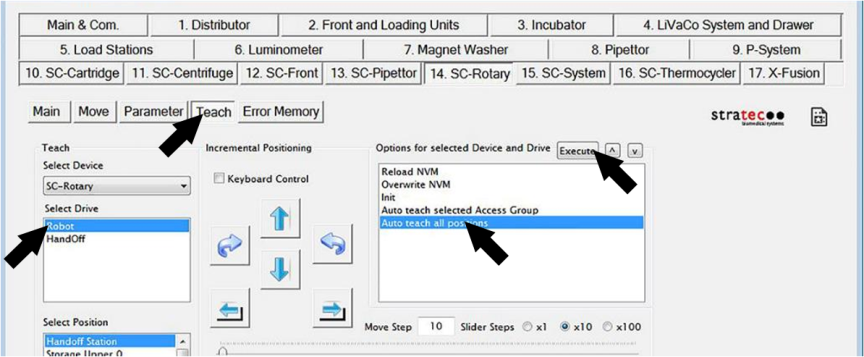
- Select Teach,
 and then under Select Drive, select Robot.
 - Select the Auto teach all positions option and click Execute.
- When prompted to Overwrite NVM, select Yes.
Note—You can also teach to one individual station by selecting the station from the Select Position list, and using the Auto teach selected Access Group option.
 button at the top of the page to send feedback, comments, or change requests.